Original User Manual | Pedelec Impulse 2.0 Ergo 25
• Power cost
• Total saving
• Total km
• Back
7.3.6 Target cost
Via the menu sub-item “Target cost”, you can access the
sub-items:
• Fuel price
• Fuel consumption Ø
• Fuel type
• Power cost
• Back
You can select the sub-items using the
/ buttons.
Pressing the
button takes you to the respective sub-
item. Select “Back” and conrm with the button to re-
turn to the menu sub-item display.
The el price, average consumption and el type
need to be entered to enable calculation of the money
and CO
2
saved in comparison with the use of a car.
This is displayed in the main menu of the information
area under “Overall savings” ➠
Chapter 7.2.
Fuel price: Under the sub-item “Fuel price”, you can
speci the price of petrol or diesel in euros and cents.
You can set this to a value in euros between 0 and 9 euros
and a value in cents between 0 and 99 cents by using the
buttons on the control unit to move in 1-euro and 1-cent
steps respectively. Once you have conrmed both values
by pressing the
button, this takes you back to the menu
sub-item display.
Fuel consumption Ø: You can enter the average el con-
sumption for driving a car in half-litre steps om 0 to
20litres. Navigate using the
/ buttons. Pressing the
button conrms your selection and then takes you back
to the menu sub-item display.
Fuel type: Under the sub-item “Fuel type”, you can choose
“Petrol” or “Diesel” by pressing the
/ buttons. Press-
ing the
button conrms your selection and then takes
you back to the menu sub-item display.
Power cost: Under the sub-item “Power cost”, you can
speci the price of electricity om 0 to 99 cents (ct) us-
ing the
/ buttons on the control unit to move in 1-cent
7.3.5 Personalize
Choose om the following using the / button:
• Name
• SET-Favourites
• Back
Conrm your selection by tapping the
button.
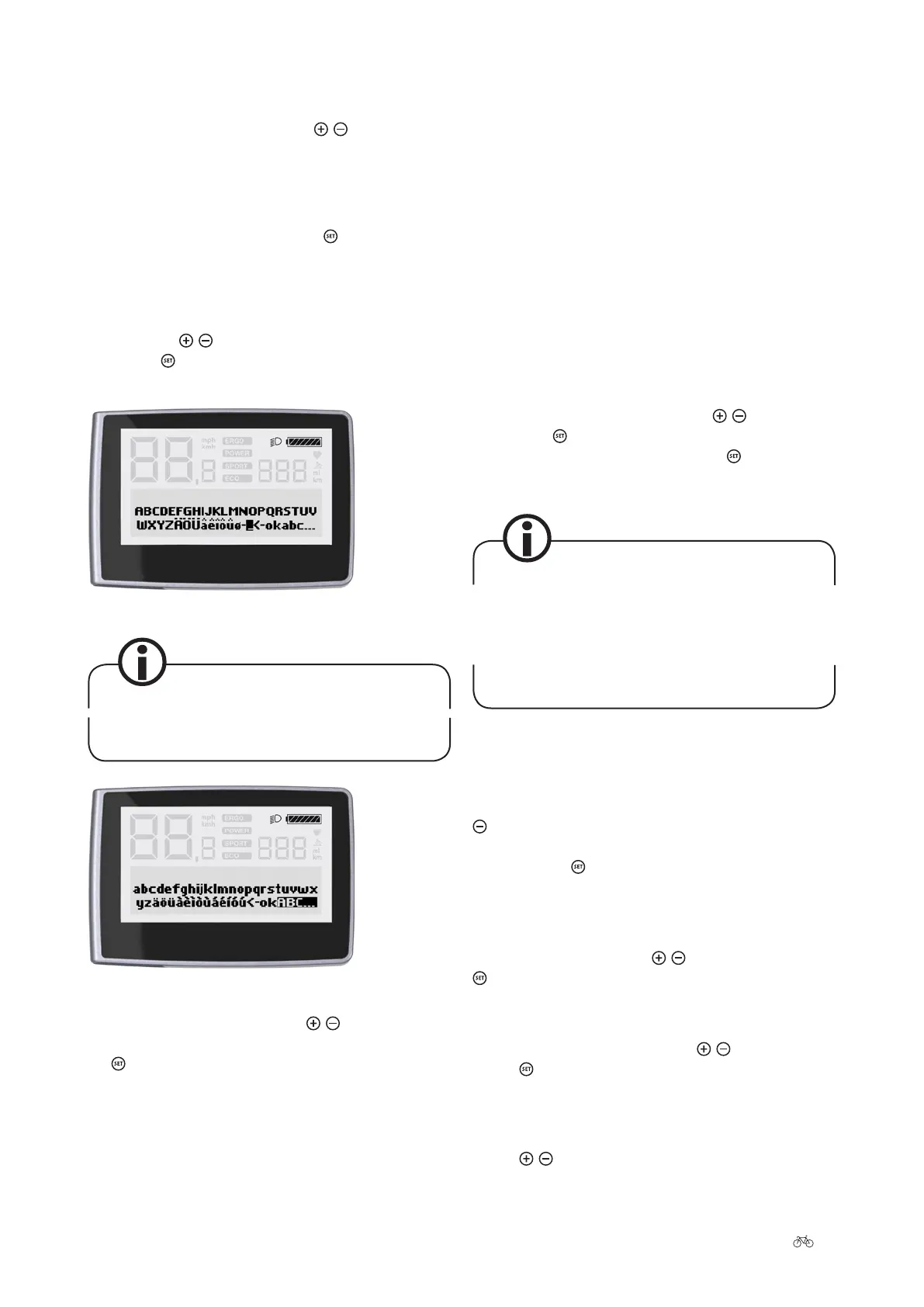
Name: Under the sub-item “Name”, you can enter a name
or other text with a maximum of 21 characters which will
be displayed when the display is turned on and o. Navi-
gate using the
/ button and select the desired charac-
ter. Tap the
button briey. Create your text om the
following characters:
Display capital letters
The use of spaces is not possible, so underscores
must be used in their place.
Display lower case letters
SET-Favourites: Navigate using the / buttons. Deselect
or conrm the selection of the following items by tapping
the
button:
• Trip max/Ø = Trip max/ave.
• Tour km/Ø = Trip km/ave.
• Cadence/Assistance











 To Next Page