18 Original User Manual | Pedelec Impulse Speed 2.0
7 Control unit and display
The Pedelec Impulse Speed 2.0 can be controlled via the
control unit on the handlebar grip and the display in the
middle of the handlebar.
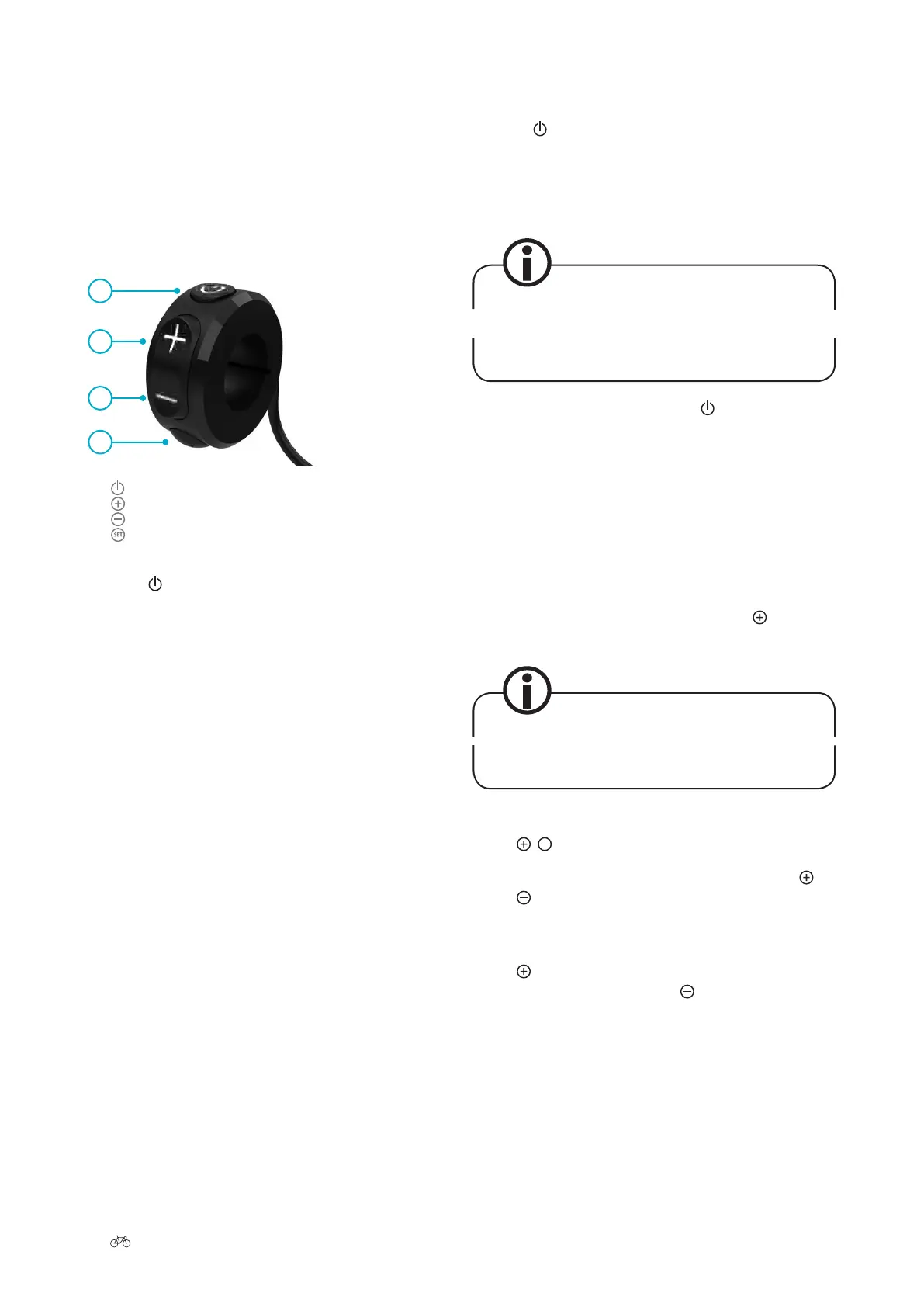
7.1 Control unit
1 button, on and o button
2 button, increase value/scroll up
3 button, decrease value/scroll down
4 button
1
2
3
4
Press the button to switch the system on and o. But-
tons 2 to 4 have dierent nctions depending on the
menu item you have selected.
7.1.1 Switching on/o
Press the button on the control unit to switch the Im-
pulse system on. Aer a few seconds, the welcome screen
appears, followed by the start menu. From there you can
carry out rther settings ➠
Chapter 7.3 “Programming and
settings”.
Aer switching on, the system is always in the
same display mode as when you last switched it
o.
To switch your Pedelec o, press the button on the con-
trol unit.
7.1.2 Pushing assistance
The pushing assistance moves the Pedelec slowly (at a
maximum speed of 20 km/h) without you having to pedal,
e.g. if you are manoeuvring in a tight space or are pushing
your S-Pedelec out of a basement garage.
To activate the pushing assistance, press the
button for
three seconds.
The pushing assistance is suitable for starting up
om standstill.
7.1.3 / buttons
• You can speci the power-assist level via the /
buttons.
• Each time you press one of these two buttons, the
power assist changes by one level. If you press the
button once, the level of assistance increases by
one level. If you press the
button once, the as-
sistance becomes weaker by one level.











 To Next Page