User Manual | Pedelec with centre motor 21
5.1.1 Removing the battery
› 1. You must remove the battery for charging. Grip
the battery by the handle, insert the key into the
lock and turn it anticlockwise. Now the battery is
unlocked.
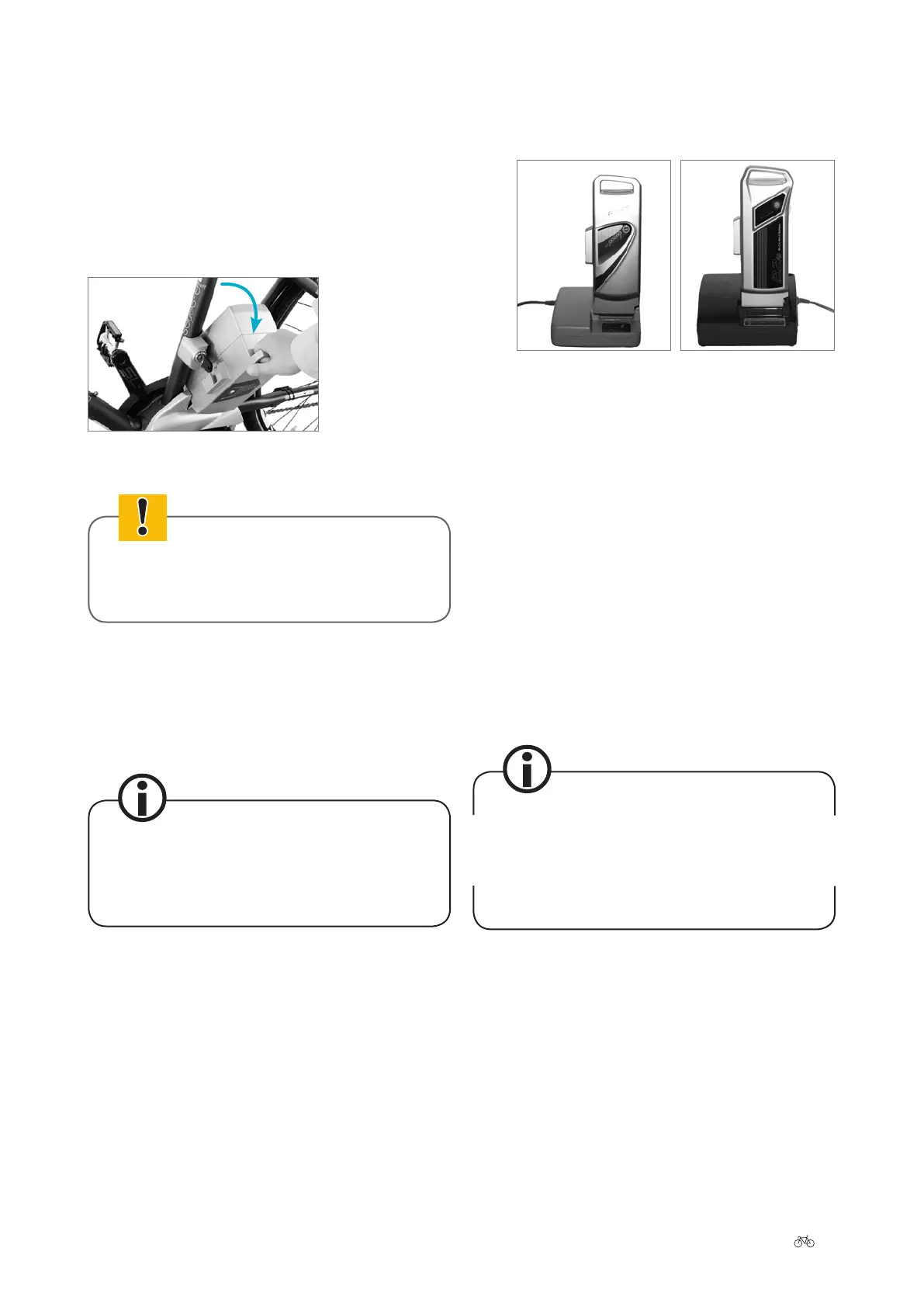
› 2. Tilt the battery sideways and li it with both
hands out of the holder.
Tilt the battery sideways
In doing so, hold on tight to the battery to
avoid dropping it.
› 3. You should now remove the key and keep it in a
safe place to prevent it om breaking o or being
lost.
5.1.2 Charging operation
Before charging the battery, read the informa-
tion on the charger carelly.
› 1. Take the charger provided out of its packaging
and plug the mains plug into a socket (110–230V,
observe type plate on the charger). To charge
the battery safely, the charger must be placed
on a suitable surface. This should be dry and
non-ammable.
› 2. Put the battery in the charger. Information on
which charger is compatible with your battery can
be found in ➠
Chapter 9 “Technical data”.
Charging the 26 V
battery (LED display)
Charging the 36 V
battery (LCD display)
› 3. a. 26 V battery:
The battery LEDs light up or ash during
charging. Once all of the LEDs have gone out,
the charging process is complete and you can
take the battery out of the charger.
b. 36 V battery:
The same applies as for the 26 V battery.
However, if you have a 36 V battery with an
LCD display: Aer a few seconds, the battery
charge status appears in the display panel.
The display goes out once the battery is lly
charged. You can now take out the battery.
When the battery is lly charged, you can leave it in
the charger as it has an in-built overcharging protec-
tion. However, if you do so, the charger will draw
some current. To save power, pull the charger plug out
of the socket once the charging operation is complete.











 To Next Page