User Manual | Pedelec with centre motor 11
These regulations apply to you wherever you are in
the European Union. It is possible that dierent regu-
lations exist in other countries, also inside the EU in
individual cases. Before using your Pedelec abroad,
nd out about the legal situation in the relevant
country.
* In Germany, if you were born aer 01. 04.1965, you will
need a moped test certicate for the version with pushing
assistance. If you already have another type of driving
licence, this automatically includes the moped test certi-
cate.
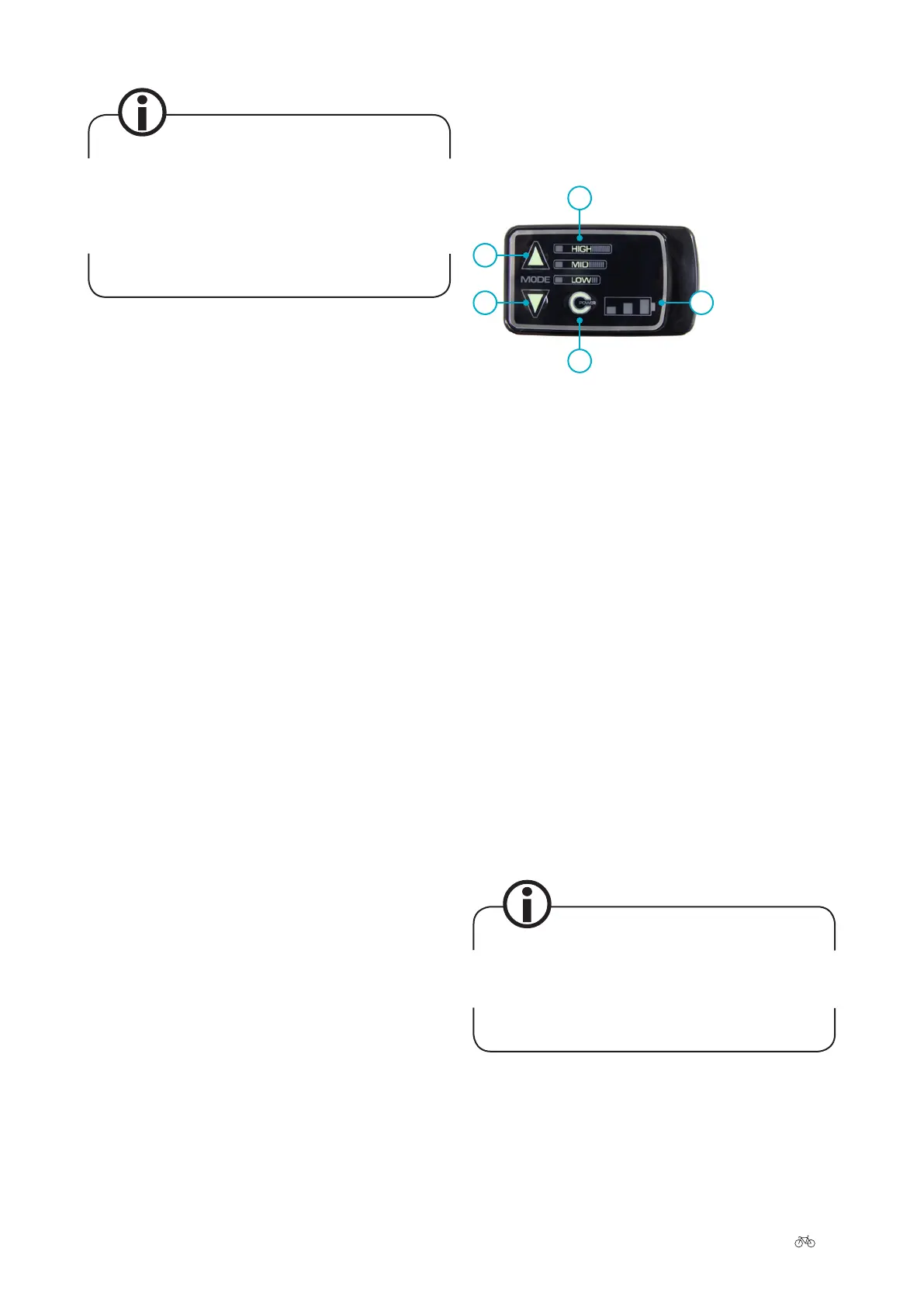
3 Control panels
3.1 LED control panel
3
4
1
2 5
1 Upper Mode button
2 Lower Mode button
3 Assist modes
4 Power button
5 Battery charge state
• On the le, you will nd the upper (1) and lower
(2) Mode buttons. They enable you to change the
power-assist level.
• To the right of the Mode buttons are the power-
assist mode (3) indicators. Here you can see the
current power-assist level.
• The Power button (4) is located below the LEDs.
This can be used to turn the power assist on and o
again.
• The battery charge state (5) indicates how much
charge is remaining in your battery.
3.1.1 Switching on/o
Press the Power button to switch the system on. All LEDs
light up for two seconds when the power is switched on.
Please do not turn the pedals during this time. The
power sensor is reset each time the power is switched
on in order for the power supply to the motor to be
precisely controlled. A load must not be applied to the
sensor during these two seconds.
Aer switching on, the system is always in the MID mode
(medium power-assist mode).
Press the Power button again to switch o power assist.











 To Next Page