EN - 41SE-DV64-HE
FEATURES AND SETTINGS
SmartCode
®
Data Menus
SmartCode data sets offer a detailed look at your therapy through an encrypted code.
The decrypted data includes info required by many insurers to continue coverage of your
equipment. Data sets can be decrypted by visiting the www.DeVilbissSmartCode.com
website and entering the code. Your provider will contact you for this data set if required
by your insurer.
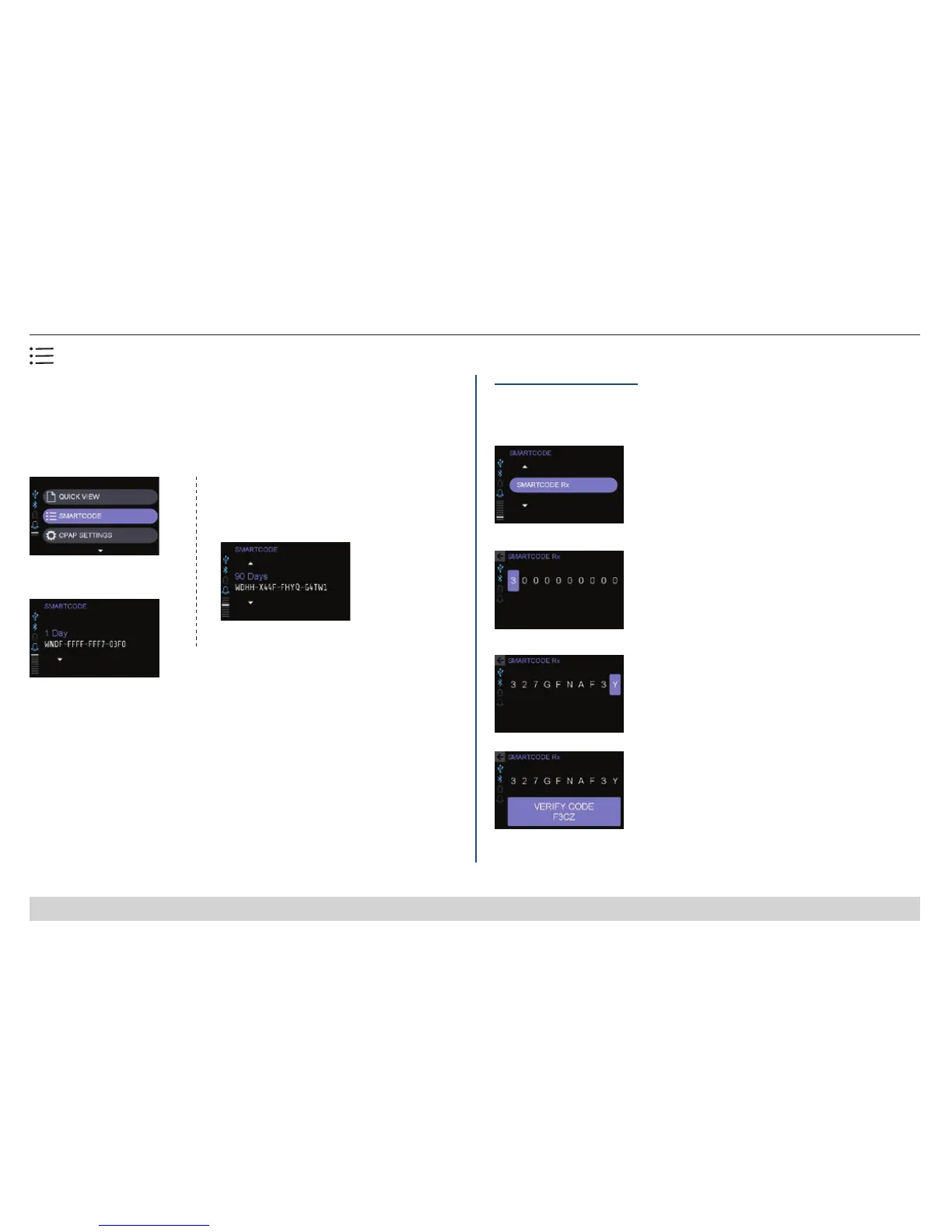
1. Select SmartCode option
2. 1-Day data set appears
3. Continue to turn knob to view screens:
• 7 Days
• 30 Days
• 90 Days
• Compliance
• Date
• Serial number
• SmartCode Rx (see
following section)
SmartCode Rx Submenu
This submenu allows your provider to adjust your prescription through input of an
encrypted code. Code may contain letters or numbers and knob may be turned
either way to roll through 0-9 and A-Z.
1. Select SmartCode Rx to input
code supplied by your provider
2. Highlight, then turn knob
to select rst digit and press.
3. Continue through all digits
4. Write down Verify Code and
give to provider
Generating Compliance Reports for Employer/Insurer/Physician
SmartCode reports satisfy most requirements for ongoing compliance/adherence informa-
tion, and the software retains 2,046 days (5.6 years) of data. We recommend you work with
your provider to establish a routine for clearing SmartCode data to ensure current usage
information is available. Compliance meter should be cleared only after the required report
is generated, submitted, and approved by the requestor. Once cleared, a new cycle of 5.6
years begins and the only source for the previous data will be the hard-copy reports.
NOTE
-Only the provider has access to clear the meter.













 To Next Page