EN - 45SE-DV64-HE
FEATURES AND SETTINGS
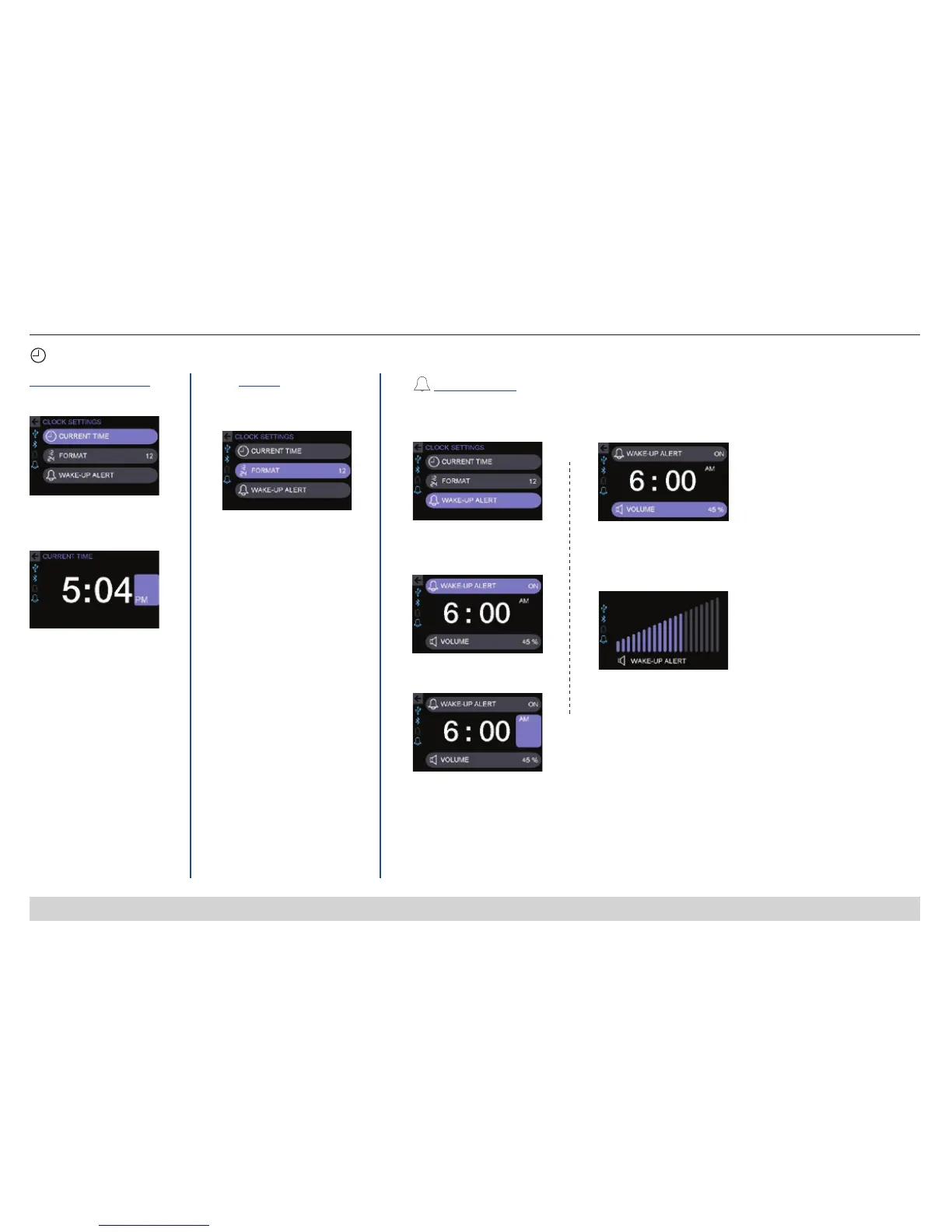
Clock Settings Menu
Clock - Current Time
1. Select Current Time
2. Set hour, minutes, and
AM/PM (if applicable)
Format
1. Select 12 or 24 hour
Clock Format
Wake-Up Alert
1. Select Wake-Up Alert
2. Select Wake-Up Alert
On
3. Select & Set Alert Time
4. Select Volume
5. Set Wake-UP Alert
Volume (sound level)
0=Off (mute)
NOTE – Wake-Up Alert Volume is separate from Master Volume.
If provider hides clock, wake up alert is hidden. If clock is shown, wake up alert can be shown or hidden.
NOTE – If Standby display brightness of 0% (Off) is chosen, the Clock will not be visible when idle.
Wake-Up Alert is available and changes the screen to Active upon activation.
12
24
Wake up alert allows your CPAP to also function as an alarm clock.













 To Next Page