EN - 46 SE-DV64-HE
This menu allows the connection of DeVilbiss approved
devices such as DV6WM Wireless Modem, Nonin
®
WristOx2
®
wireless oximeter, and other devices.
FEATURES AND SETTINGS
Add-Ons
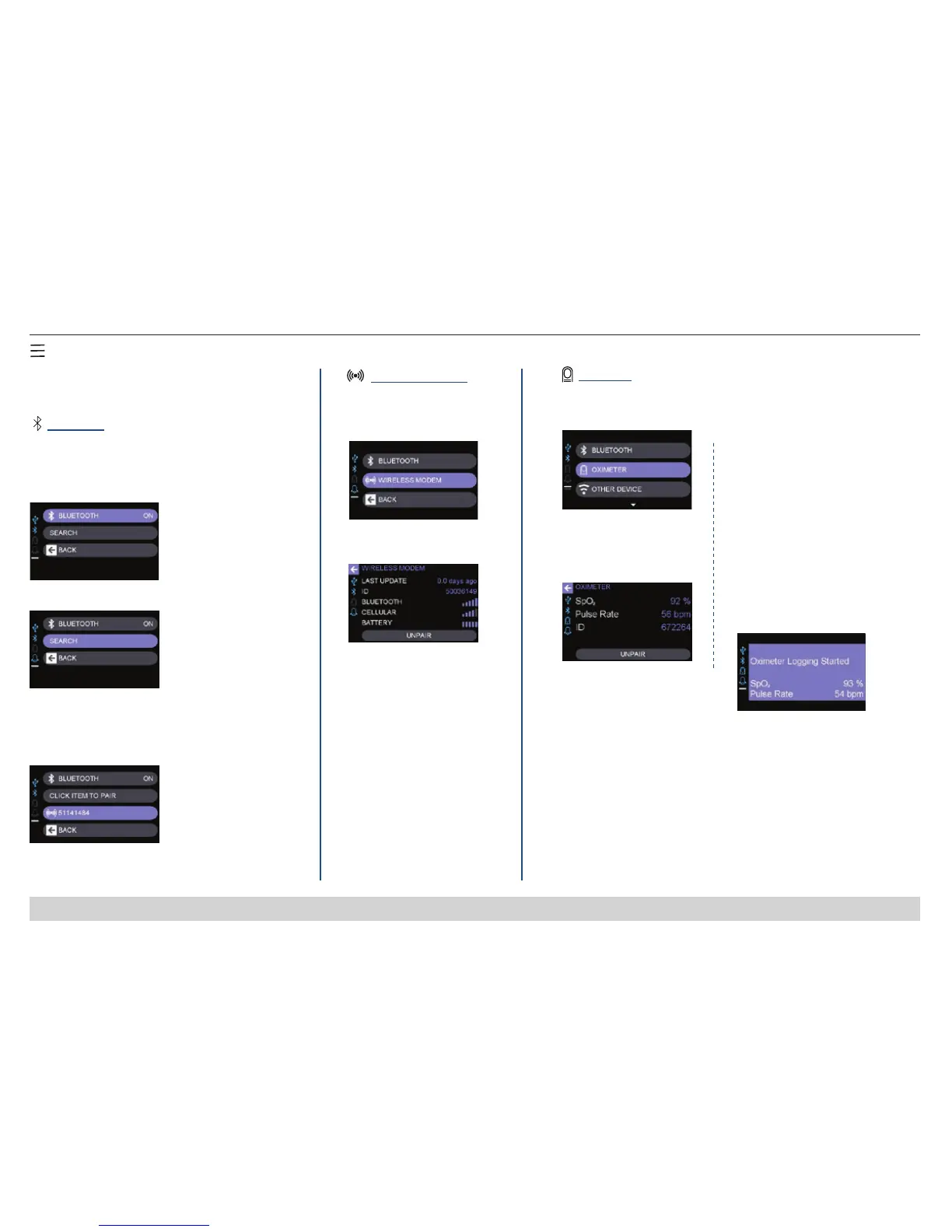
1. Select Bluetooth and
press to select On.
1. Select Wireless Modem
Shows signal strength
of Bluetooth and wireless
modem as well as battery
status of modem.
NOTE – Refer to DV6WM
Instruction Guide for details.
1. Select Oximeter
2. Select search.
3. Searching for Bluetooth
devices. Shows list of oximeters
in range. Click the item serial
number to pair with the CPAP.
2. Wireless modem
information screen
1. Connect wireless oximeter to
CPAP and place probe on nger.
2. Wait until your CPAP display
shows the pop-up message
“Oximeter Logging Started”
which means your CPAP is
recording data from the
oximeter.
NOTE – If more than one
person in the house is using a
wireless oximeter, each person
must do this check at a different
time.
NIGHTLY
Bluetooth
®
Wireless Modem
Oximeter
Bluetooth allows connection of Bluetooth enabled
items such as wireless modem or oximeter.
Information on optional
DV6WM.
Information on optional Nonin WristOx2 wireless oximeter.
2. Oximeter information
screen. NOTE – Refer to
Oximeter Instruction Guide
for details.
For Airline Use – Select Bluetooth
and press to select Off.
3. After recording is nished,
remove nger probe and
disconnect the sensor cable from
the oximeter. The CPAP will
display a message ‘Oximeter
Logging Stopped’ and beep once.













 To Next Page