devolo dLAN pro 16
devolo dLAN pro 1200+ WiFi ac/n
agement VLAN is used for configuration and operation
of the WiFi access point. This includes communication
with DHCP, DNS, RADIUS and a time server.
Once you have created additional VLANs, there is an
option to change the Management VLAN or convert it
to tagged. In this case, make sure that the port of the
connected Ethernet switch is appropriately configured
for this purpose.
If you can no longer access the
dLAN pro 1200+ WiFi ac/n due to a
configuration error, you can reset it
to its factory defaults by holding the
reset button for 10 seconds using a
pointed object (e.g. paperclip).
More information can be found in Chapter 3.3.4
Reset.
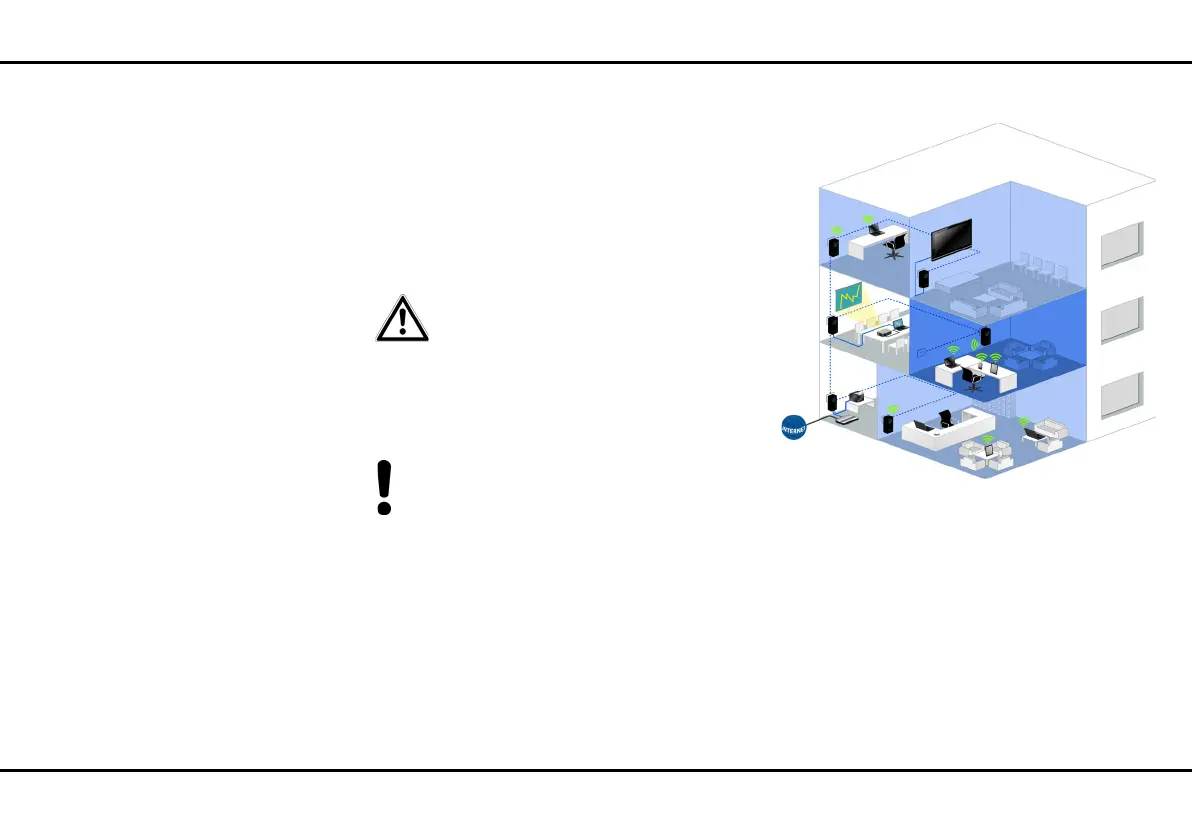
The following illustration shows a building with a sin-
gle physical network architecture that in turn has
to be used by two different companies separately
and isolated.
All network-compatible devices are connected on a
single dLAN pro network and share a broadband con-
nection and a VLAN-capable router. All data traffic
from each company in this building is contained in a
separate VLAN. Here, each data packet sent over the
dLAN pro network is given a VLAN tag specific to each
dLAN pro 1200+ WiFi ac/n.
Each VLAN tag contains a unique VLAN ID: The VLAN
of the Bergmann company, for example, uses a
Fig. 3: Rented offices
VLAN
CO. Schmitz
VLAN
CO. Schmitz
VLAN
CO. Bergmann













 To Next Page