29 Network configuration
devolo dLAN pro 1200+ WiFi ac/n
4 Network configuration
The dLAN pro 1200+ WiFi ac/n can be accessed via
the device's IP address (encrypted access via https).
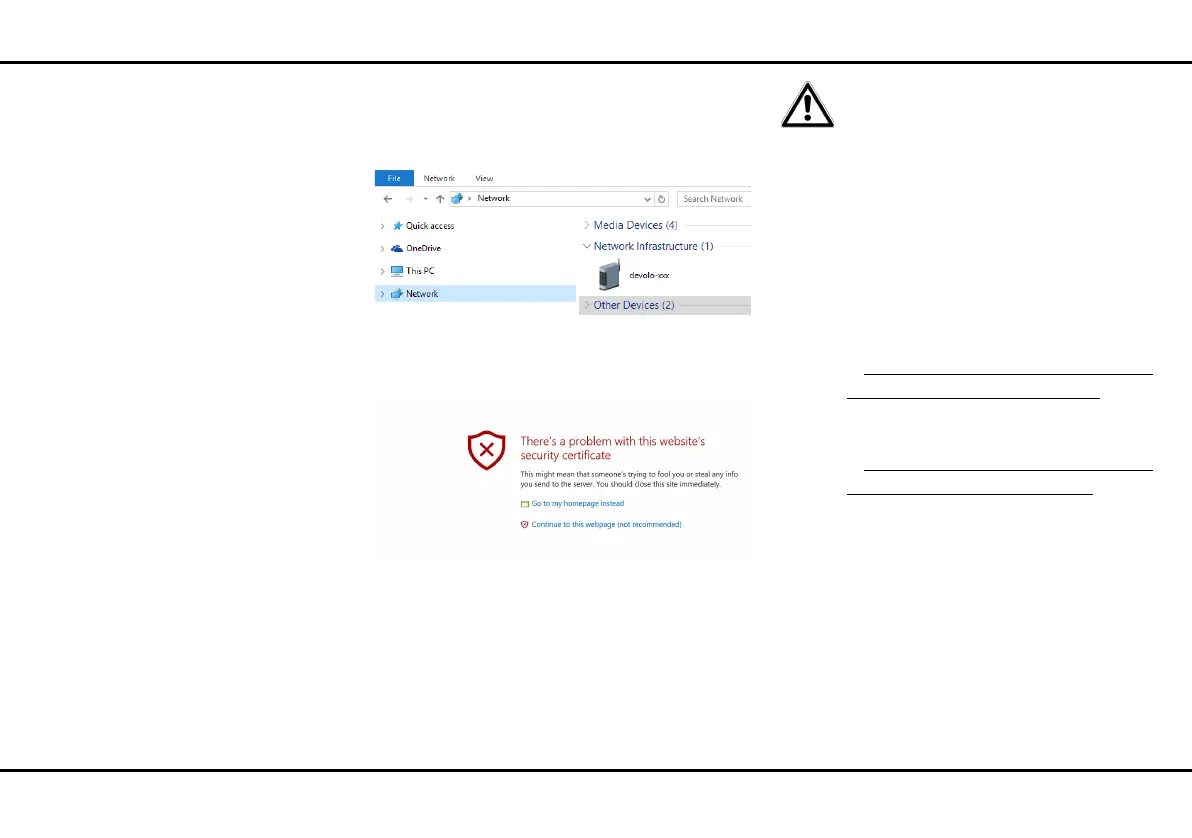
You can also access the dLAN pro 1200+ WiFi ac/n de-
vice interface using the network overview in Windows.
The host name of the dLAN pro 1200+ WiFi ac/n is
comprised of devolo-XXX;
XXX are the last three digits of the serial number.
The option Use this to accept network
settings from a DHCP server is enabled
for the dLAN pro 1200+ WiFi ac/n in
the factory defaults.
The IP address of the
dLAN pro 1200+ WiFi ac/n can be
found on your DHCP server.
You can find more information on
this topic online in the product down-
load area at
쎲www.devolo.com/en/Business-Solutions/
Wi-Fi-Pro/dLAN-pro-1200+-WiFi-ac
or
쎲www.devolo.com/en/Business-Solutions/
Wi-Fi-Pro/dLAN-pro-1200+-WiFi-n
You can either manage the dLAN pro 1200+ WiFi ac/n
using the network management provided by the devo-
lo connectivity center or adjust all of the settings using
the dLAN pro 1200+ WiFi ac/n device interface.
Choose your desired management variant the first time
you access the device. If you prefer to configure the de-
vice settings using the dLAN pro 1200+ WiFi ac/n in-
terface, say no to forwarding at this point with Disable
devolo connectivity center network manage-
ment.













 To Next Page