Network configuration 48
devolo dLAN pro 1200+ WiFi ac/n
4.4.2 LAN/IP configuration
As a component of your network, the
dLAN pro 1200+ WiFi ac/n also communicates via the
TCP/IP protocol. The IP address required for this can ei-
ther be entered manually as a static address or ob-
tained automatically from a DHCP server.
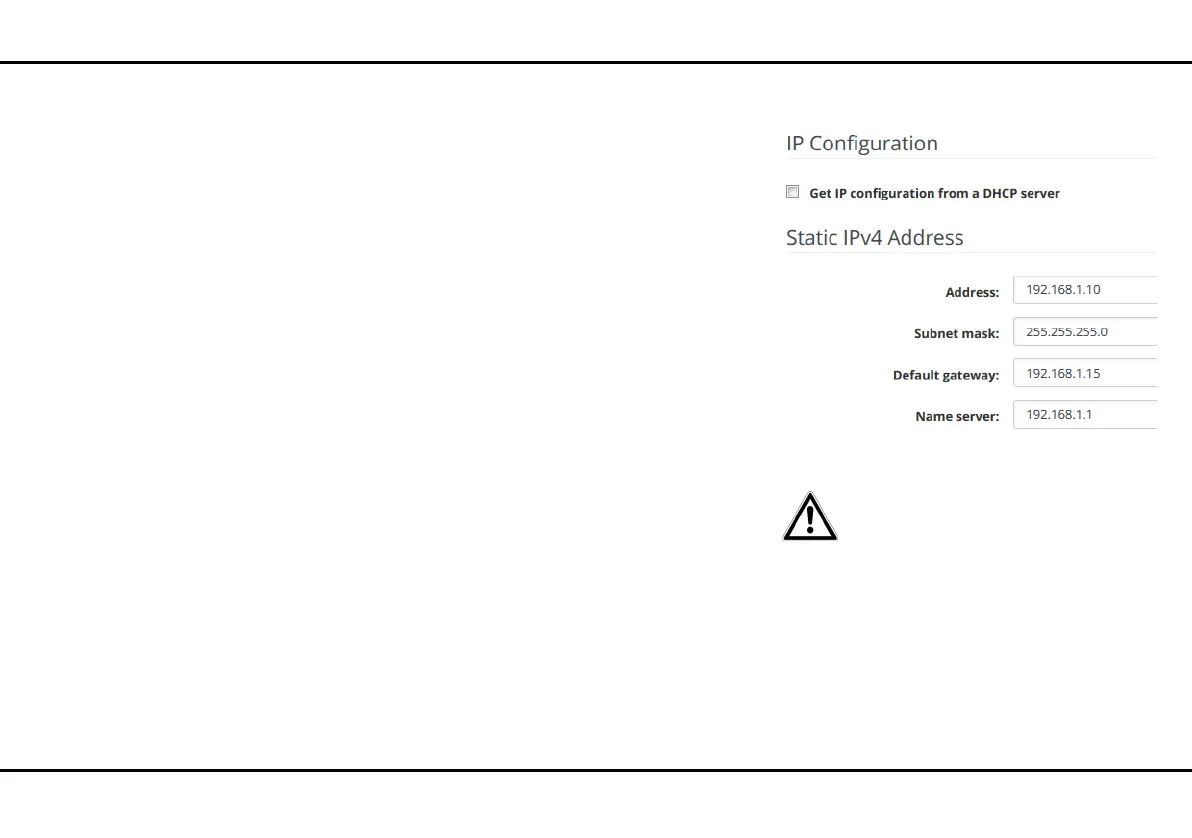
The option Get IP configuration from a DHCP
server is enabled in the factory defaults. The currently
assigned network data are hidden.
If a DHCP server is already present in the network for
giving out IP addresses, have the option Get IP con-
figuration from a DHCP server enabled so that the
dLAN pro 1200+ WiFi ac/n automatically receives an
address from it.
You can also assign a static IP address by specifying en-
tries under Address, Subnet mask, Standard gate-
way and Name server. If the
dLAN pro 1200+ WiFi ac/n is to act as the DHCP serv-
er, activate the option Act as DHCP server.
4.4.3 LAN/VLANs
The VLAN configuration of the LAN
ports is intended for future use.
You can configure VLANs on the device. To add a
VLAN, click on the plus symbol. Then, select whether
it is a Management VLAN or if the VLAN is to be con-
figured untagged.













 To Next Page