Initial use 22
devolo dLAN pro 1200+ WiFi ac/n
쎲 The LED lights up white if the
dLAN pro 1200+ WiFi ac/n is ready to operate
and a dLAN connection exists.
쎲 The LED flashes white quickly at regular inter-
vals if the encryption process (pairing) is being
performed in the dLAN pro network.
쎲 The LED flashes white at irregular intervals if
the dLAN pro 1200+ WiFi ac/n is in PowerSave
mode.
쎲 The LED flashes red at regular intervals if the
transmission rate of the dLAN pro 1200+ WiFi ac/
n is not in the optimum range. For information on
improving the transmission rate, refer to Chapter
5.2 Bandwidth optimization.
You can find more information on this topic in
chapter 4.3.4 System/Button/LEDs.
3.3.2 WiFi button
The WiFi button controls the following WiFi
functions:
WiFi On/Off:
쎲 In the factory default settings, the WiFi set-
ting is already enabled and the WiFi encryption is
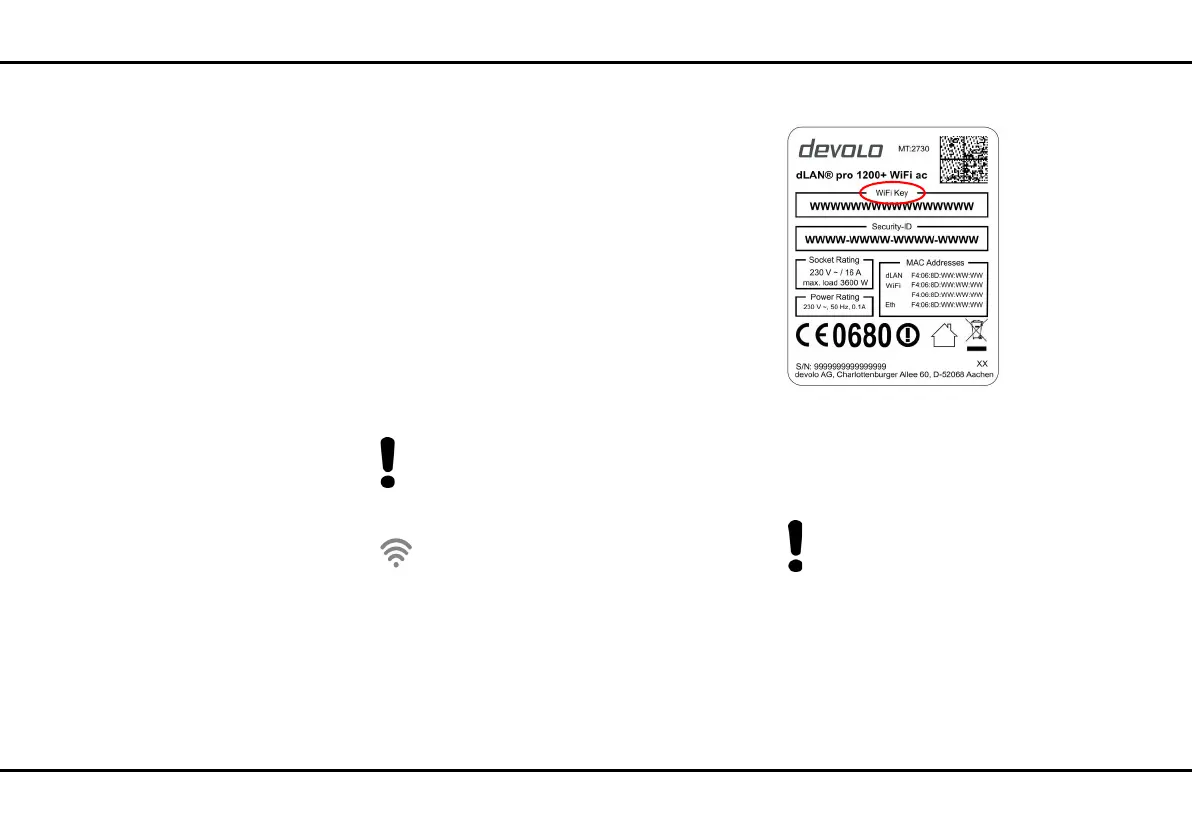
set to WPA2. The default WiFi key for the initial
installation of the dLAN pro 1200+ WiFi ac/n is
the device's WiFi key. You will find the unique key
on the label on the back of the housing.
Note the WiFi key of the
dLAN pro 1200+ WiFi ac/n before the net-
working procedure. You will find the device's
unique key (WiFi key) on the label on the back
of the housing.
In order to connect the
dLAN pro 1200+ WiFi ac/n with your laptop,
tablet or smartphone later via WiFi, enter the
noted WiFi key as the network security key.
쎲 In order to switch WiFi off, press and hold the
WiFi button longer than 3 seconds.













 To Next Page