Appendix 66
devolo dLAN pro 1200+ WiFi ac/n
5 Appendix
5.1 Basic information
5.1.1 MAC adresse
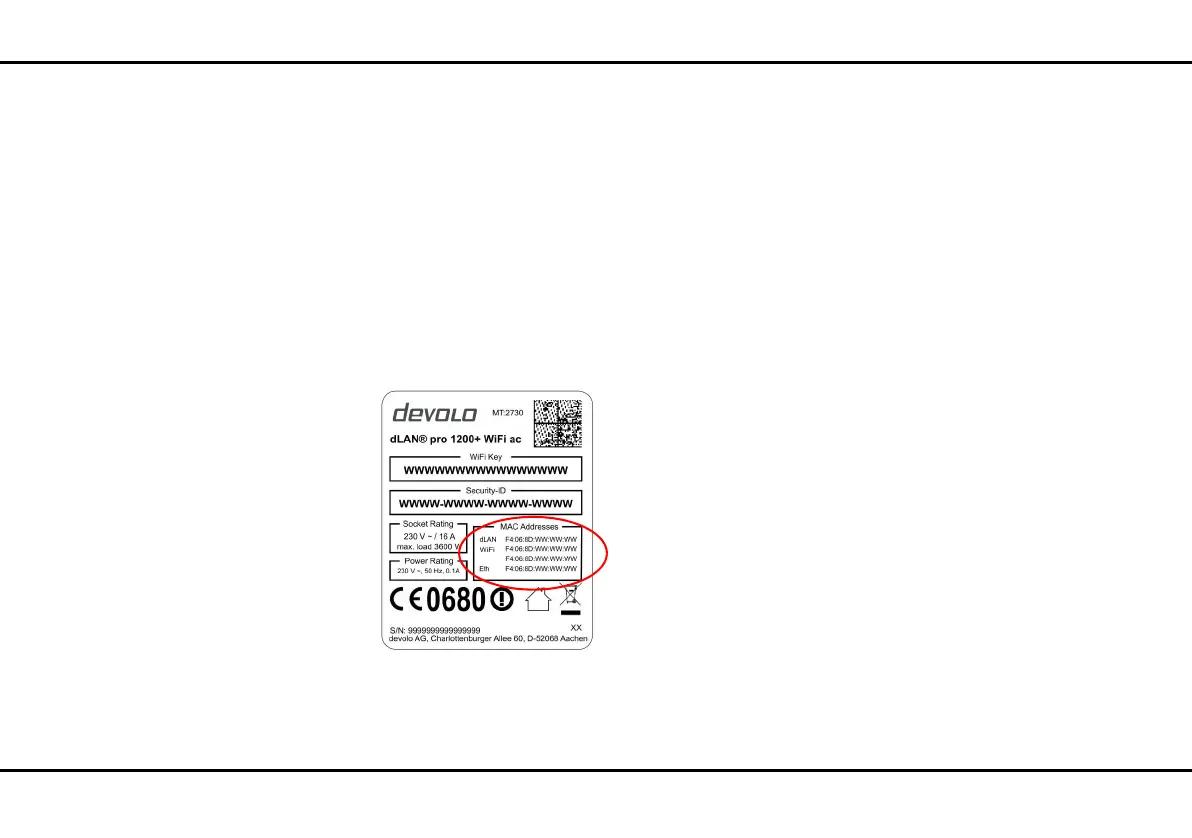
The MAC address designates the hardware interface of
each individual network device uniquely (e.g. the WiFi-
WiFi card of a computer or the Ethernet port of a prin-
ter). It consists of six double-digit hexadecimal
numbers, each separated by a colon (e.g.
00:0B:3B:37:9D:C4). In general, the MAC address is
on the housing of the device.
You can easily determine the MAC address of a Win-
dows computer by opening the window with the com-
mand prompt under Start All Programs
Accessories Command Prompt. Enter the com-
mand IPCONFIG /ALL here. The MAC address is dis-
played under the designation Physical address.
5.1.2 What exactly is dLAN?
dLAN (direct Local Area Network) uses the household
power grid to transfer data between computers
equipped with suitable adapters and other network
components. As a result, any power outlet can be used
as a network access point. The data is modulated prior
to transfer and sent as a signal via household power
lines. State-of-the-art technology ensures that the
power and data networks do not interfere with one an-
other. Networking via dLAN is fast and secure. The
data is encrypted using a key (128-bit-AES encryption)
to prevent interception by third parties.
5.1.3 What is VLAN?
A VLAN (Virtual Local Area Network, IEEE 802.1Q) is
a logical, self-enclosed, local network – unlike a phys-
ical (switched) network. VLANs divide physical net-
works into multiple logical, independent networks.
They optimise data distribution and make it easier to
set up network architecture that is more secure and ar-
ranged more clearly.













 To Next Page