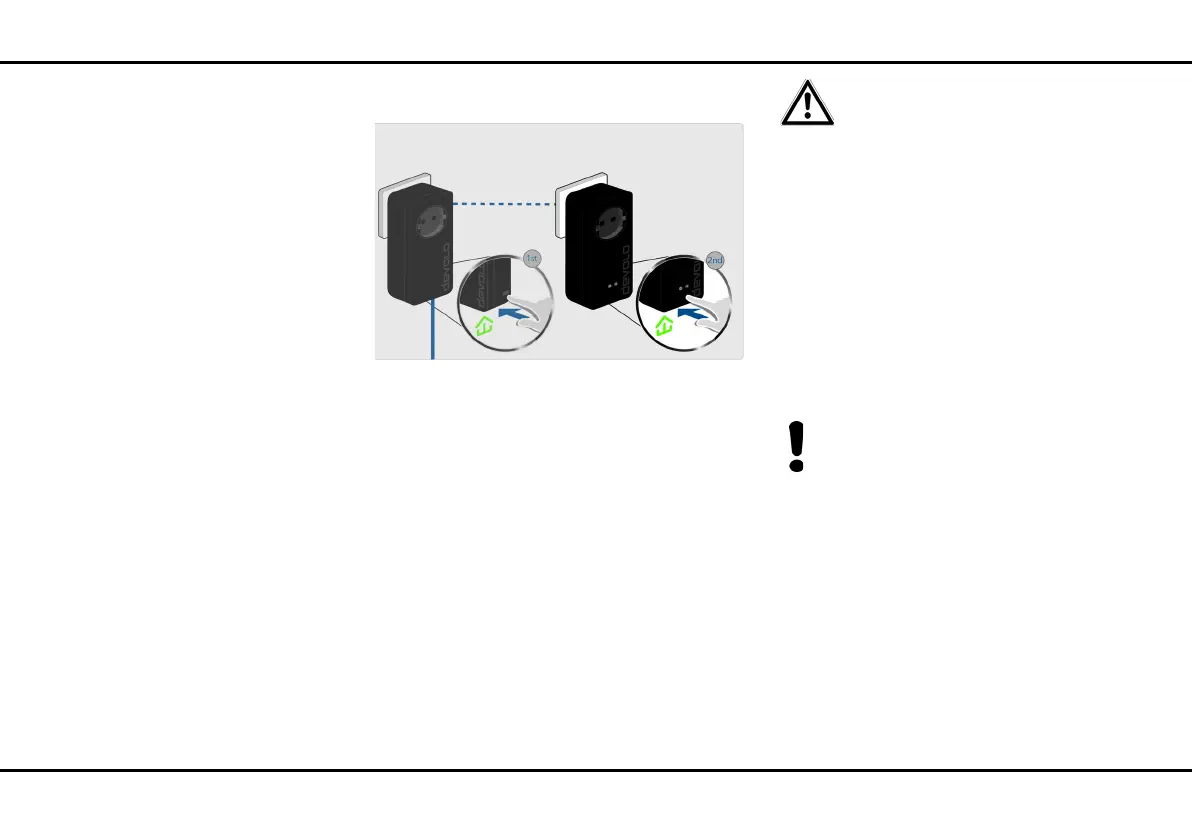
25 Initial use
devolo dLAN pro 1200+ WiFi ac/n
The new dLAN pro 1200+ WiFi ac/n is now integrated
into your existing dLAN pro network.
or
dLAN pro network encryption using
dLAN AVpro manager computer software. More
information can be found in Chapter 3.5 dLAN
AVpro manager.
or
dLAN pro network encryption by entering the
dLAN password in the configuration interface.
Be aware that dLAN pro encryption
with the help of dLAN AVpro manag-
er and the configuration interface are
separate processes and are not auto-
matically synchronised. More infor-
mation can be found in Chapter 4.5
dLAN.
Integrating the dLAN pro 1200+ WiFi ac/n into an
existing WiFi network
햴 Establish the WiFi connection with your laptop,
tablet or smartphone and enter the noted
WiFi key as the network security key.
By default, the SSID (e.g. devolo-123) consists
of "devolo" and the last three digits of the se-
rial number. For more information on the
SSID, refer to Chapter 4.6 WiFi and 4.6.4
WiFi/SSIDs.
Fig. 9: dLAN encryption at the press of a button













 To Next Page