DIMAX804KC User’s Manual
6
DEXON Systems
3
SETUP AND CONFIGURATION
The DIMAX804KC device provides perfect solution for control and setup. The user has the
following options to control:
• Push Button and LCD panel
• Easy-to-use Graphics User Interface via web browser
• RS-232 interface
3.1
Push Button and LCD panel
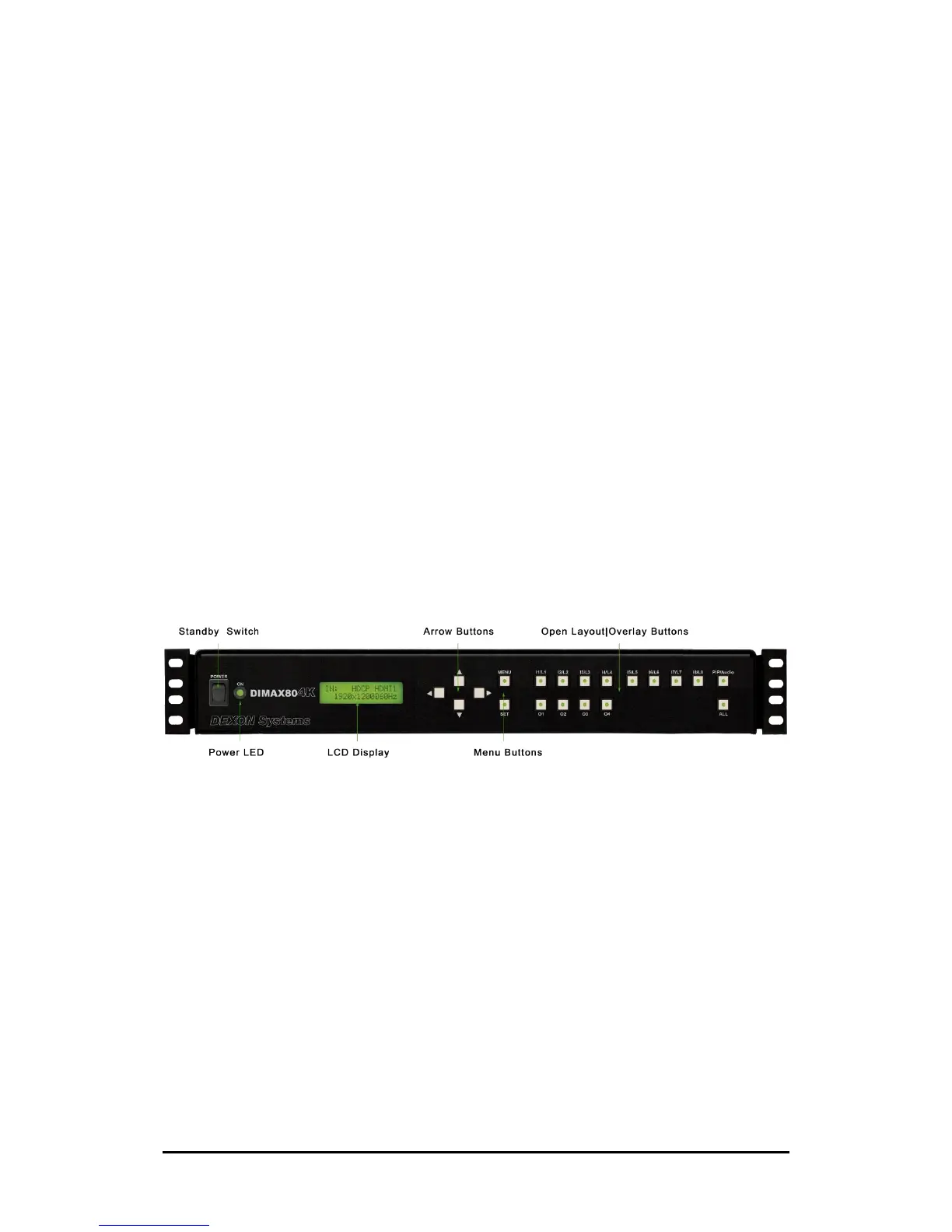
The DIMAX804KC devices can be configured by push buttons and LCD panel for important
settings. The device has three main menu items that can be selected by ▼▲ buttons after
pushing the MENU button:
• Advanced
• Layouts
• User Presets
Figure 3-1. LCD panel and push buttons
3.1.1
Advanced
Button Functions
The user can set the function of the push buttons as Overlay Open or Recall Layout.
• Overlay – The buttons operate on individual overlay windows. An input source selected
by an input button can be opened on output screen selected by an output button.
• Layout – The buttons operate on predefined layouts. Eight available layouts can be
recalled by a simple button click.


 To Next Page