DIMAX804KC User’s Manual
DEXON Systems
11
The adjustable parameters are Output Name, Recommended Mode, Output Timing,
HDCP, Test Pattern, Keep Aspect Ratio and the Background Colour. You can also
modify here the PIP settings such as size and position of the PIP overlay, the Cropping
of the output.
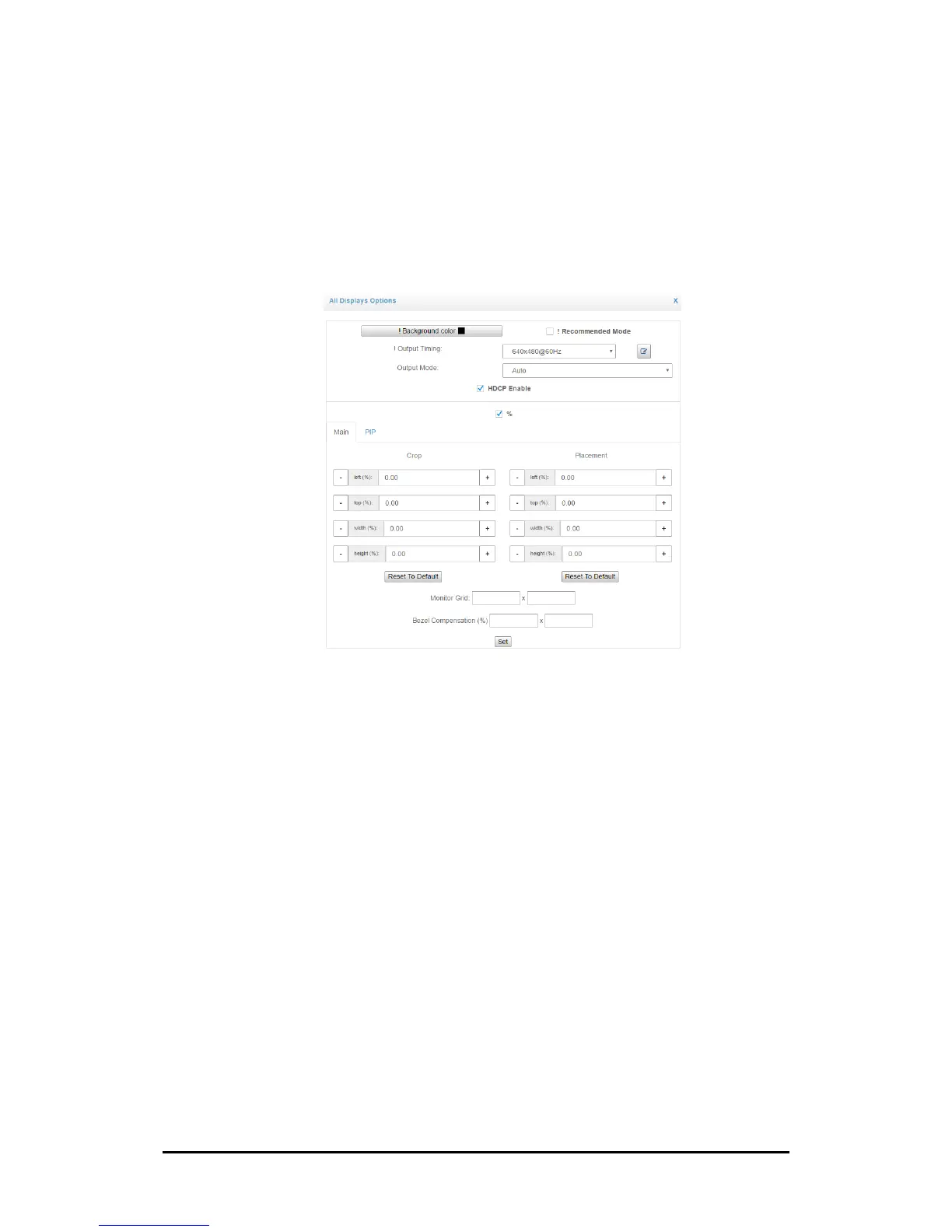
User can also modify common setting of the output monitors by clicking on the cog
icon in the heading next to the Display Option text.
Figure 3-5. Output Settings of each display
The commonly adjustable parameters are Recommended Mode, Output Timing, HDCP,
Test Pattern, Keep Aspect Ratio and the Background Colour. You can also modify here
the PIP settings as size and position of the PIP overlay and the Cropping of the output.
User may configure video wall mode by choosing the dimension of the monitor grid
and/or bezel compensation and clicking on the Set button.
5. Advanced panel
This section contains group of other special parameters. Please see next section.


 To Next Page