DIMAX804KC User’s Manual
DEXON Systems
9
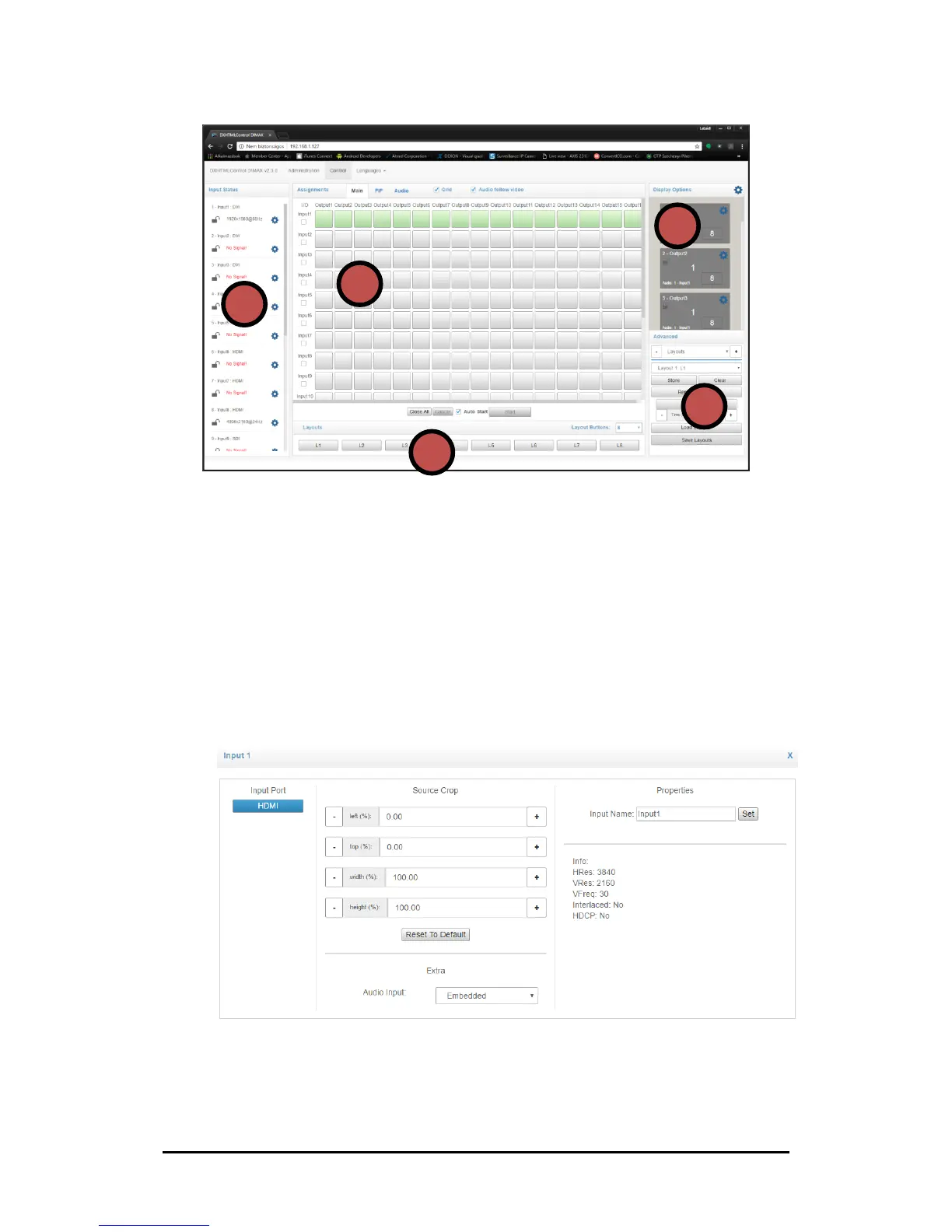
Figure 3-2. DXWebControl of DIMAX804 application overview
1. Input Status
This section shows the status of the input channels. You can see here the detected
input signal timings (signal resolution and refresh rate) and the state of the HDCP
encryption.
Click over the cog icon will open the input settings window, where user may set several
parameters of the selected input:
• source’s name
• source cropping
• audio handling
• MediaPlayer Scheduler
• Custom EDID, etc.
Figure 3-3. Input Settings of Input 1


 To Next Page