DIMAX804KC User’s Manual
10
DEXON Systems
Note: The usage of custom EDID: You can add a custom EDID Detailed Timing into the certain
input or you can select an output which will be the source of the full EDID block. In case of
DIMAX804KC the Cat output port has higher priority.
2. Layouts
The previously saved layout can be recalled by clicking on the selected button.
3. Assignments area
• Main Channel Assignment tab
This panel visualizes a matrix for intuitive assignment between inputs and outputs.
The inputs are listed vertically the outputs are horizontally. Click on the desired
rectangles to assign the inputs to the outputs. After completing the desired
assignment push Start.
• Close All
The Close All button deletes all assignment.
• Auto Start
Set Auto Start ON and each user action takes effect immediately (otherwise
pushing of Start button is required).
• PIP Channel Assignment tab
The PIP assignment can be modified on this tab that works like the main channel
assignment. One PIP overlay is possible for each output display.
• Audio Assignment tabs
User may switch the audio channels separately from the main channel on this tab.
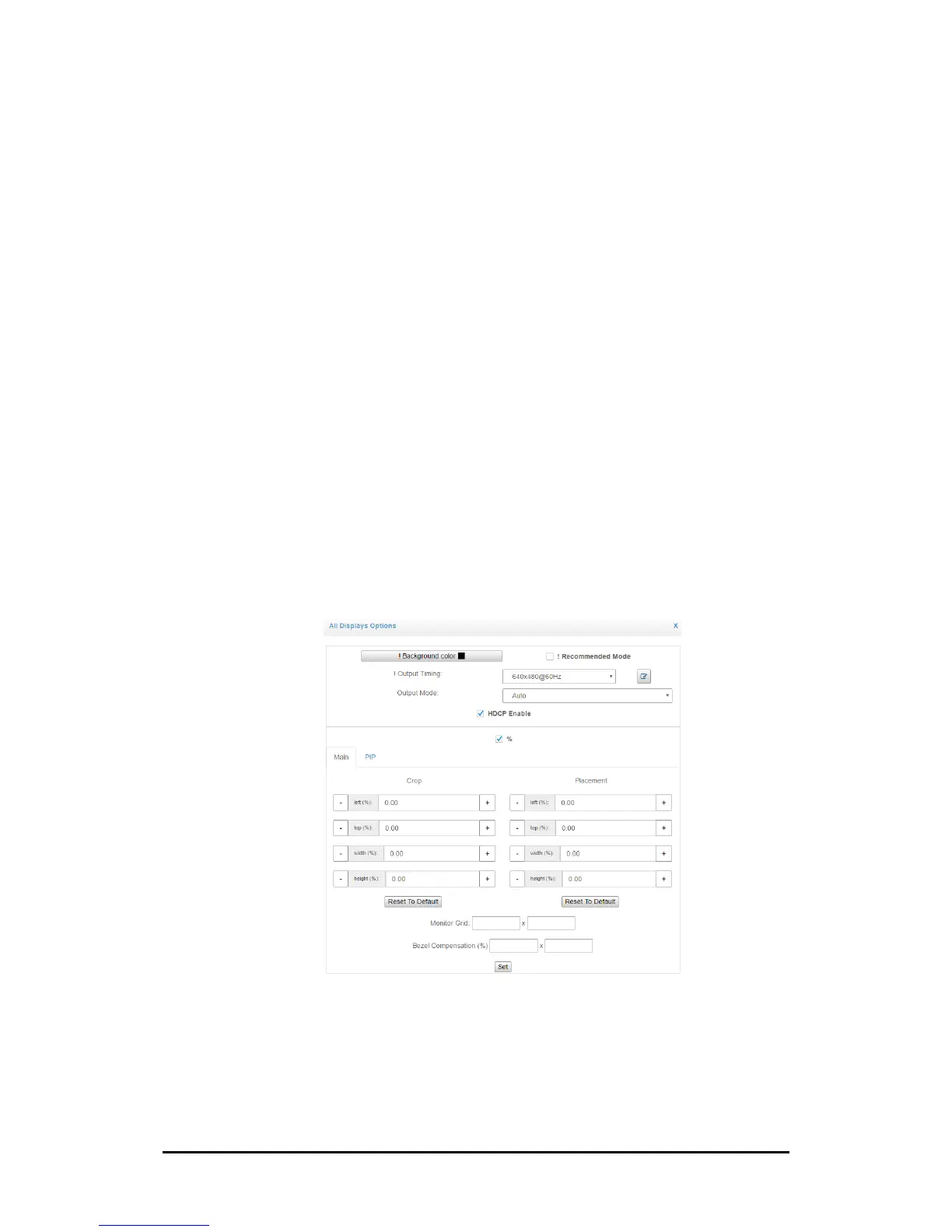
4. Display Options area
The output parameters are displayed and can be modified in this section. This shows
the assignments of the output screens (main channel, PIP, audio).
User may modify the output setting for each monitor separately by clicking the cog
icon inside the output monitor window.
Figure 3-4. Output Settings of Output 1


 To Next Page