Turning Display On and Off
With the power on, press the power button on the remote control or keypad to put the display into standby
mode. To turn off power completely, turn the AC switch to “O” or disconnect the AC power cord from the power
outlet.
Note: If there is no signal input for a period, the display will automatically go into
power saving (sleep) mode.
Adjusting Volume and Input Source
Adjusting the Volume
1. Using the remote, press the VOLUME- or VOLUME+ to increase or decrease the volume.
2. Press the MUTE button to temporarily turn off all sound. To restore the sound, press the MUTE button
again.
Selecting the input source
• Using the remote, press the desired source button or press SOURCE
on the display keypad, use the
arrow buttons ( ) to navigate to the desired input source, and press ENTER:
If the display cannot find a source, a “No signal” message will appear.
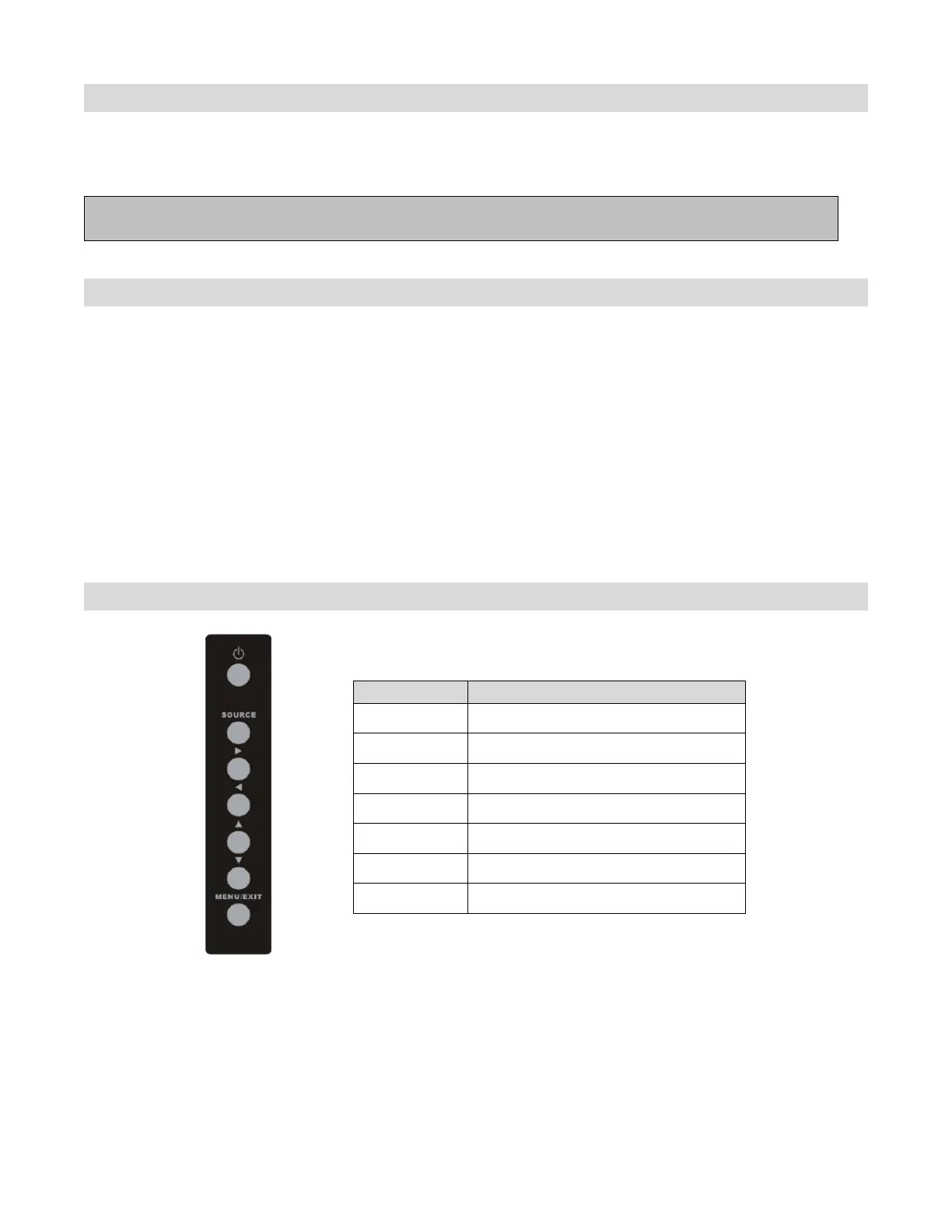
Using the Keypad
Power Power on/Power off
Source Source selection (toggle)
Menu Right/Volume +
Menu Left/Volume -
Menu Up
Menu Down
Menu/Exit Menu/Exit selection



 To Next Page