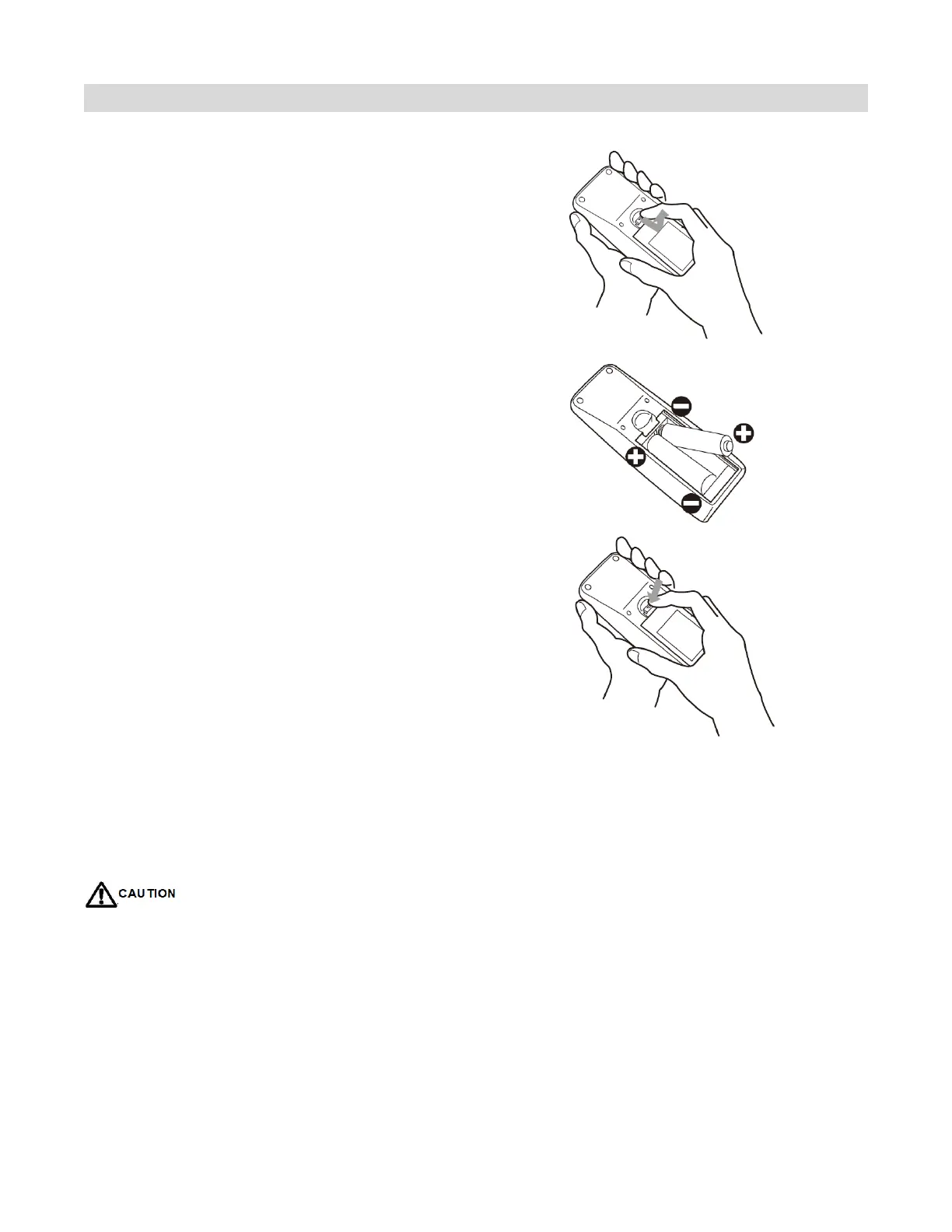
Changing the Remote Control Battery
1.
Remove the battery cover
Slide back and remove the battery cover
in the direction of the arrow.
2.
Insert the batteries
Align and insert two AAA batteries
according to their plus and minus ports
(as indicated in the remote control).
3.
Close the battery cover
Replace the battery cover in the direction
of the arrow and snap it back into place.
• When discarding of used batteries, please follow your city rules
• Avoid keeping old leakage batteries inside the remote control which can result in metal rust or fatal
damage to the remote control unit.
• Battery to be used according to the instructions
About the remote control
• Don’t drop, shake or bump.
• Don’t place on wet materials.
• Don't dismantle.
• Don’t place in locations with exposure to high-temperature or high-humidity levels.



 To Next Page