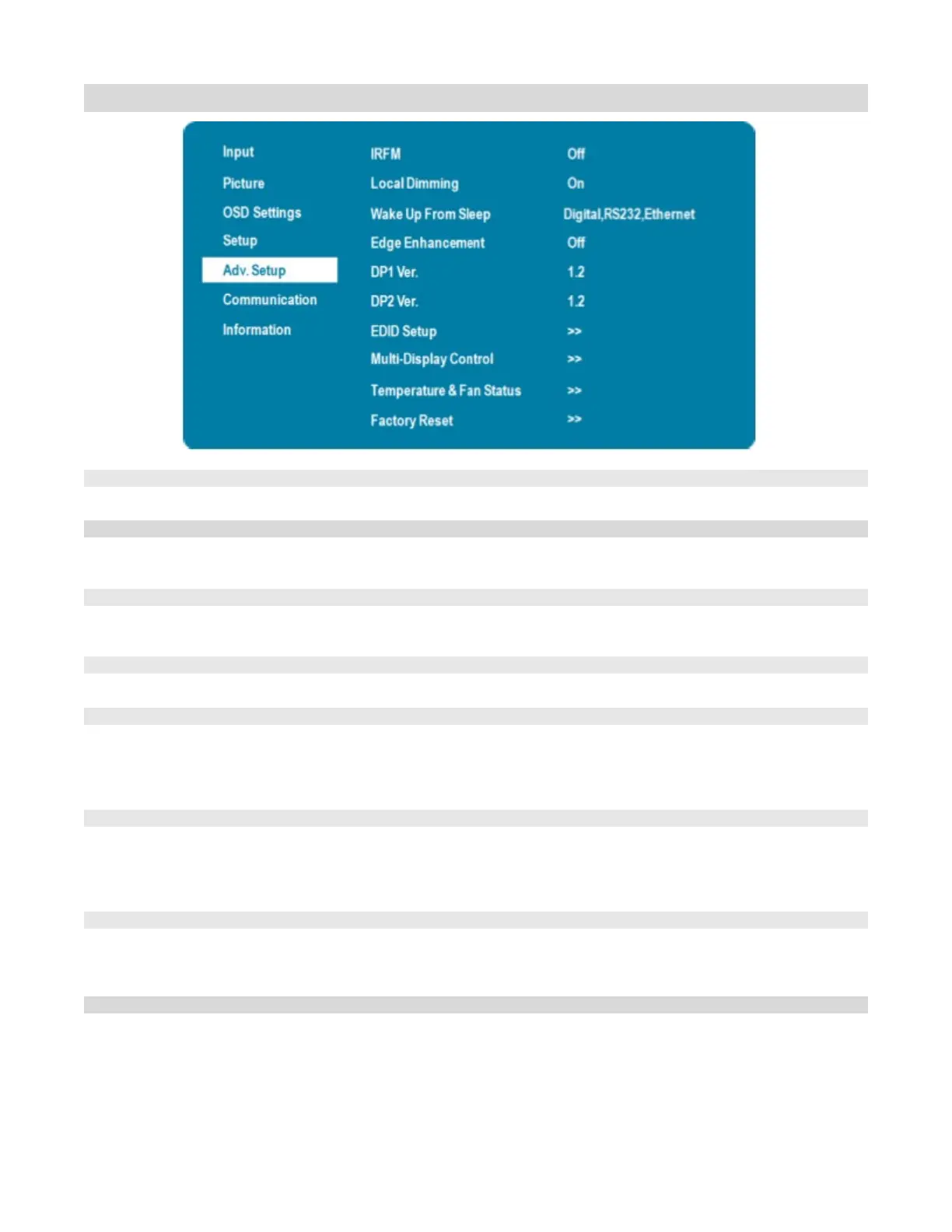
Adv. Setup Menu
Creates slight frame motion to help avoid image retention.
Options: On; Default: Off
Adjust areas of the LCD backlight to vreate deeper black levels and higher contrast
automatically
Options: On, Off; Default: On
Select a source to wake up the display from sleep mode
Options: VGA Only, Digital, RS232, Ethernet, Never Sleep
Default: Digital, RS232, Ethernet
Enhance and sharpening the edge contrast of large images or pictures
Options: Off, Low, Medium, High; Default: Off
Select the DisplayPort version of the DP1 input
Options: 1.1, 1.2; Default: 1.2
Note: DisplayPort 1.2 is the more modern standard and supports 3840x2160 @ 60 Hz
resolution. However, sometimes DisplayPort 1.1 is needed for compatibility with older
Select the DisplayPort version of the DP2 input
Options: 1.1, 1.2; Default: 1.2
Note: DisplayPort 1.2 is the more modern standard and supports 3840x2160 @ 60 Hz
resolution. However, sometimes DisplayPort 1.1 is needed for compatibility with older
Select EDID (Extended Display Identification Data) of the HDMI and DisplayPort inputs
Options: HDMI 1, HDMI2: 1080p, 4K2K 30Hz, 4K2K 60Hz. DP1, DP2:
4K2K 60Hz.
Temperature and Fan Status
Obtaining the temperature and fan status
—Temperature: Options: Celsius
—Fan 1 Speed: Options: RPM
—Fan 2 Speed: Options: RPM
—Highest Temperature Reached: Options: Celsius



 To Next Page