Load default communication settings
Options: No, Yes
Configure the Simple Network Management Protocol (SNMP) settings
—Trap: Options: Disable, Enable Default: Disable
—Power Changed Alarm: Options: Disable, Enable Default: Disable
—Source Changed Alarm: Options: Disable, Enable Default: Disable
—Signal Lost Alarm: Options: Disable, Enable Default: Disable
—Trap IP: Default: 0.0.0.0
Show the IP address of the display
Show the MAC address Info of the display
Assigning an IP Address to the Display
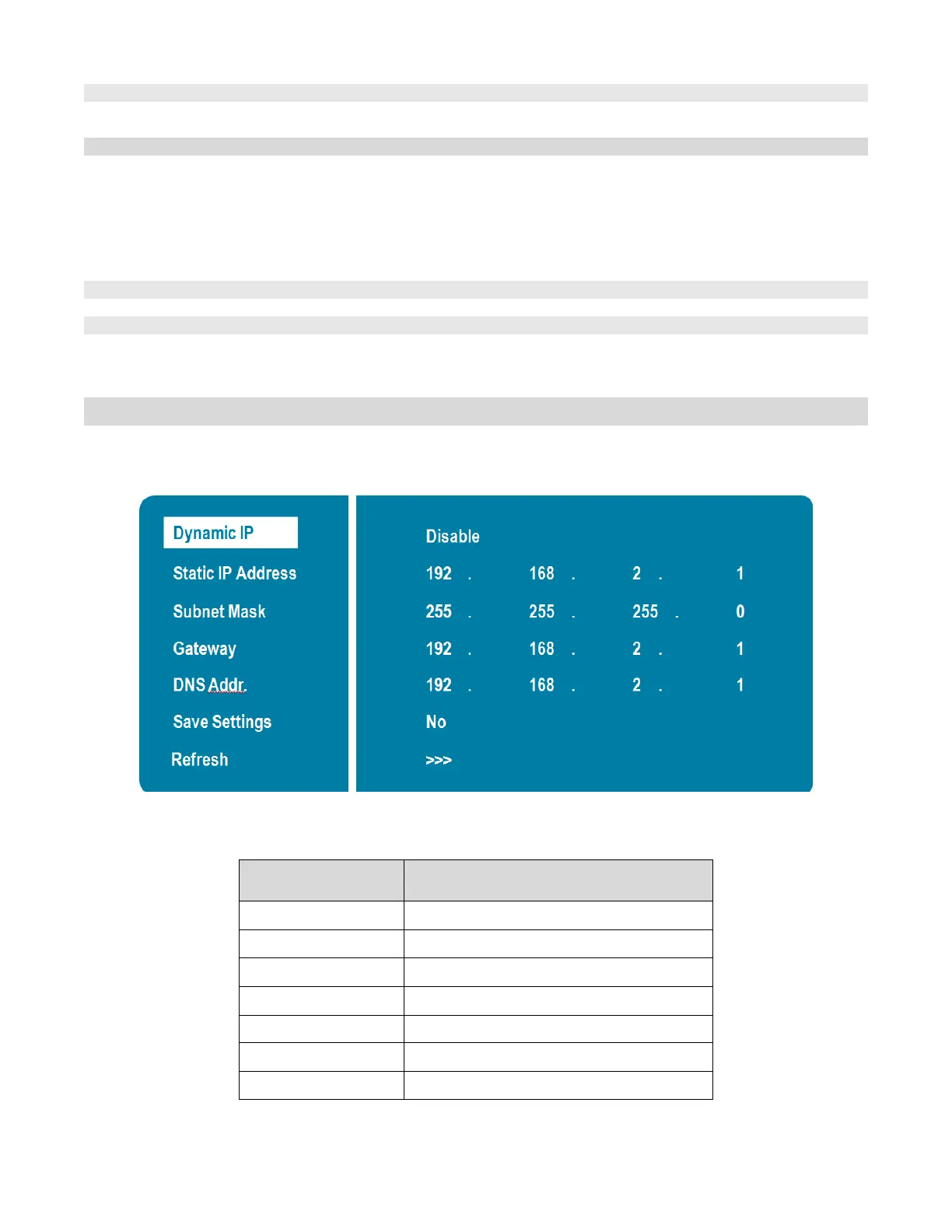
To assign an IP address to your display, access the IP Address Settings Menu in the Communication Menu.
Consult your system IT administrator if you do not know how to configure the parameters shown in the menu.
The default settings are shown below.
Item Setting



 To Next Page