Adjust multi-display control settings to display content from a single video source over an
entire video wall.
—Monitor ID: Options: 1~100 Default: 1
—Video Wall: Options: No, Yes Default: No
—Power On Delay: Options: 0~30 sec Default: 0
—Video Delay: Options: Off, Auto, 1 Frame, 0.5 Frame. Default: Off
—Frame: Options: No, Yes; Default: No
—Matrix X: Options: 1~10, Yes Default: 1
—Matrix Y: Options: 1~10, Yes Default: 1
—Division X: Options: 1~Matrix X Default: 1
—Division Y: Options: 1~Matrix Y Default: 1
—IR Mode: Options: Off, Target, Al Default: Off
—Recipient ID: Options: 1~100 Default: 1
—Auto Video Wall Setup: Options: BotL; TopL
Restores all settings to their default.
Options: No, Yes; Default: No
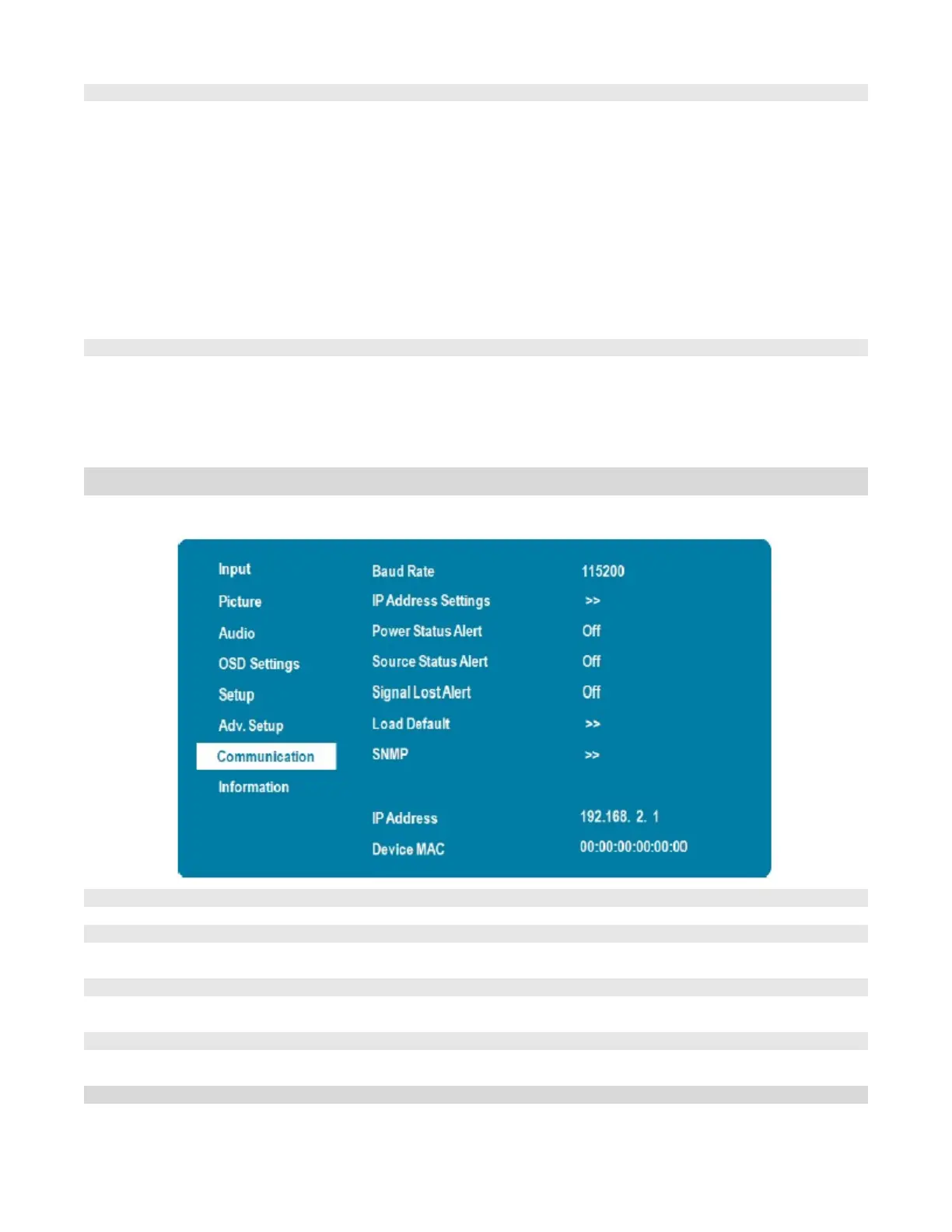
Communication Menu
This menu configures the display’s RS-232 and Ethernet communication ports.
Options: 115200, 38400, 19200, 9600; Default: 115200
Enable Dynamic IP mode or set the static IP address of the display’s Ethernet port
See next page for more settings
Enable an automatic alert when the display is powered down
Options: On, Off; Default: Off
Enable an automatic alert when the source is changed
Options: On, Off; Default: Off
Enable an automatic alert when the video signal is lost
Options: On, Off; Default: Off



 To Next Page