Unlocking and Enabling the LAN Port
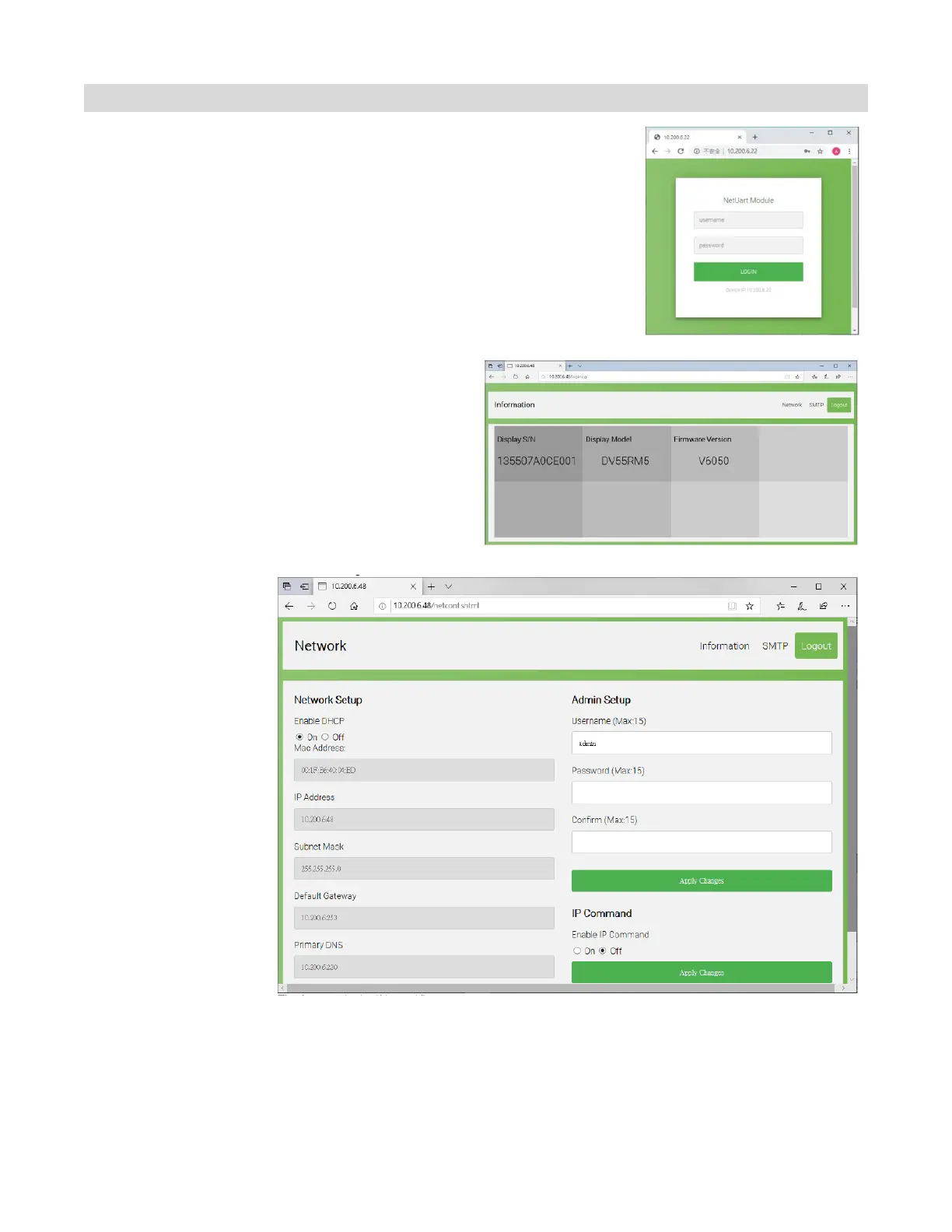
Ethernet Board Settings – Web service can configure the device by
opening the browser and connecting via Web GUI directly.
1. Login – Use Web browser to configure the Ethernet board and
connect via the IP of the display. Once you connect the Login
window will popup.
a. Default IP is 192.168.2.1
b. username is “admin”
c. password is the displays serial number
2. Information page provides display
information
a. Serial Number
b. Model
c. Ethernet Board Firmware version
3. Network
configuration – In
this page you can
perform the
following:
a. Network parameters
(IP Address, DHCP,
Static, Subnet Mask,
Gateway and DNS)
b. Admin Setup to
configure the Name
and Password for
Login
c. IP Command will
allow you to enable or
dis able the “IP
Command”



 To Next Page