ROUTINE UTILIZATION & MEASUREMENT
35
modification can‟t solve the problem.
Typically insufficiently lysed RBC‟s interfere with the start of the WBC
histogram. Repeating the measurement with an increased lyse volume
should provide better separation. If the repeated run reports very similar
results then the MON and NEU results are VALID but the WBC and LYM
results may be higher because of interfering RBCs.
Aperture clogging. Perform cleaning and repeat the measurement. If it is
a general problem, please contact your Service Personnel.
Low temperature reagents can cause it as well (mainly diluent), in this
case you will have to wait until they reach room temperature.
Table 4. Summary of warning flags related to WBC/HGB
Warning flags in lowercase refer to RBC or PLT problems.
linearity range exceeded in
PLT/RBC stage
The analyzer found that the cell count is higher than the linearity
range of the analyzer. Make a predilution, and run the same sample
in prediluted mode
Multiple or incorrect RBC peak(s) detected. Try to run the sample
again.
PLT / RBC limit not correct
PLT and RBC cells could not be separated, or the histogram
remained high in the PLT/RBC valley range.
The same action as in case of the C warning flag.
PLT blank is high, or no PLT
blank
Run cleaning and repeat the blank measurement.
Diluent or system cleanliness problem. If it is stable high, replace the
diluent by opening a new tank.
RBC blank is high, or no RBC
blank
Same action as in case of warning flag p.
Table 5. Summary of warning flags related to RBC/PLT
Measurement conditions: when the flags are related to clogging (c, C), probably
hemolysing problems (E). Try to repeat the measurement.
The exclamation mark flag (!) near a
parameter shows some doubt during the
evaluation of that parameter.
The reasons can be: a high PLT blank
(PLT value will be marked), a case of
indefinite discriminator setting (default
location is used for some reasons,
related parameters will be marked), etc.
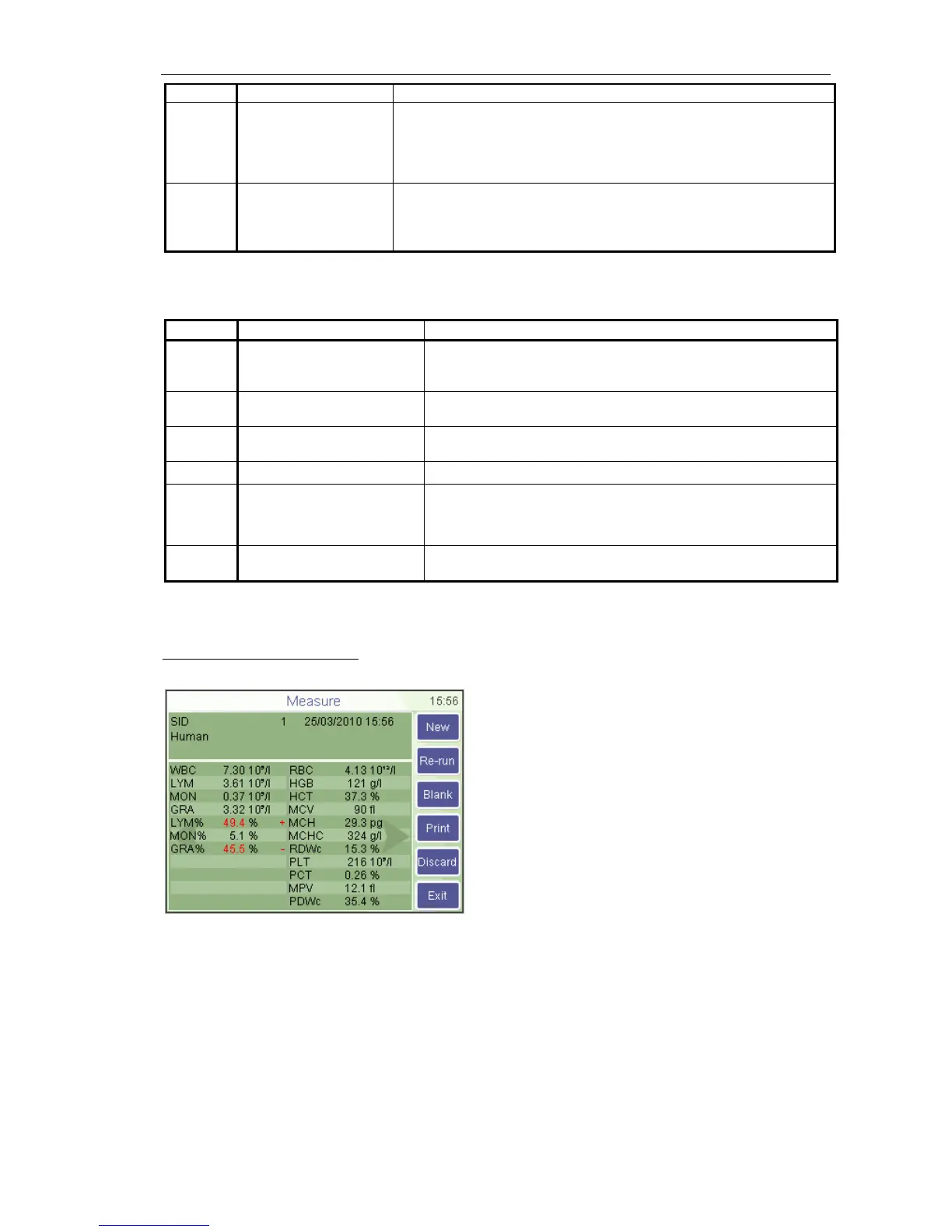
Another flagging method is evaluation against the normal ranges. If some of the
parameters is out of range it gets a (-) flag if under the range, or gets (+) if over the
range. (And the given parameter will be highlighted as well.) You can customize
ranges for all kind of patients by setting the corresponding lower and upper ranges. If
you set 0 for a range limit, it will be not verified.
5.2.5. Parameter Limits (Normal ranges)
Limits define normal ranges. Outside this range, parameters will be flagged: – or +.



 To Next Page