ROUTINE UTILIZATION & MEASUREMENT
31
5.2. Sample analysis
5.2.1. Sample preparation
Use K-EDTA anti-coagulated fresh whole blood as sample. Prior to sampling, mix
the sample gently by inverting it at least 8 times. Do not shake as this could
damage blood cells and create micro-bubbles that cause sampling error.
5.2.2. Running a (new) sample
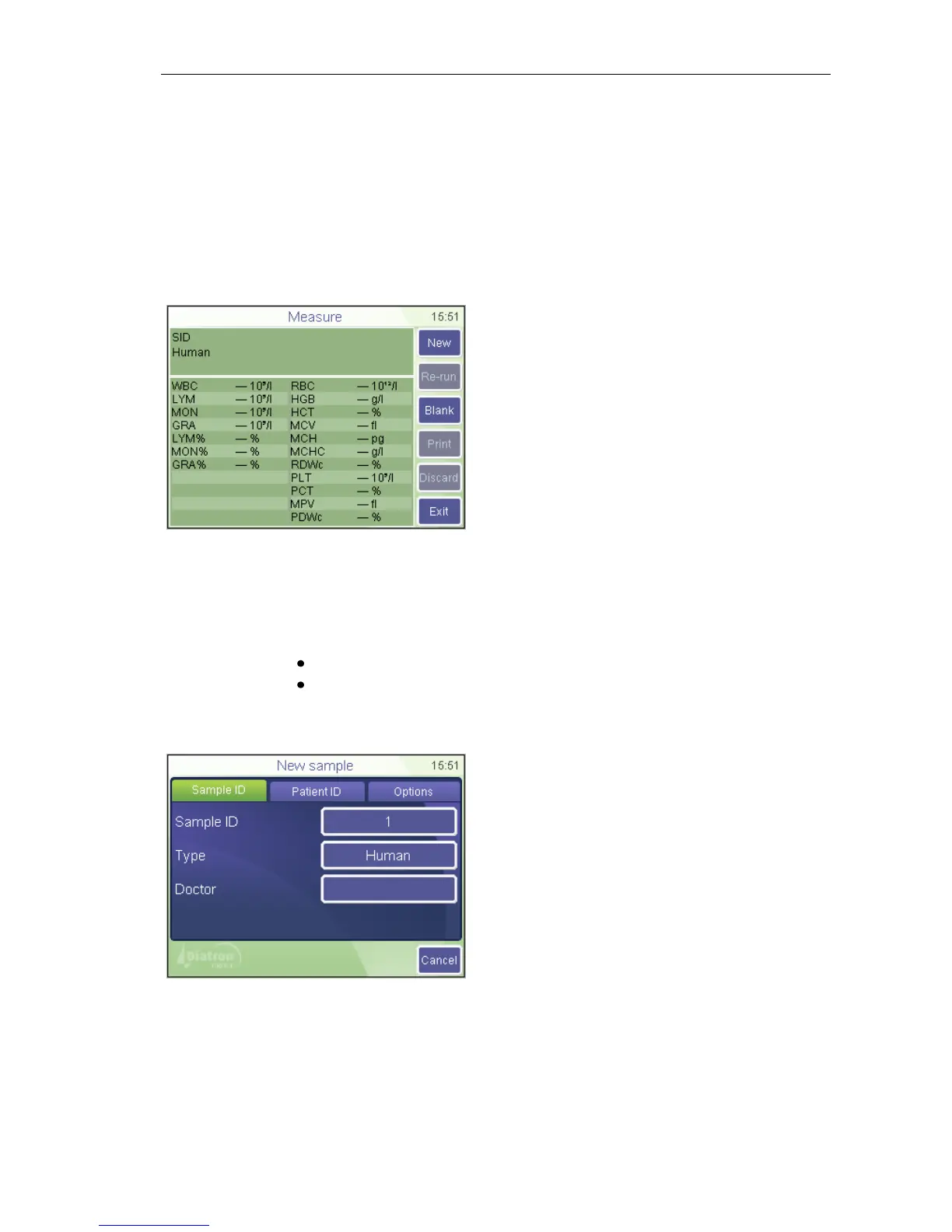
MEASURE
This is the screen where you can start
measurements.
Exit will return to the Main menu
Press New to enter data for the sample.
Software allows the user to enter information for every sample. If an external PC
keyboard (via USB) is used, connect it before turning the instrument on.
There are two options to enter sample information:
immediately before analysis
in Database menu
To enter sample information prior to sample analysis, touch sample info field in the
MEASURE screen. The following screen appears:
MEASURE
New
Sample ID
A screen appears offering data entry for
the upcoming sample.
Sample ID can be defined to identify the
sample
Type offers a list of profiles to select from
Doctor will appear on the printout as well
Cancel will return to the measurement
screen (above).



 To Next Page