Error! Use the Home tab to apply Címsor 1 to the text that you want to appear
here.
50
7.4.2. Self Test
Self test is a procedure to verify proper operation of essential components of the
instrument. Self test should be performed:
At installation.
After replacing any component.
After extended time out of use.
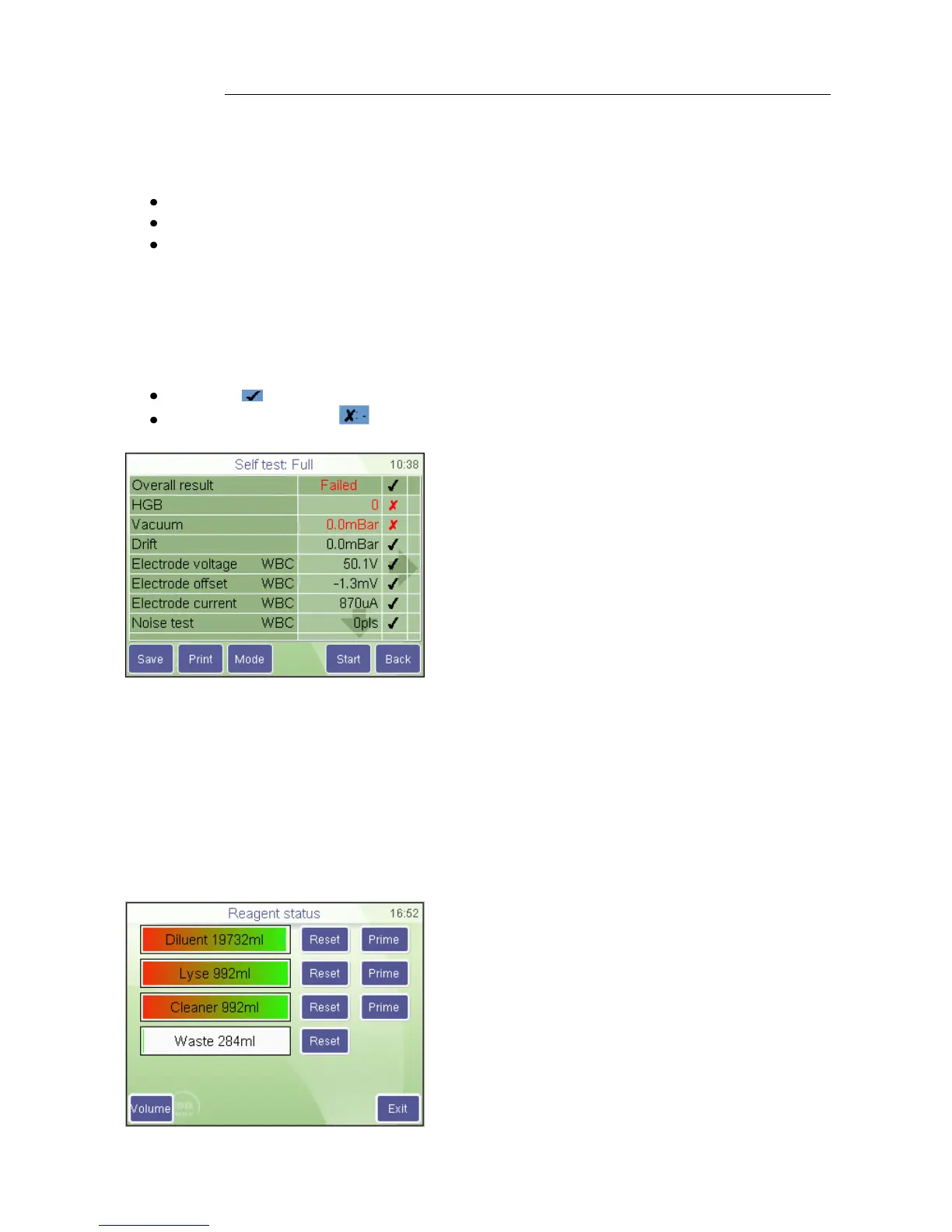
During self test, the analyzer checks system components, and displays the results.
If a result is out of range the measured value is displayed red. The top row displays an
overall result of the test: if any value is out of range the Overall result will be Failed.
On the right side of the results screen, the SW displays if the tested parameter falls into
the desired range:
If yes, a sign is displayed at the end of the line, or
if it is out of range: a sign appears.
To reduce time required for self test, and to allow testing parts of the system that do not
require reagents, you can chose to run the Self test in “fast” mode.
7.5. Reagent status
The screen shows reagent volumes in containers, as calculated by the instrument. With
each measurement, the volumes are changing accordingly. When reagent volume in a
container is running low, instrument will notify user, and ask for replacement.
MAINTENANCE
REAGENT STATUS
Bar graphs show reagent status.
Reset will reset reagent level to its full value.
If any of the reagents is replaced (Reset),
press Prime to aspirate liquid into the system
Volume opens up the container volume setup
screen.
DIAGNOSTICS
SELF TEST
The analyzer lists and checks subsystems.
When tests are finished, display shows a
summary of the results. Various system
parameters can be seen on the screen.
To see Min/Max values of different
parameters touch the left arrow.
Press RETRY to run Selftest again.
Press BACK to go back to previous menu.



 To Next Page