DATABASE
41
6.3. Printing records
DATABASE
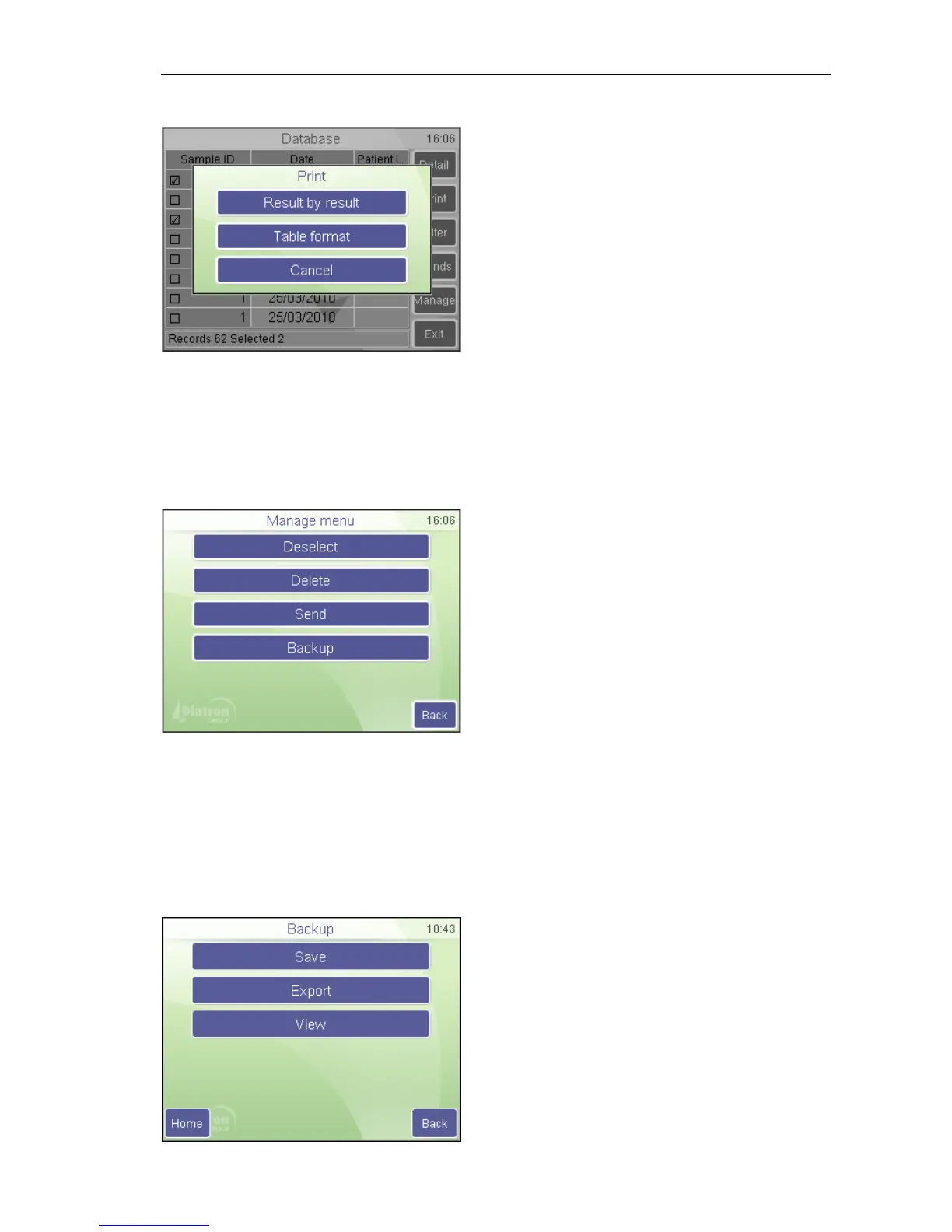
Print
If there is no record selected, then the
software prints the actual (top / detail view)
record.
If there is more than 1 record selected, then
you will be able to choose between
individual printing (Result by result), or
Table format (only using USB printer).
Cancel aborts the operation.
6.4. Manage records
The Manage button becomes active if there is more than 1 record selected in the
database. Pressing Manage brings up the following screen:
DATABASE
Manage
Back aborts the operation and returns to the
table view.
Deselect will clear the checkboxes of all selected records.
Send will transmit record(s) to a connected computer. A progress bar shows the
status of the process.
Delete will permanently delete selected record(s) from the database. You have to
confirm this operation.
Backup will save selected record(s) to an external USB memory device. A progress
bar shows the status of the process.
DATABASE
Manage / Backup
Save:will save selected record(s) to an
external USB memory device in binary
fomat. A progress bar shows the status of
the process



 To Next Page