Settings
Measurement
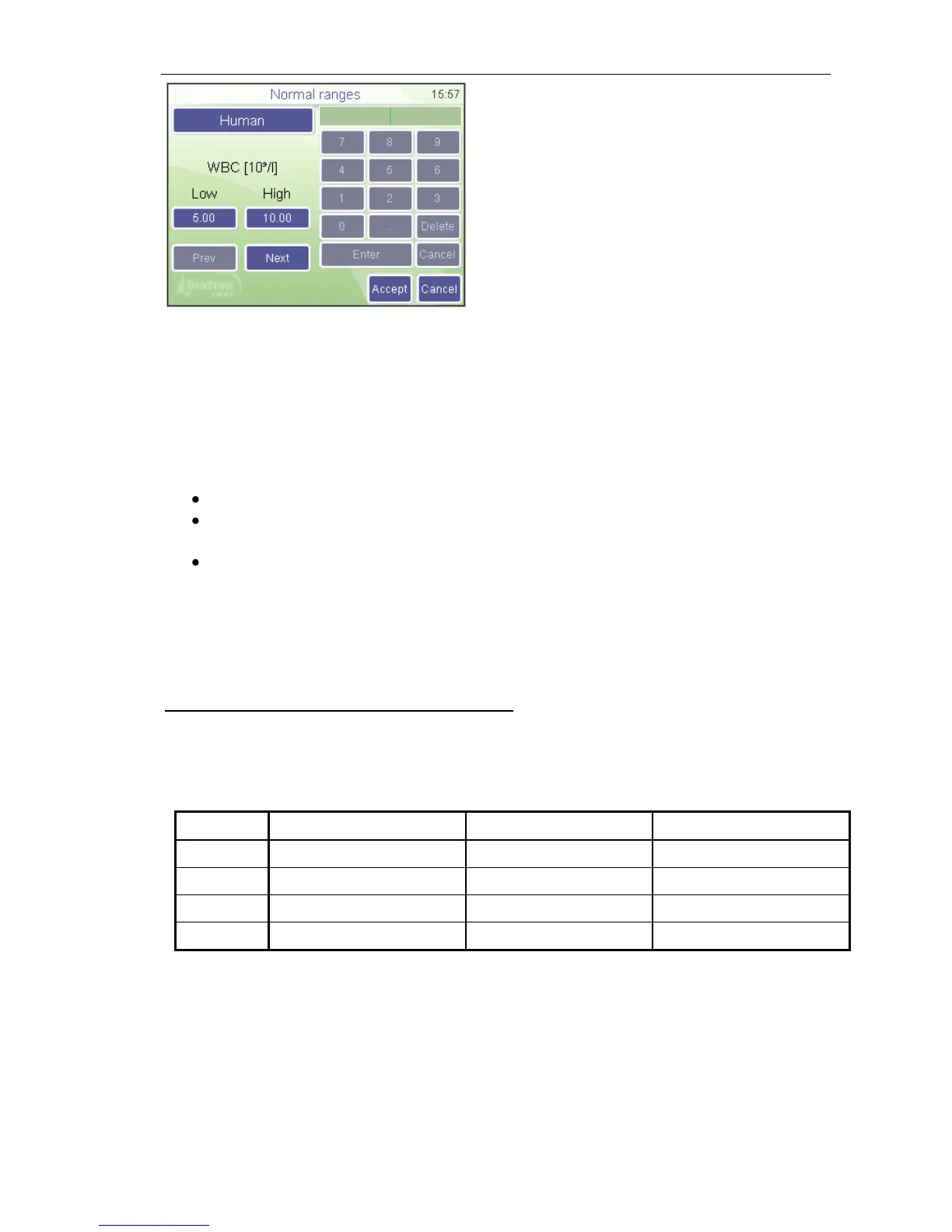
Normal ranges
The “Human” (profile) button brings up the
profile selection menu
Prev and Next allow browsing among
parameters.
Parameter order: WBC RBC HGB HCT
MCV MCH MCHC PLT PCT MPV PDWs
PDWc RDWs RDWc LYM MID GRA LYM%
MID% GRA%
You can modify normal range of parameters: left column is lower, right column is
upper limit of normal range. Press Accept to accept changes, or Cancel to keep
previous settings and return to the settings menu.
5.2.6. Blank Measurement
The system uses blank measurements to check cleanliness of the system and
reagents. Blank measurement should be performed:
Once daily, before sample analysis
After any reagent change (activated manually from the MEASURE/ MEASURE
BLANK menu).
After the replacement of any hardware component that is closely related to the
measuring process (aspiration, dilution, counting, rinsing).
In MEASURE mode press the Blank button. If Blank measurement was not
acceptable, press DISCARD to discard blank result. The analyzer is ready for sample
analysis, and displays an empty sample measurement screen.
There are 3 regions for blank value handling:
1. Optimal – all results are within acceptable ranges.
2. Blank is high – ! flag displayed at relevant results.
3. Blank exceeds acceptability – no results displayed.
Table 6. Blank measurement ranges
Accepted blank values are essential for proper calibration.
Calibration can only be performed if all blank values are in the first region (no flags or
errors).
If analysis errors occur or blank measurement is too high, an E error flag appears
along with the affected parameter and “---“ is displayed instead of results. In this
situation, perform a cleaning (see Section 7.1).



 To Next Page