MEASURE
New
Options
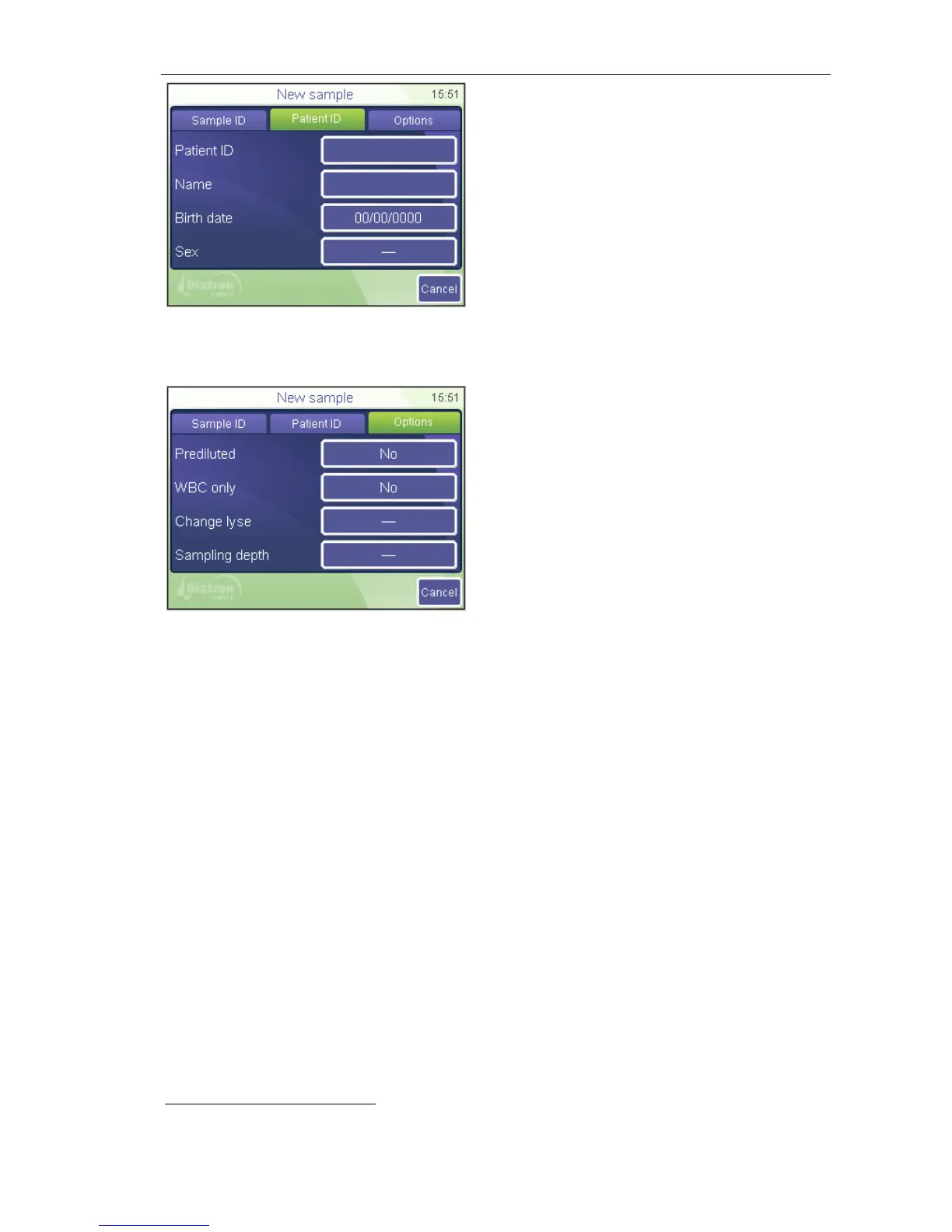
A screen appears where offering data
entry for the upcoming sample.
Settings remain as they are set for the
following samples as well.
Cancel will return to the sample info
screen.
Pre-diluted mode offers two options: Yes or No. If you set it to Yes, then the
instruments expects a pre-diluted sample (with a ratio of 1:5 – 1 unit of sample and 5
units of isotonic saline solution – the total volume should be minimum 1ml)
WBC only offers two options: Yes or No. If you set it to Yes, then the instrument will
not measure and display RBC and PLT related parameters. You‟ll receive a total
WBC count with 3-part results
and HGB reading (WBC, LYM, MID, GRA, LY%,
MID%, GR%, HGB)
Change lyse
Volume of lyse reagent added to MIX dilution controls performance of WBC 3-part
differential. Default lyse setting for each sample type (Human, control, Child, etc.) are
specified by SW. Default lyse quantity can be adjusted in Patient limits menu
(Settings / Measurement Limits)
Select an increased (+0.1, +0.2ml) volume if the separation between lysed RBCs and
WBC populations is poorly differentiated, resulting in increased WBC and LYM
counts. Select a decreased (-0.1, -0.2ml) volume if the WBC histogram seems to be
shrunk to the left, i.e. the different WBC populations are overlapped. This can inhibit
proper separation of WBC populations.



 To Next Page