Error! Use the Home tab to apply Címsor 1 to the text that you want to appear
here.
53
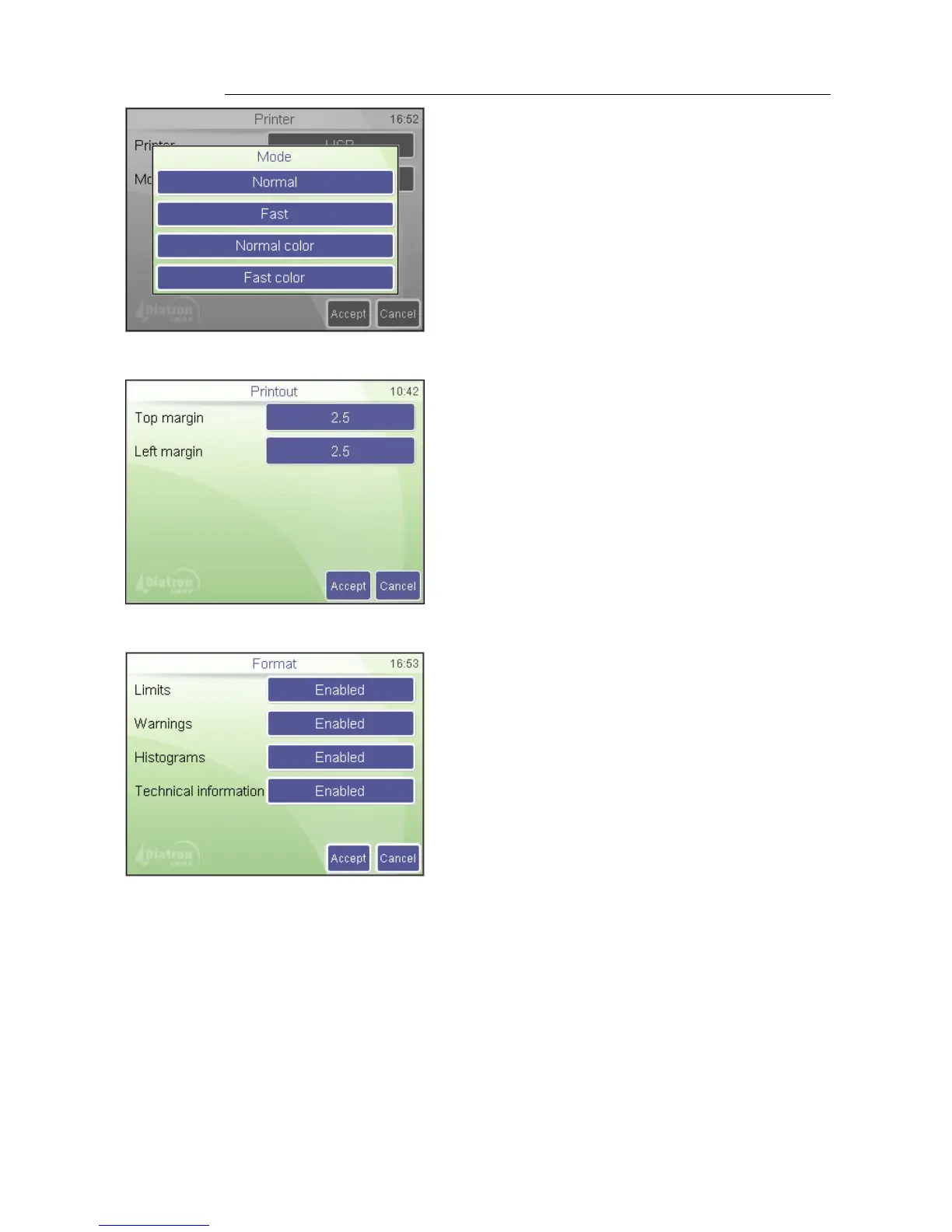
Limits: Enable / Disable parameter limit (normal range) printing.
Warnings: If Enabled, warning flags appear on the report as well.
Histograms: Enable / Disable graph printing.
Technical information: If Enabled, probe voltages (WBC,RBC), lyse volume, (ml) and
software/firmware version appear in the printout.
Diagnostic flags: If Enabled the diagnostic flags appear on the report as well (except
table format)
Settings
Printer / Device / Mode
Fast modes save ink and provide faster
printout. Only normal color and fast color
printouts will give color printouts.
SETTINGS
Printer settings / Printout
Set top and left margin of the page using
external printer in centimeters.
Settings
Printer settings / Format
Press Accept to approve changes made.
Press Cancel to go back to previous menu
keeping the old settings.



 To Next Page