Error! Use the Home tab to apply Címsor 1 to the text that you want to appear
here.
58
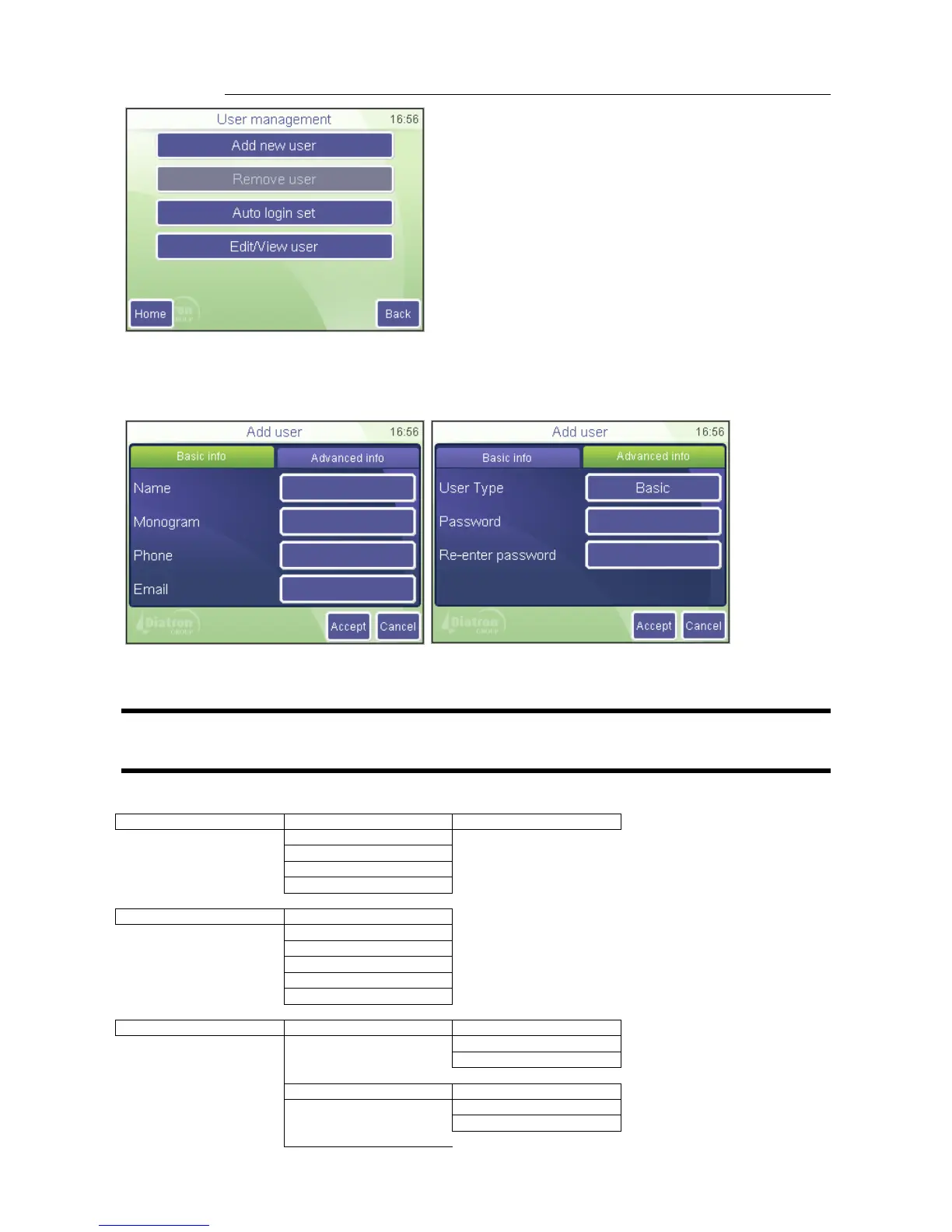
Users can be added (Add New User) or edited (Edit / View User). Adding a user allows
filling in the below parameters. Password must be defined on “Advanced Info” tab.
Monogram will be displayed on the login screen.
Use Remove User option to disable its access.
NOTE: User Admin cannot be deleted. Admin password cannot be changed.
Admin password: 0000
User Type BASIC has limited access to the menu tree:


 To Next Page
 Loading...
