4. FRAME LINE STATUS
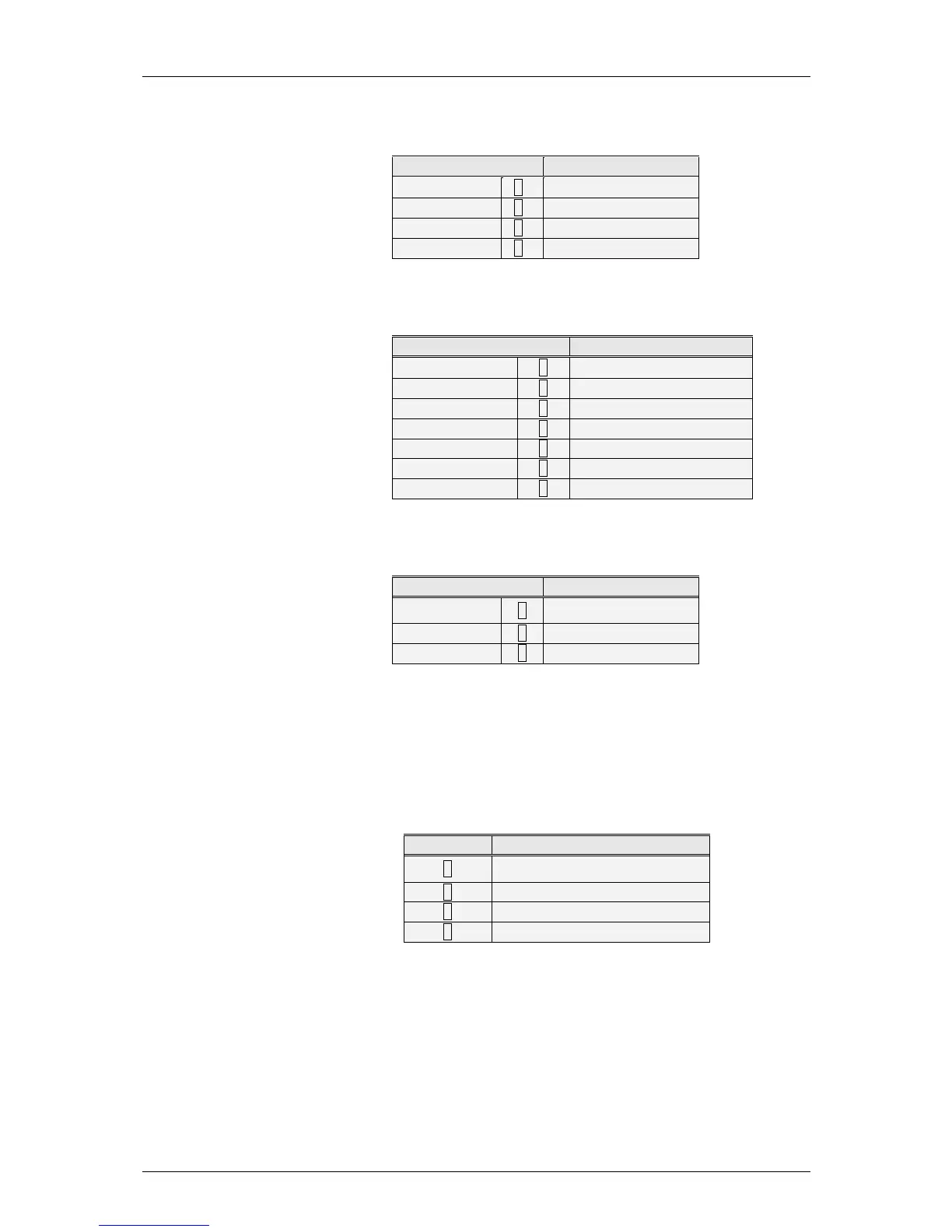
This represents the status of the lines that frame the receipt line. Four
types of lines can be defined, with the following values:
POSITION
Represent
‘NO’
[ 0 ]
No line
‘LOWER’
[ 1 ]
Lower line
‘UPPER’
[ 2 ]
Upper line
‘LOW-UP’
[ 3 ]
Lower and upper line
5. FRAME EFFECT
This represents the effect of the lines that frame the receipt line.
Programming values are:
FRAME EFFECT
Represent
‘NO EFFECT’
[ 0 ]
No effect
‘SOLID LINE’
[ 1 ]
Continuous line
‘BROKEN LINE’
[ 2 ]
Discontinuous line
‘GREY’
[ 3 ]
Grey line
‘2 SOLID’
[ 4 ]
Double continuous line
‘2 BROKEN’
[ 5 ]
Double discontinuous line
‘2 GREY’
[ 6 ]
Double grey line
6. POSITION
This parameter aligns the header line values. Programming values
are:
POSICIÓN
Representa
‘LEFT’
[ 0 ]
Justified text to left
‘CENTER’
[ 1 ]
Centred text
‘RIGHT’
[ 2 ]
Justified text to right
7. PLACEMENT / UBICATION
This represents the position of the heading in the receipt. There are
10 possible positions. A value is selected from 0 to 9, corresponding
to one of the positions on the receipt diagram (See RECEIPT
DIAGRAM).
8. ROTATION
This field appears when the “barcode” line is programmed.
ROTACIÓN
Representa
[ 0 ]
Sin rotación
[ 1 ]
Rotación 90º
[ 2 ]
Rotación 180º
[ 3 ]
Rotación 270º
9. TEXT
This is the text in the header line. It has a maximum 56
characters.



 To Next Page