D i g i g r a m
16
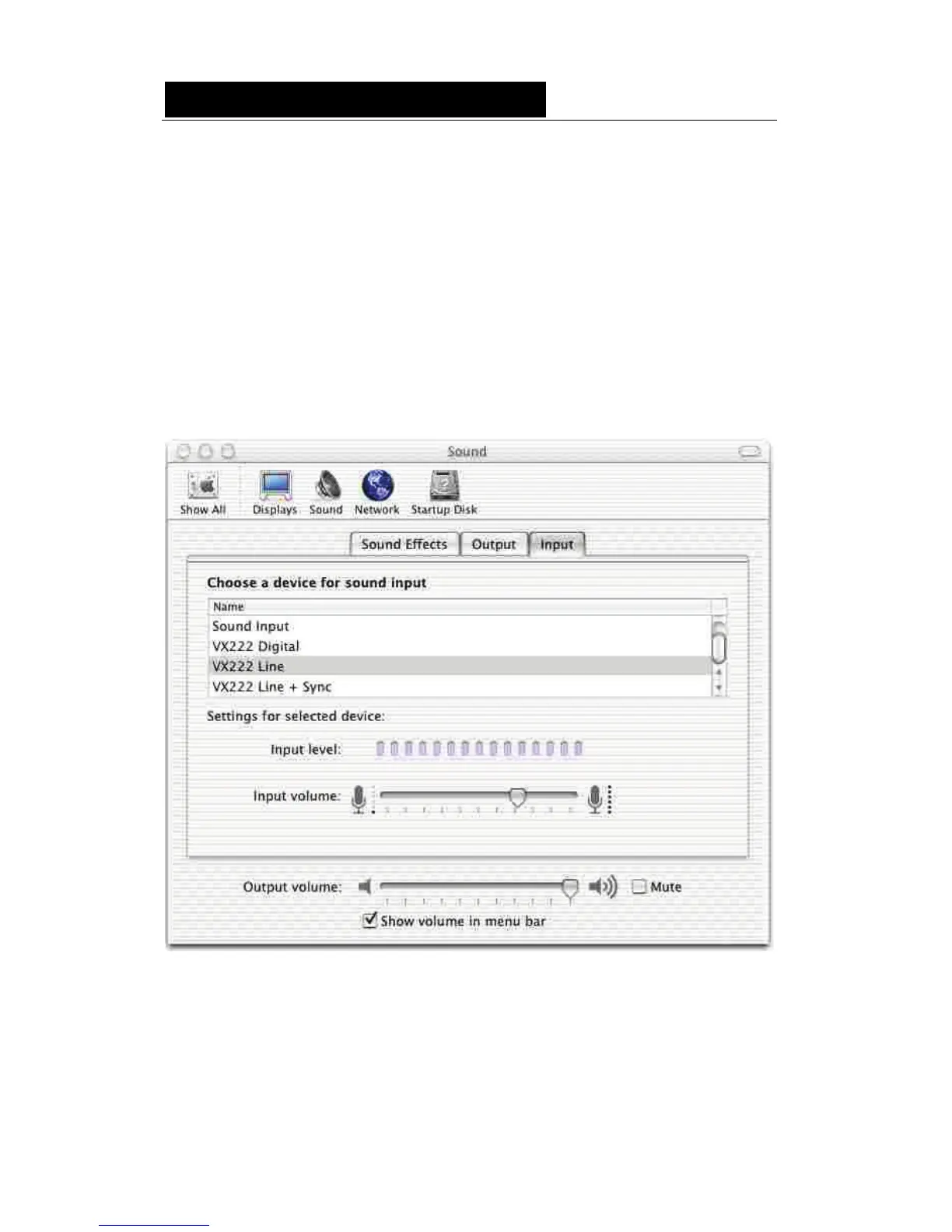
Sound panel
Use the Sound panel to set the following parameters of your VX card:
• Input tab:
- source: digital (VX222 Digital), line (VX222 Line), line with digital
synchronization (VX222 Line + Sync).
- digital input gain for both inputs (from –72 dB to +18 dB).
• Output tab:
- analog balance
The analog output gain (applied to both output channels) is always accessible
at the bottom of the Sound panel window.
Note: When adjusting the output balance and the analog output gain from this
panel, the positions of the sliders allowing to adjust the analog output
gains in the Audio Midi setup panel are updated.
When adjusting the digital input gain from this panel, the positions of the
sliders allowing to adjust the digital input gains in the Audio Midi setup
panel are updated, as well as the slider in the VX Control panel.



 To Next Page