DG-HR3400 User Manual
32
Type:
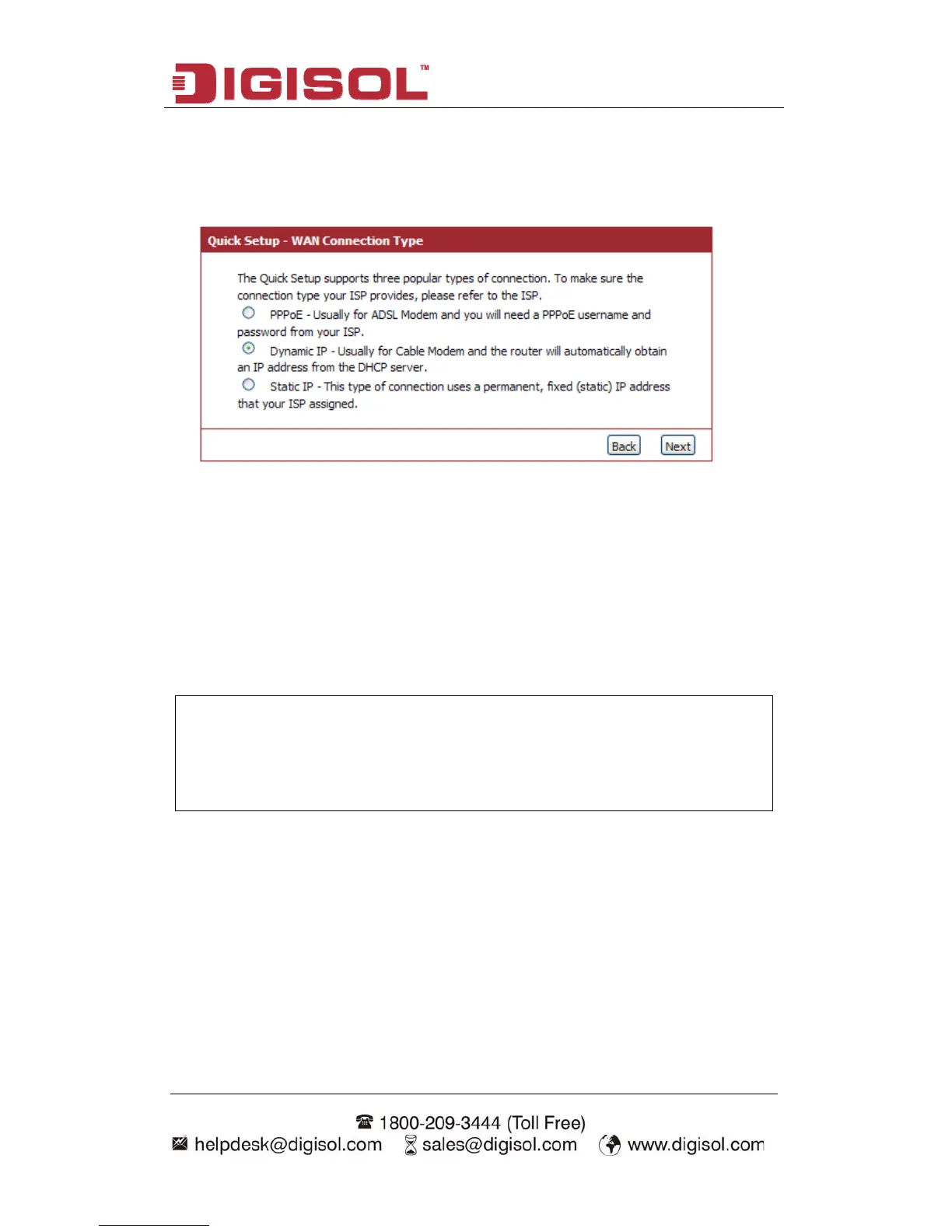
Step 1 Setup WAN Connection
Below given ‘WAN Connection Type’ screen will appear.
Please choose the broadband (Internet connection) type you’re using in this page
PoE, Dynamic IP and Static IP.
If you’re not sure, please contact your Internet service provider. A wrong Internet
connection type will cause connection problem, and you will not be able to connect
to the internet.
If you want to go back to previous step, please press ‘Back’ button.
.
There are three types of Internet connection, PP
NOTE: Some service providers use ‘DHCP’ (Dynamic Host
) to assign IP address to your router. In
ternet connection
type.
Configuration Protocol
this case, you can choose ‘Dynamic IP’ as In



 To Next Page