DG-HR3400 User Manual
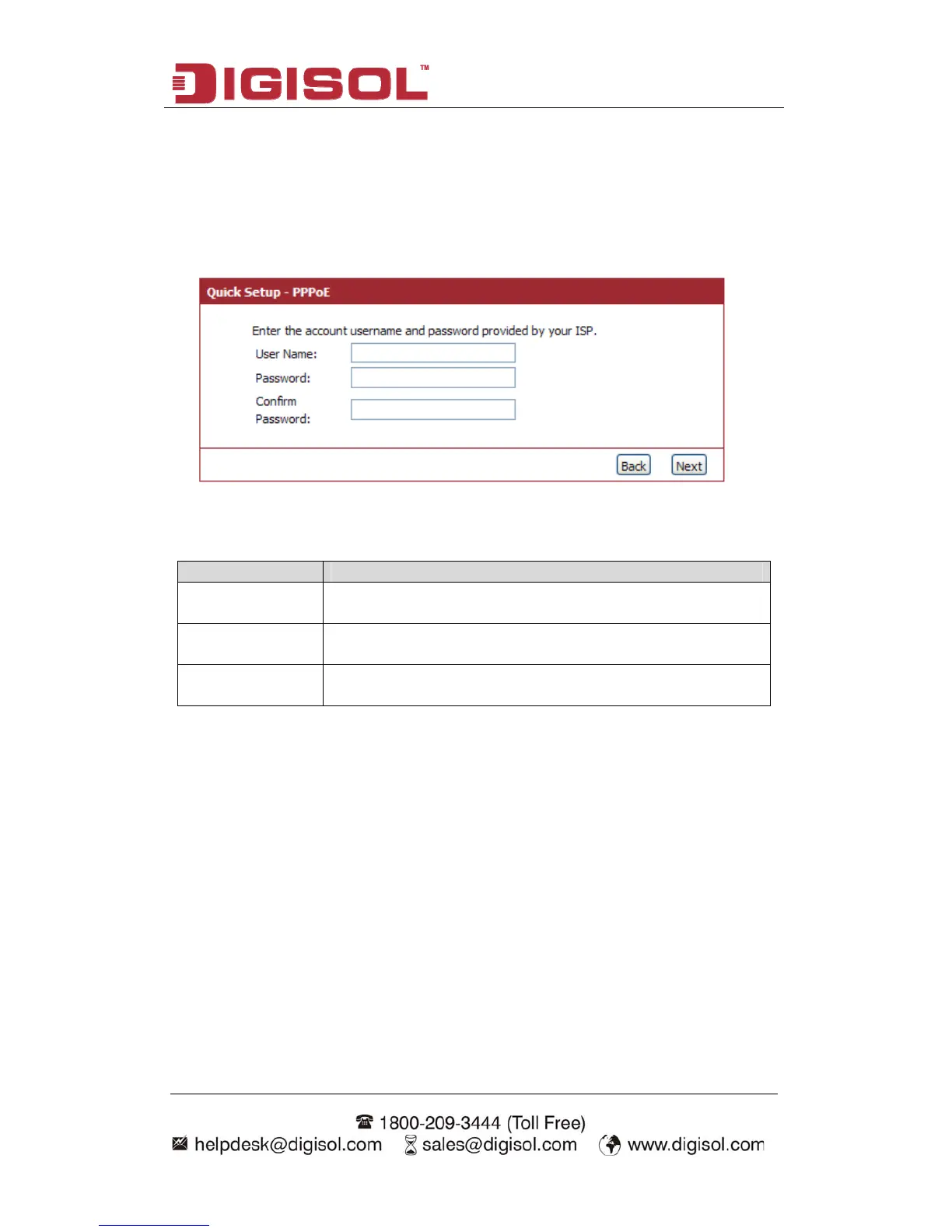
Setup procedure for ‘PPPoE’:
33
If your ISP uses a PPPoE
onnection it will provide you with a username and password. This option is typically
used for DSL services. Below given screen will be displayed.
Choose PPPoE. (Point to Point Protocol over Ethernet)
c
Here is the description of every setup item:
Parameter Description
User Name Please input user name assigned by your Internet service
provider here.
Password Please input the password assigned by your Internet service
provider here.
Confirm Re-enter the password in this field for confirm
Password
ation.
When you s
enu, clic
etup procedure for ‘Dynamic IP’:
elect Dynamic IP to obtain IP Address information automatically from your ISP.
sually Cable Modem and the router will automatically obtain an IP address from the
server.
finish with all settings, press ‘Next’; if you want to go back to previou
k ‘Back’. m
S
S
U
DHCP



 To Next Page