DG-HR3400 User Manual
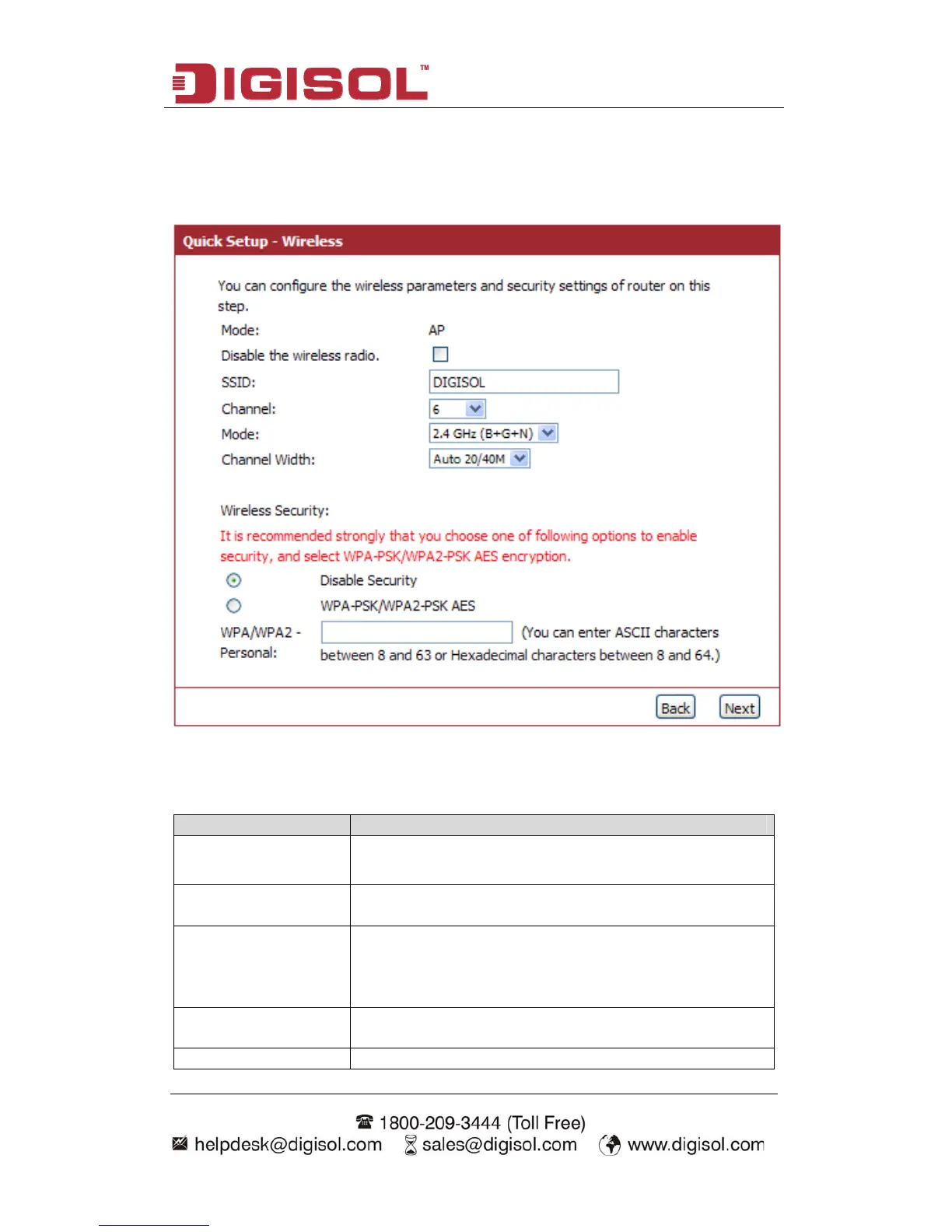
Step 2 Setup Wireless:
Below given ‘Wireless’ screen will appear.
H riptio
ere is the desc n of every setup item:
Parameter Description
Disable the wirel
radio
io of this Router can be enabled or
ess
The wireless rad
disabled to allow wireless stations access.
SSID This is the name of wireless network. Input the SSID
name that your wireless ISP has provided you with.
Channel This is the radio frequency used to transmit and receive
network should follow the same setting. Select the
channel designated by your wireless ISP.
the wireless signal. The wireless devices in the same
Mode Select the desired mode. The default setting is 2.4GHz
(B+G+N).
Channel Width Select any channel width from the pull-down list. The
35



 To Next Page