DG-HR3400 User Manual
Site Survey Click ‘Site Survey’ button, then a “Wireless Site Survey Table”
will pop up. It will list all available access points nearby. Select
the access point designated by your wireless ISP in the table and
the router will join wireless network through this access point.
Security I ve to follow f the access point enables wireless security, you ha
Options the same settings in order to access the access point.
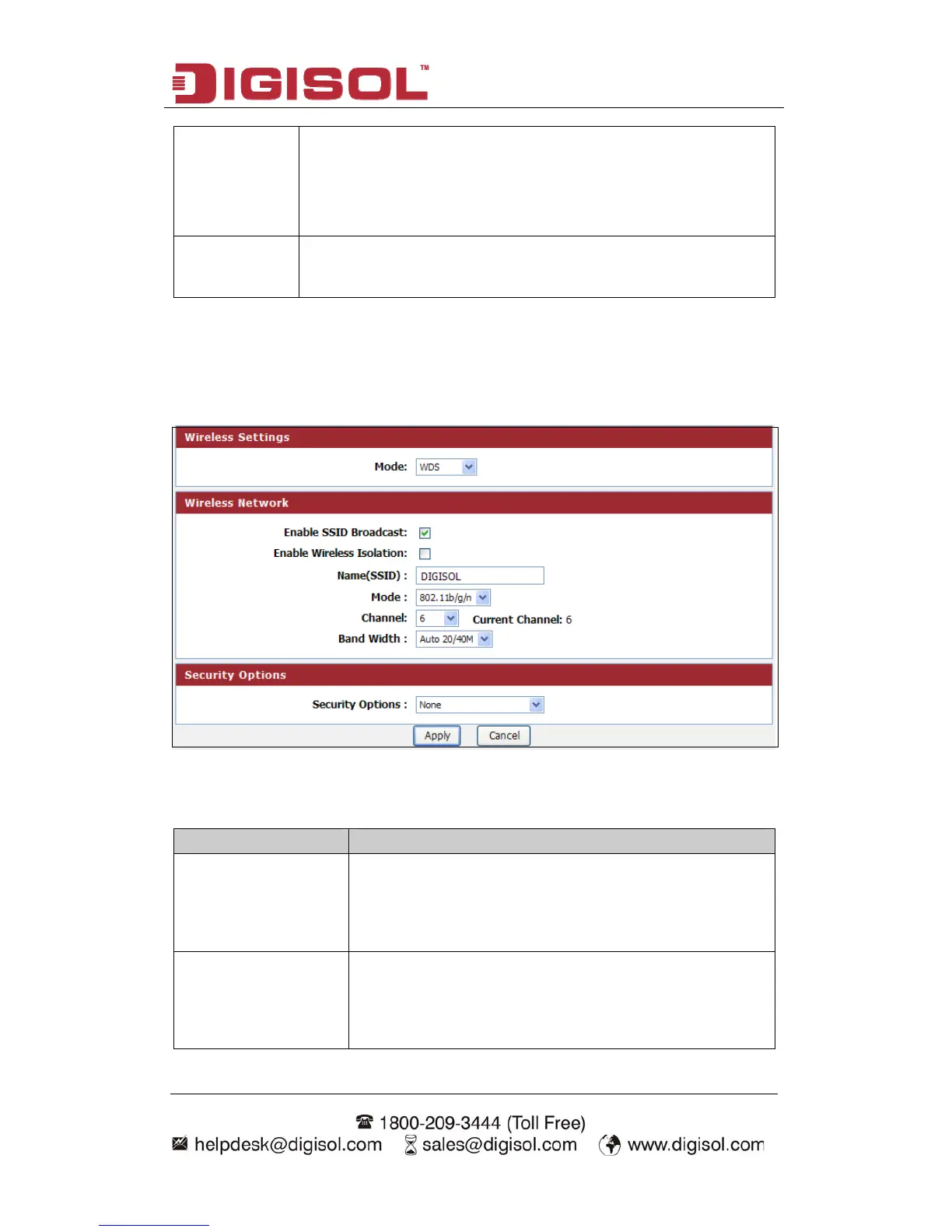
Setup procedure for WDS or WDS+AP:
In this mode, you can expand the scope of network by combining up to four other
access points together.
Here is the description of every setup item:
Parameter Description
Enable SSID If Enabled, the Wireless Access Point will broadcast its
Broadcast name (SSID) to all Wireless Stations. Stations which have
no SSID (or a null value) can then adopt the correct SSID
for connections to this Access Point.
Enable Wireless If checked, the wireless client under this SSID can only
Isolation access internet and it can`t access other wireless clients
even under the same SSID, Ethernet clients or this device.
Other clients can`t access the wireless client, either.
49



 To Next Page