DG-HR3400 User Manual
Band Width
Select any channel width from the pull-down list. The default
setting is Auto 20/40M, which can adjust the channel width for
your clients automatically.
Security There are six wireless security modes supported by the Router:
WEP, WPA-PSK [TKIP], WPA-PSK [AES], WPA2-PSK [AES],
WPA2-PSK [TKIP], WPA-PSK/WPA2-PSK AES.
Options
S re fo
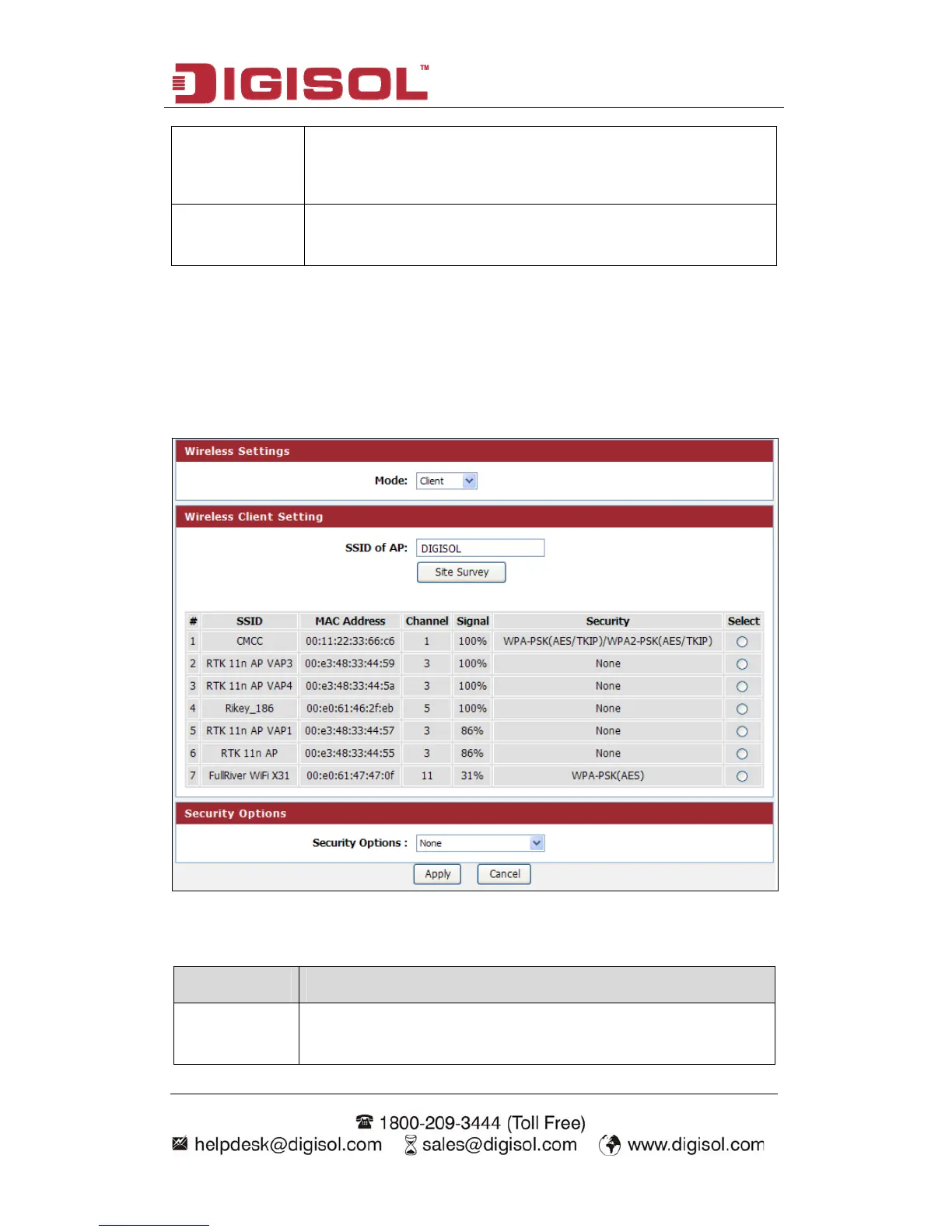
In this mode, you
player, HDD & DV
a wireless network
etup procedu r Client:
can connect the router to Ethernet devices such us TV, Game
D to enable the Ethernet device to be a wireless station and join to
through an access point or AP router.
Here is the de
scription of every setup item:
Parameter Description
SSID of AP This is the name of wireless network. Input the SSID name that
your wireless ISP has provided you with.
48



 To Next Page