Connecting Cables
5-4 Connecting and Removing Cables and Adapters
Connecting Cables
This section describes how to connect cables to the DECserver.
Connecting the 8-Pin MJ Cable
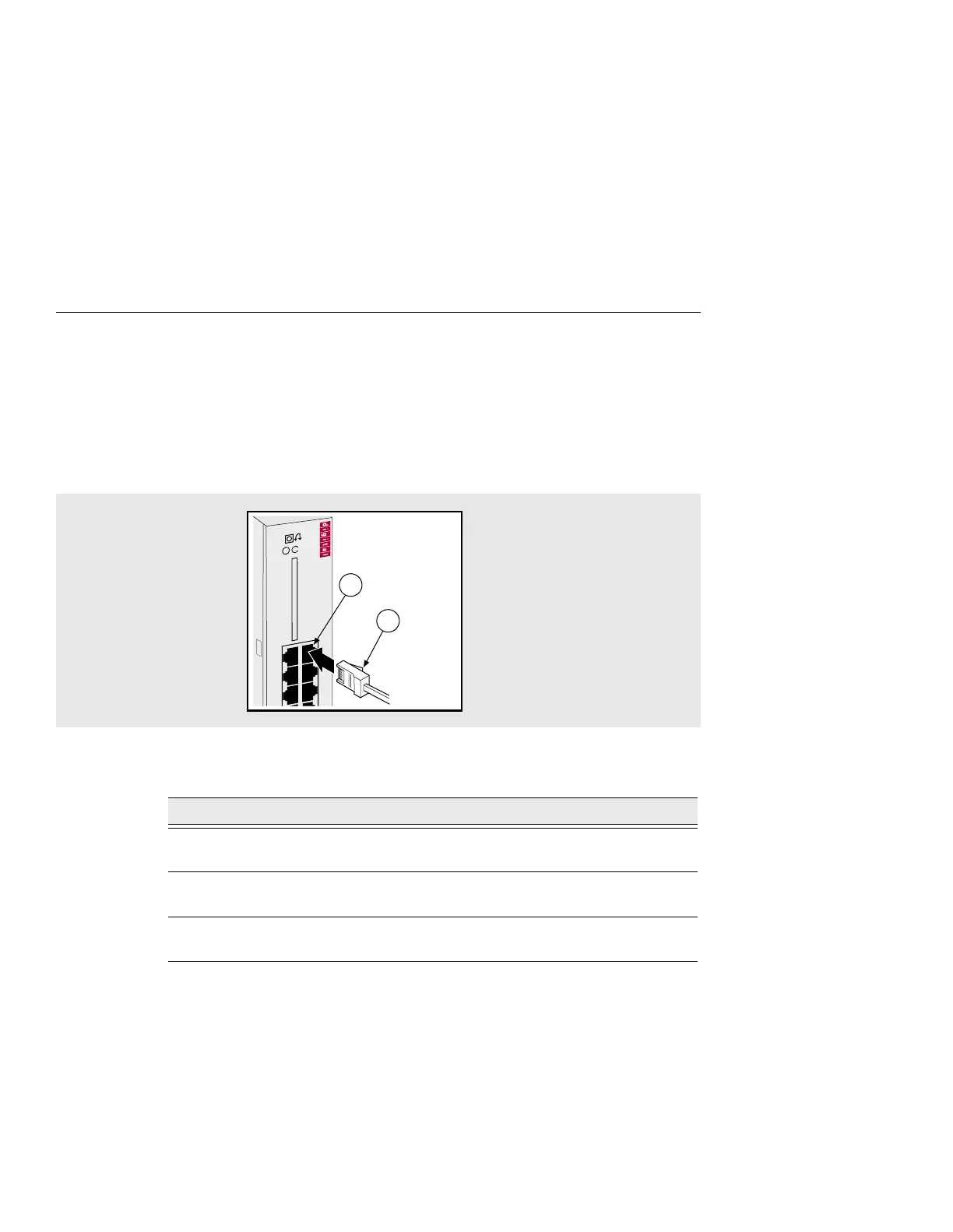
Figure 5-2 shows how to connect the 8-Pin MJ cable to ports on the DECserver.
Figure 5-2: Connecting the 8-Pin MJ Cable
To connect the 8-Pin MJ cable, complete the following steps:
For cable lengths, refer to Chapter 4, Cabling Requirements. For information on
connectors, refer to Appendix B, Connector and Pin Assignments.
Step Action
1 Align the release tab (1) on the cable plug with the connector (2) on the
module’s serial port.
2 Insert the plug into the port connector (2) until the release tab snaps into
the locked position.
3 Connect the other end of the cable to an asynchronous device (PC comm
port, terminal, or modem).
35
DECserver 732
246
135
2
1



 To Next Page