Removing the Cables
5-14 Connecting and Removing Cables and Adapters
Removing Cables from the Ethernet AUI Adapters
This section describes how to remove the various cables from the 15-pin AUI adapters.
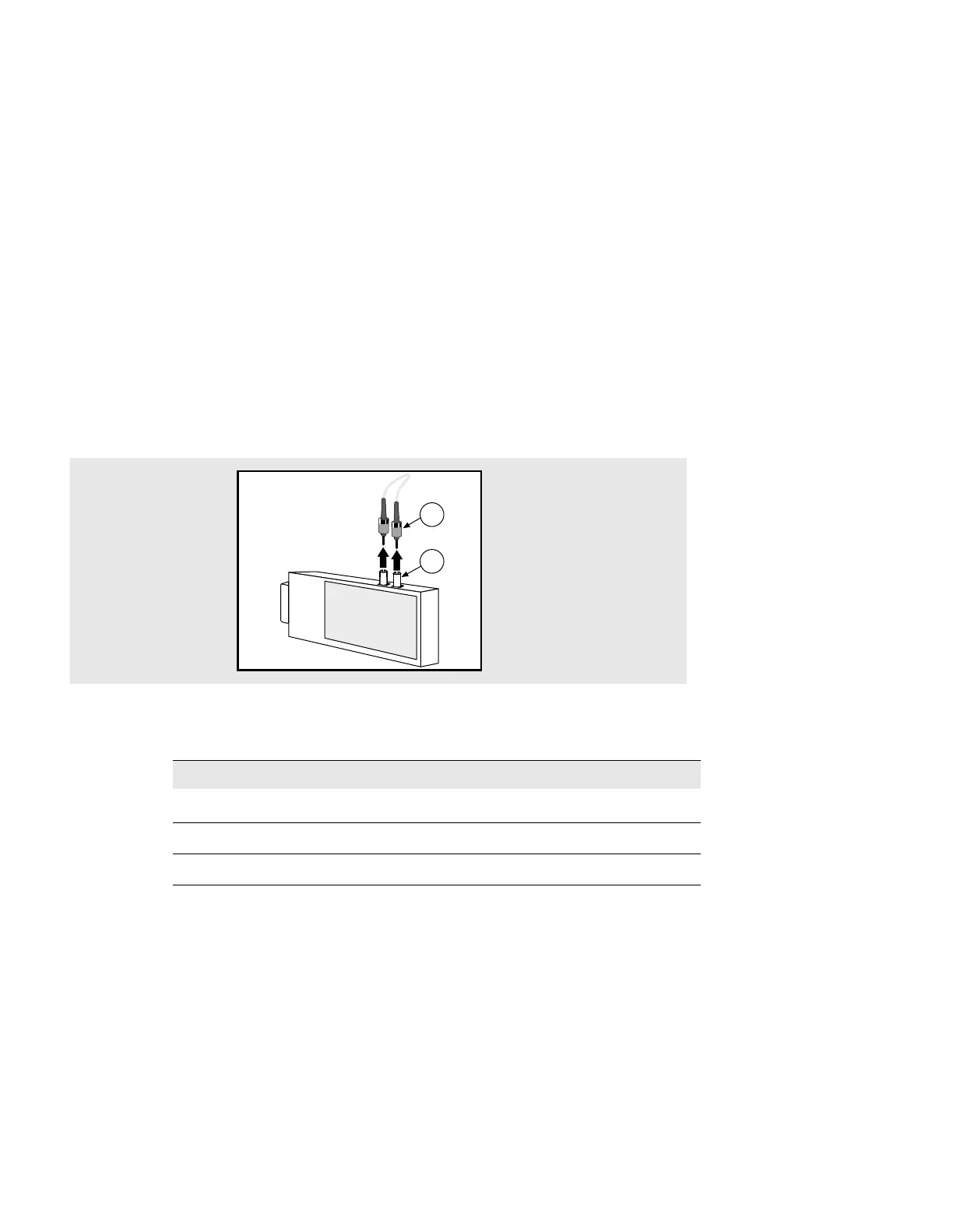
Removing Cables from the AUI Fiber Port Adapter
Figure 5-12 shows how to remove cables from the 15-Pin AUI fiber port adapters.
Figure 5-12: Removing AUI Fiber Port Adapter Cables
To remove the cable from an adapter, complete the following steps:
Step Action
1 Push in and turn the fiber connector (1) to the left to unlock it.
2 Pull the fiber connectors (1) from the ports on the AUI adapter (2).
3 Remove the other end of the cable from the repeater (Optional).
3505-31
2
1



 To Next Page