Connecting and Removing Cables and Adapters 5-11
Removing the Cables
Removing the Cables
This section describes how to remove cables attached to the DECserver.
Removing the 8-Pin MJ Cable
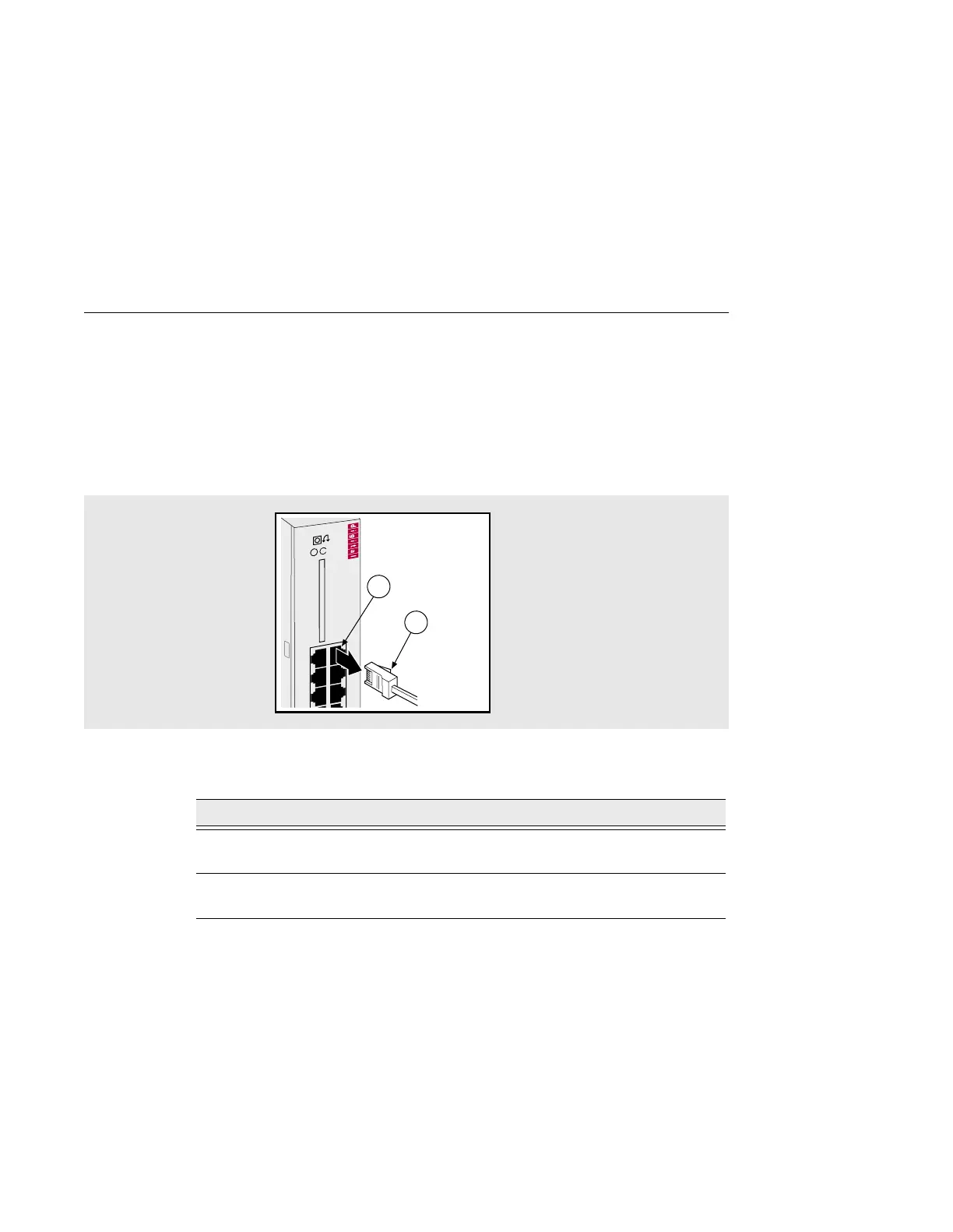
Figure 5-9 shows how to remove 8-Pin MJ cables from ports on the DECserver.
Figure 5-9: Removing the 8-Pin MJ Connector
To remove the 8-Pin MJ cable, complete the following steps:
Step Action
1 With the release tab (1) on the cable plug pushed in, pull the plug from
the port (2).
2 If necessary, remove the other end of the cable to an asynchronous
device (PC comm port, terminal or modem).
35
DECserver 732
246
135
2
1



 To Next Page