27
Network
5.5
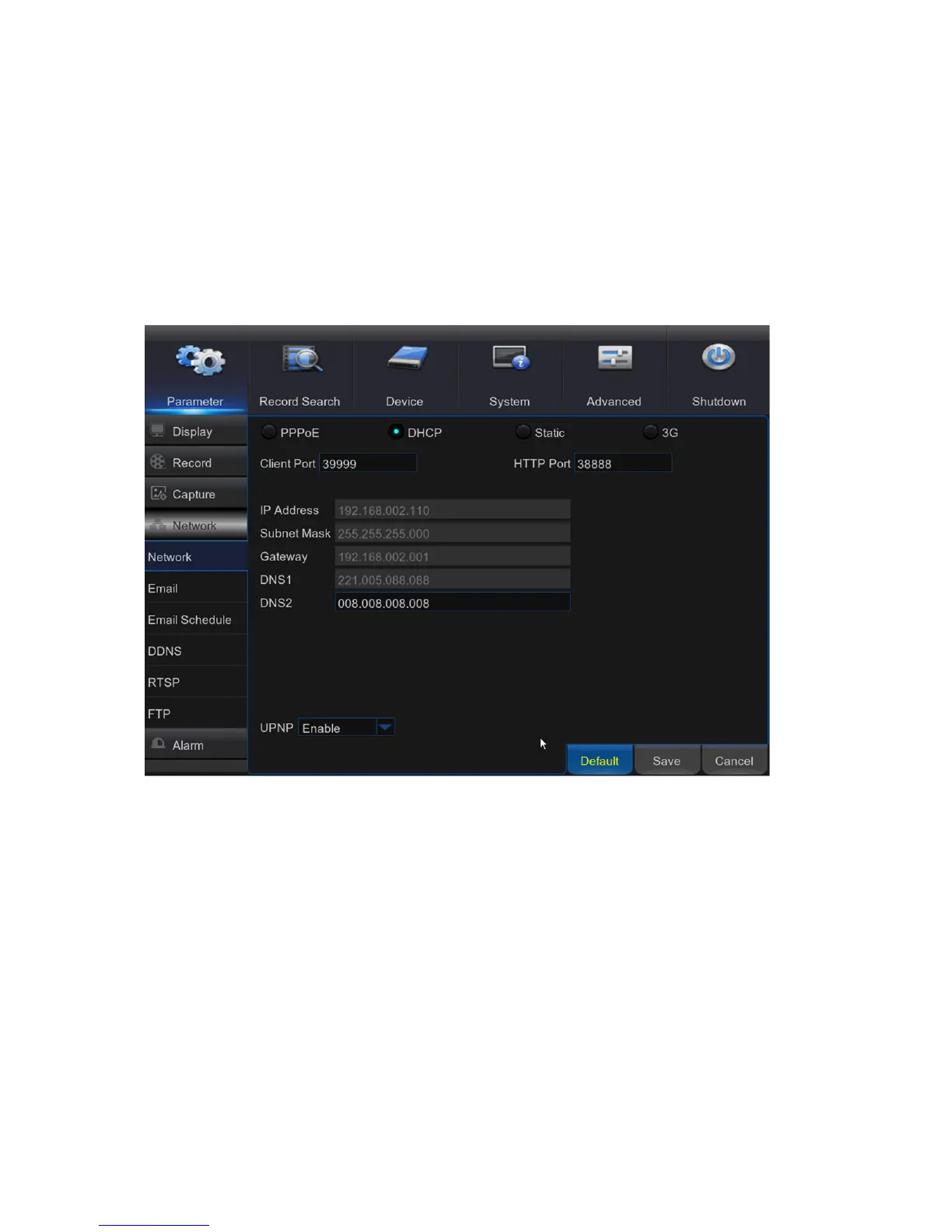
This menu allows you to configure Network parameters, E-mail setup, DDNS, RTSP & FTP.
Network
5.5.1
This menu allows you to configure network parameters, such as PPPoE, DHCP, Static, and 3G.
The most common types are DHCP or Static. Most probably your network type is DHCP, unless
the network is manually addressed (usually called- Static). If you need an authentication user
name and password to the Internet, then choose PPPoE. If you want to use mobile network
connection, then choose 3G.
Network Type: Select the network type you are using.
PPPoE: This is an advanced protocol that allows the DVR to connect to the network more directly
via DSL modem.
DHCP: This is the network type when a device on your network (usually a router) assigns
automatically all the network parameters for your DVR.
Static: Requires all the network parameters to be filled in manually.
3G: Prior using the mobile network, you need to connect a 3G dongle to the DVR.
HTTP Port: This is the port that you will use to log in remotely to the DVR (e.g. using the Web
Client). If the default port 80 is already taken by other applications, please change it.



 To Next Page