64
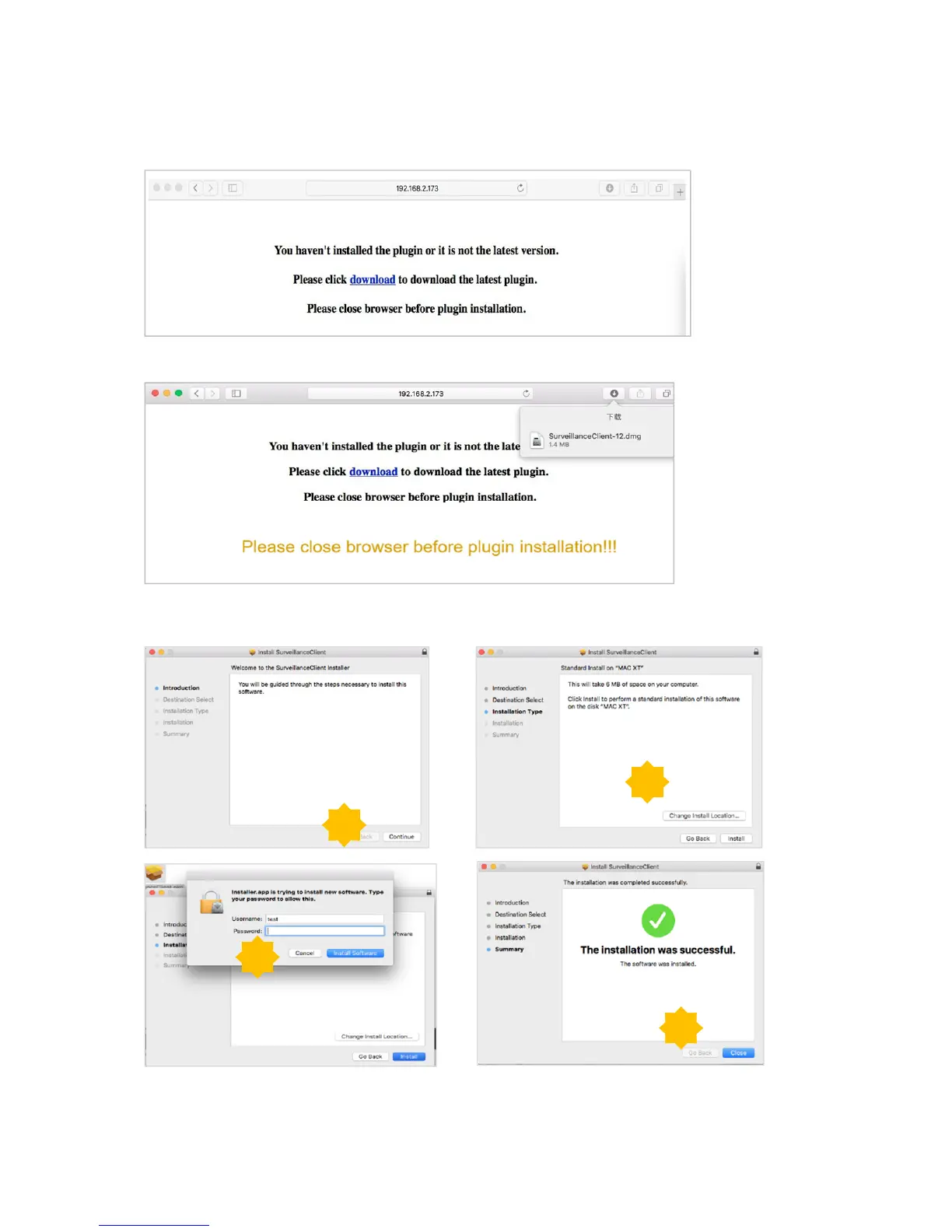
For Mac SAFARI:
1) Launch the Safari on your Mac, and enter the DVR static IP address or DDNS domain name
(Host Name) you have set on DVR in the URL box.
2) Download the plug-in “SurveillanceClient.dmg”, locate the downloaded file and double click it.
3) Click on “Continue” --> “Install”. Enter user name and password for Mac computer,
Click on “Install Software” --> “Close” to finish installation.
4) Close SAFARI repeat step 1 to open the Web Client login page.
1
2
3
4



 To Next Page