69
Sub-stream playback
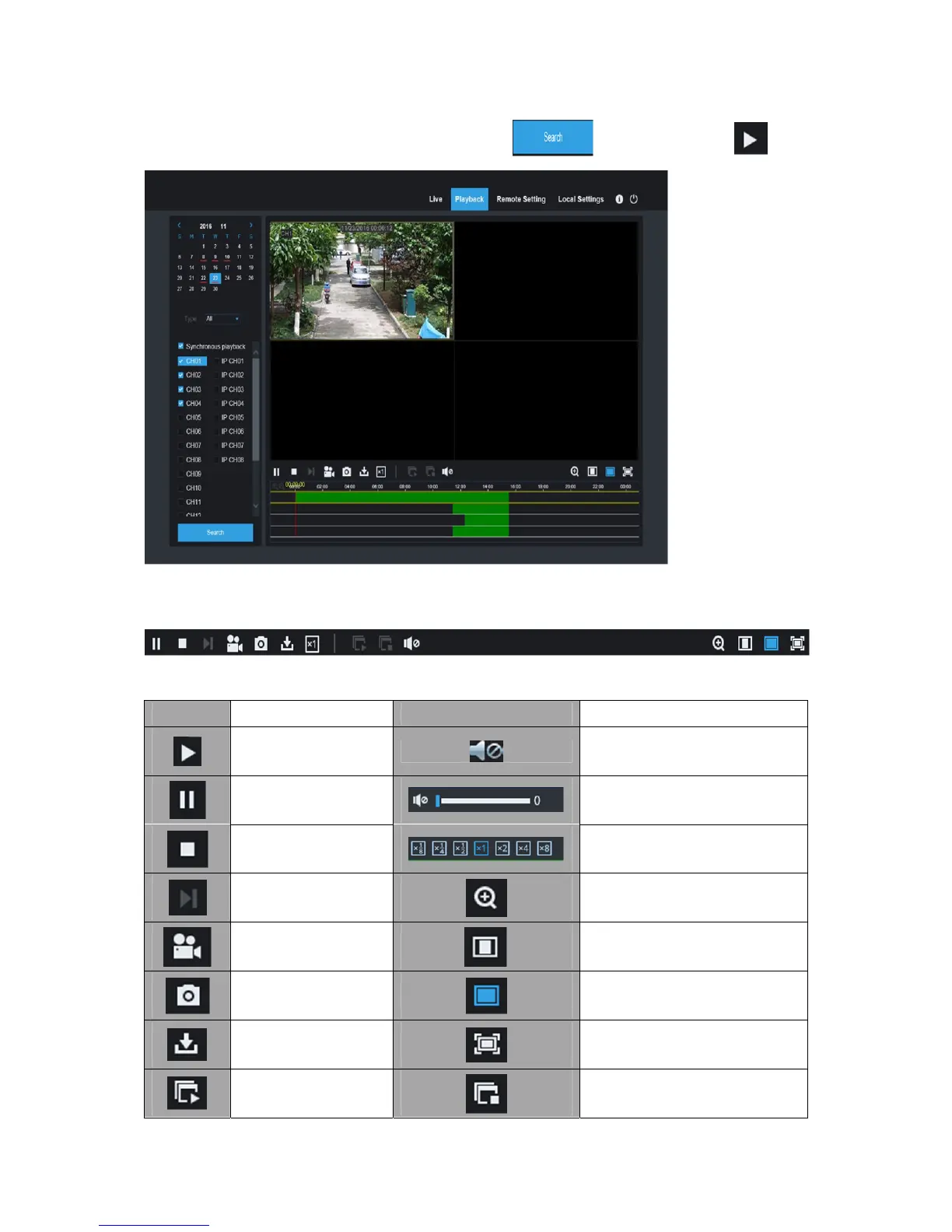
“Stream” select “SubStream”, select the channel, click “ ” search video, click “ ” play.
2. Playback Control
Playback control bar.
Detailed brief description is shown as below list
Key
Description Key
Description
Play
Enable the volume switch
Pause
Volume adjustment bar
Stop
Slow playing 1/2,1/4, 1/8,
Fast playing 1/2/4/8
By frame
Digital ZOOM
Record Clip
Original proportions
Snap
Stretch
Download
Full Screen
Open all the
playback channels
Stop playing all the playback



 To Next Page