14 www.dimplex.com
HT EN
Heater Hardware Disconnect
The replace heater can be permanently disabled by removing the electronic jumper on the main control board.
!
NOTE: Heater hardware disconnect will permanently disable the heater and fan. Follow these instructions only
when an installation without heat is required. Temporary disabling of the heater can be achieved through the
hidden touch controls. See “Heat Disable” in Operation section (page18) for instructions.
To disconnect the heater and fan permanently:
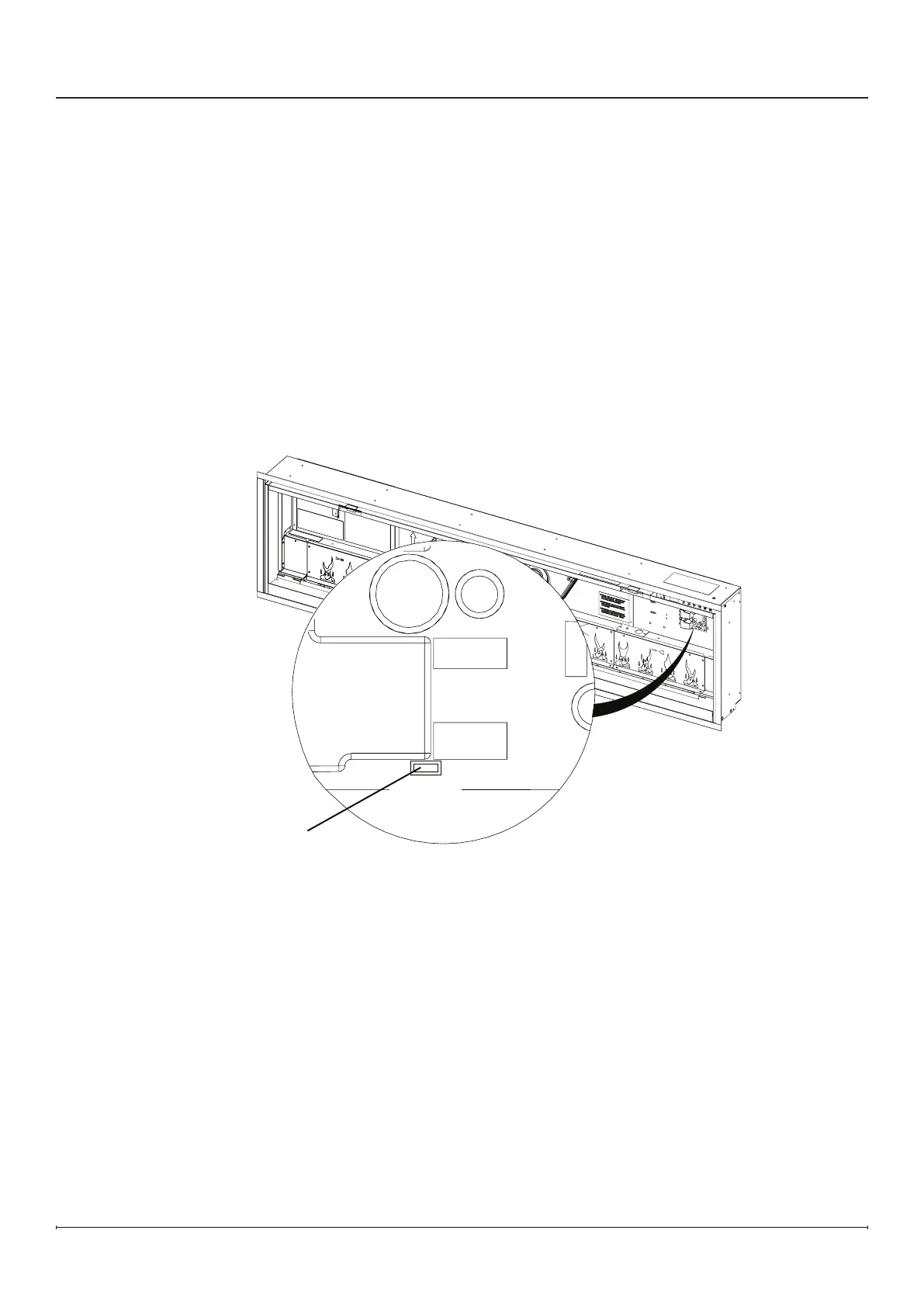
1. Locate the main control board. The heater hardware disconnect jumper location is labeled
“HT EN”. (Figure10)
2. Pull out the heater hardware disconnect jumper.
Figure 10
Installation
Heater Hardware
Disconnect Jumper


 To Next Page