7
Optimized layout for A4 print.
1
2
3
5
6
4
7 8
10
9
TECH_MAN_ENG_LTP
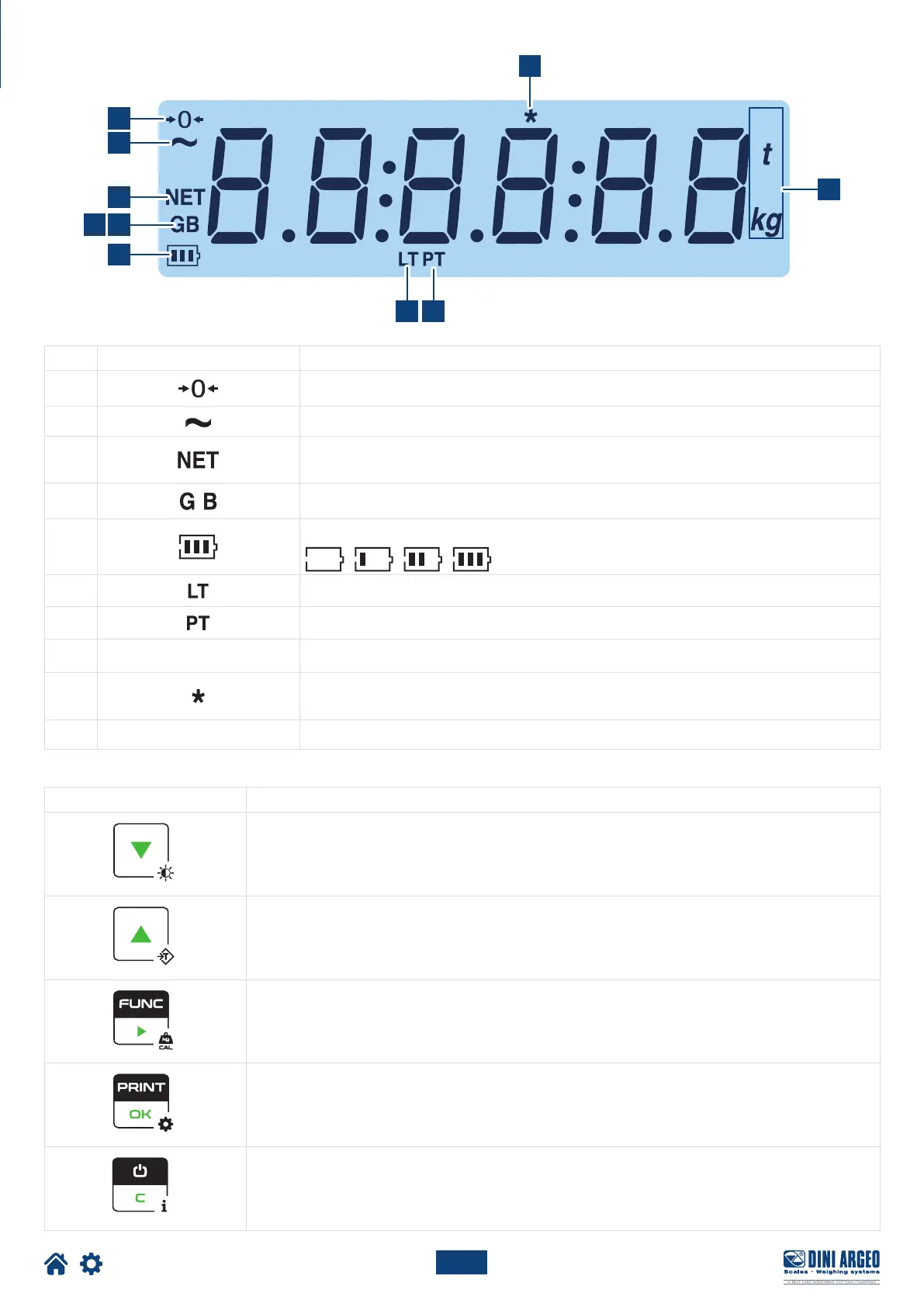
DISPLAY AND KEYBOARD
ITEM ICON DESCRIPTION
1
This indicates that the scale is empty (gross zero).
2
This indicates that the weight is unstable.
3
The net weight is displayed.
Note: A tare has been stored.
4 / 5
The gross weight is displayed.
6
This indicates the battery level:
7
A tare has been blocked.
8
A manual tare is active.
9
lb ... kg
This indicates the unit of measure: pounds (lb), tons (t), kilograms (kg), grams (g).
10
This indicates that a key has been pressed. In some operating modes, this indicates that a specific
function is active.
11
----
Weight acquisition phase.
Key Description
• For numerical entries, decreases the value.
• If pressed for a long time (2 sec), it allows you to set the brightness of the display.
• For numerical entries, increases the value.
• If pressed for a long time (2 sec) it allows you to insert a preset tare.
• Recalls the function specific to the operating mode.
• For numerical entries, to change the selected digit
• If pressed for a long time (5 sec) it allows you to change the operating mode.
• Confirm key.
• Print the receipt.
• If pressed for a long time (5 sec) it allows you to enter the configuration menu.
• If pressed for 2 seconds, it turns o the instrument.
• If pressed for 5 sec it shows the metrological information.





 To Next Page