Optimized layout for A4 print.
12
i
i
A
B
C
TECH_MAN_ENG_LTP
The power cable and the sensor cable are then connected via the two side cable glands.
Installing the indicator
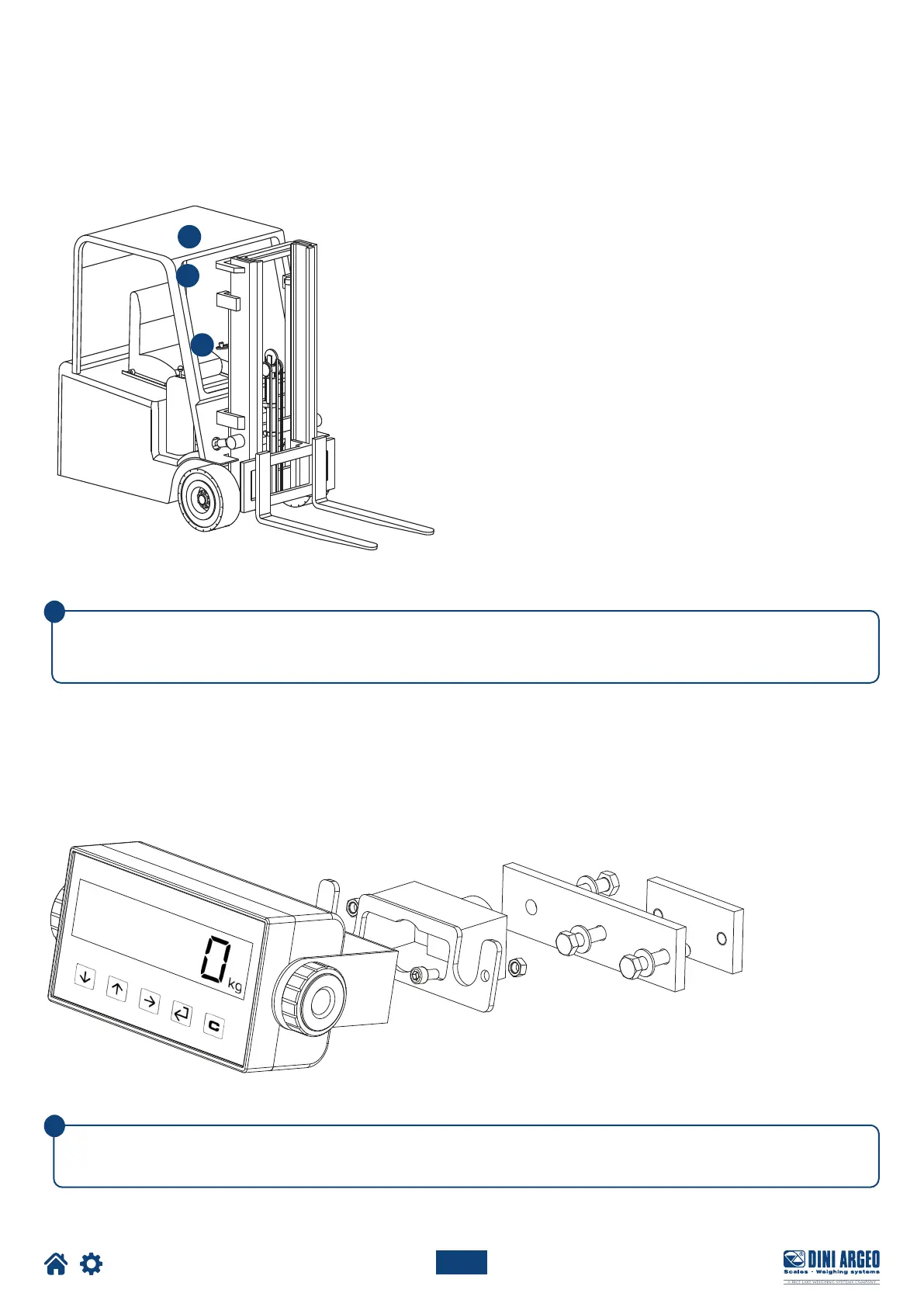
FIND A SUITABLE LOCATION FOR THE INDICATOR:
INSTALLING THE INDICATOR BRACKET
Adjust the orientation of the indicator vertically and horizontally so that it is clearly visible and easy to reach.
Install the bracket to the indicator using the supplied fixing components.
Below are some installation examples:





 To Next Page