Connecting the box
12 Set Top Box
WARNING! ENSURE THE TV AND
ALL ANCILLARY EQUIPMENT IS
UNPLUGGED FROM THE MAINS
BEFORE MAKING ANY
CONNECTIONS!
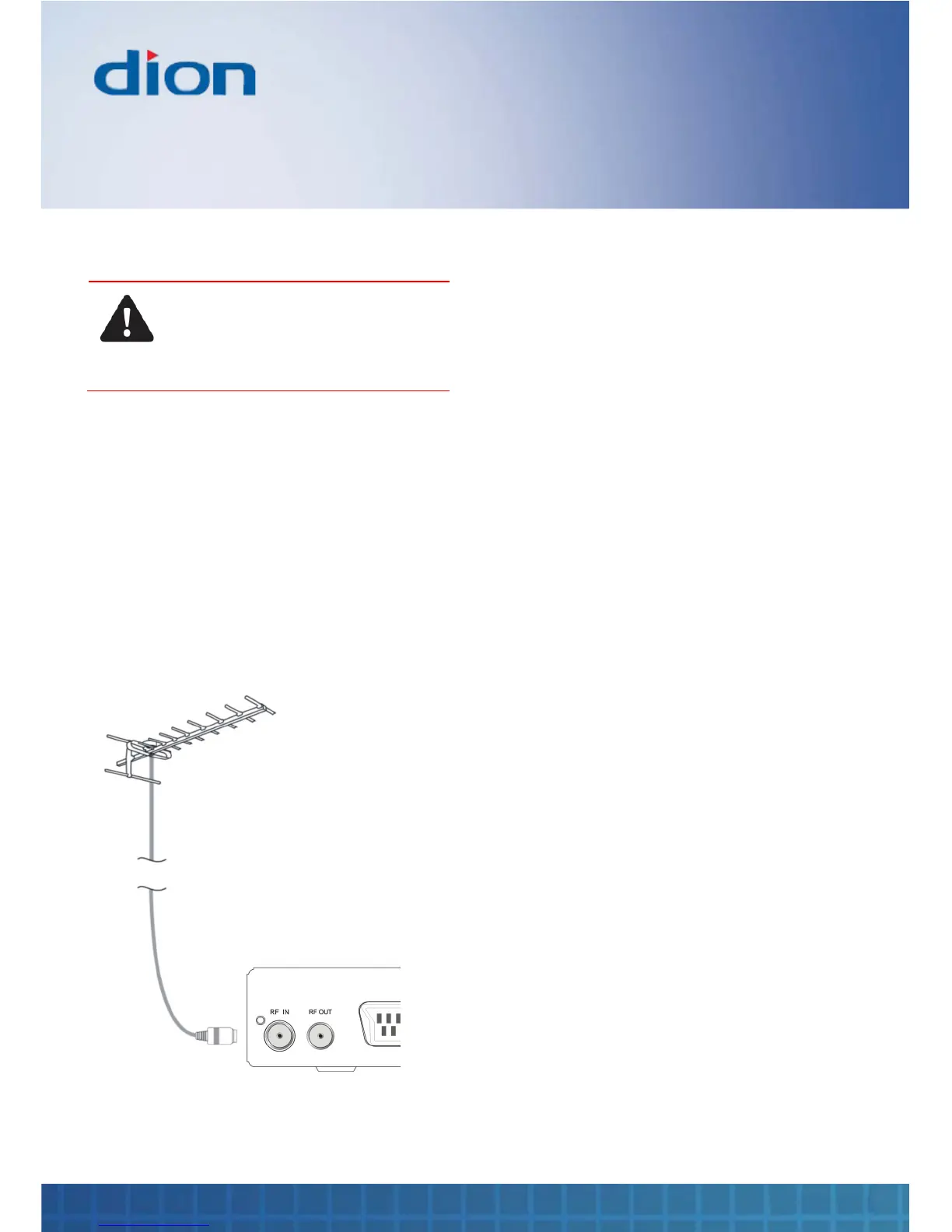
Connecting the TV aerial
Connect the TV aerial to the ‘RF IN’ socket on the
rear of the box with a 75 ohm co-axial plug. For
best results use a high gain TV aerial, preferably
roof or loft mounted
Use a professionally installed external, roof
mounted aerial wherever possible
To improve the picture quality in a poor signal area,
purchase and install a signal amplifier
Connecting to the TV and
other devices
The Quick Start Guide shows the simplest and
most effective way to connect the box to ancillary
equipment. Alternate methods are listed below
Co-axial cable
If your TV does not have a SCART socket, you can
connect the box to the TV using a co-axial cable.
Connect the co-axial cable between the ‘RF OUT’
socket on the rear of the box and the aerial socket
on your TV
Using this connection method will also allow your
TV to receive a signal when the box is switched off
SCART cable
You can connect the box to your TV and VCR
using a SCART cable. This connection uses
component video signals, i.e. the red, green and
blue (RGB) content of the video are sent on
separate signals
To connect the box to your TV, connect the SCART
cable between the ‘TV’ SCART socket on the rear
of the box and the SCART socket on your TV
To connect the box to your VCR, connect the
SCART cable between the ‘VCR’ SCART socket on
the rear of the box and the SCART socket on your
VCR


 To Next Page