Operating the box
14 Set Top Box
Selecting a channel
Press the NUMERIC buttons to select the channel
you require. Do not use leading ‘0’s
For example to select channel 17, press the 1
button, the 7 button and then the OK button
Note: Pressing a leading ‘0’ causes
activation of the Channel Zero
interactive service feature. See
Channel Zero on page 29
Press the P+ or P- to scroll up or down through the
channels
Volume
Press the V+ or V- buttons to increase or decrease
the volume. A volume indicator appears at the
bottom of the screen
Mute
Press the MUTE button to mute the sound. The
speaker symbol on the volume indicator is crossed
out
Press the MUTE button again or the V+ or V-
buttons to restore the sound. The speaker symbol
on the volume indicator will no longer be crossed
out
Programme swap
Press the RCL button to switch between the
current channel and previous channel
Information display
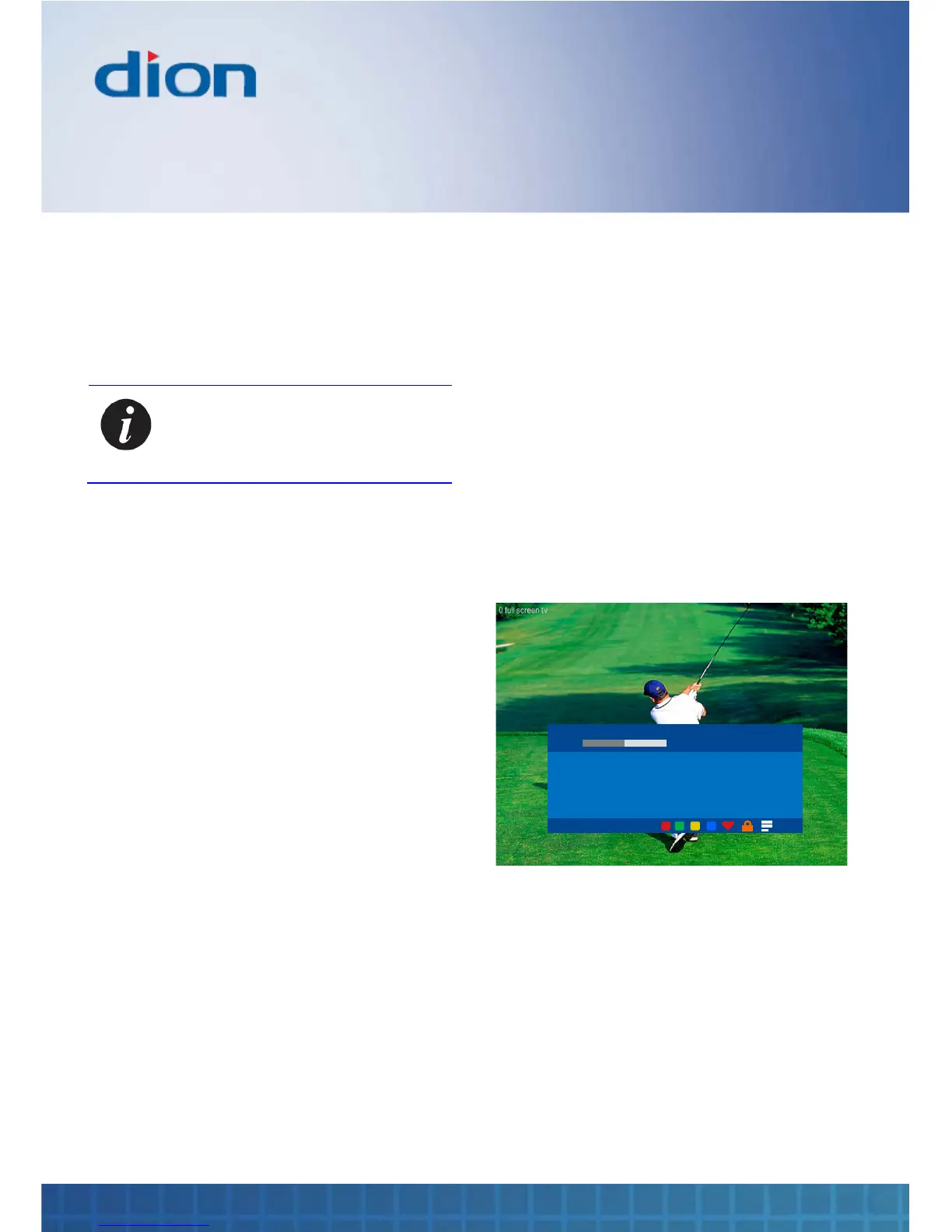
Press the INFO button to show the Information
display screen. Press it again to clear the display
The Information display provides information on the
following:
• Channel name and number
• Viewing progress bar
• Programme description
• Date and time
• Colour icons show which groups a channel
belongs to
o A heart icon - the channel has been set
as a favourite
o A lock icon - parental lock has been set
o A stripe icon - channel has subtitles
o A ’TXT’ icon - a digital text service is
available
2 BBC Two
Now
THE OWL AND THE PUSSYCAT
The sun was shining on the sea, shining with all his might: He did
his very best to make the billows smooth and bright - and this was
odd, because it was the middle of the night. The Owl and the
Pussy Cat’s pea green boat.
Sat, 18 Nov 10:30
TXT
1. Press the ► button to display information for
the next programme on the same channel
2. Press the ▲ or ▼ buttons to see information
for the previous or next channel without
changing channel
3. Press the INFO button again to clear the
Information display screen


 To Next Page