EasyManua.ls Logo

Directed DB3 - User Manual

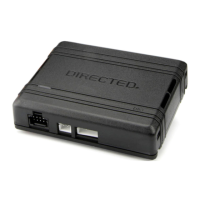
Directed DB3
6 pages
Print Icon
To Next Page IconTo Next Page
Loading...
DIRECTED
e

Other manuals for Directed DB3

Questions and Answers

  • E
    Elizabeth HoodSep 10, 2025
    How to troubleshoot Directed Automobile Electronics module with no power?
    • B
      Brittany HeathSep 10, 2025
      If your Directed Automobile Electronics module isn't getting power, ensure the D2D harness is properly connected and that there's 12V present between the red and black wires. If the voltage is correct, the module itself might be defective.
  • B
    Brittany FarmerSep 10, 2025
    What to do if initialization failed on Directed Automobile Electronics?
    • F
      frobinsonSep 10, 2025
      If the initialization process fails, reset the module and try the programming procedure again.
  • J
    Jennifer KiddSep 10, 2025
    What to do if Directed Automobile Electronics shows a bypass processing error?
    • D
      David HollowaySep 10, 2025
      If you encounter a bypass calculation failure, reset the module and try again.
  • K
    Kristen EwingSep 10, 2025
    Why Directed Automobile Electronics runsafe was not disabled?
    • A
      Amy ChapmanSep 12, 2025
      The runsafe feature wasn't disabled because no UNLOCK command was received before opening the door, or the 45-second timer expired in takeover mode.
  • A
    Anthony JohnsonSep 12, 2025
    What does PTS shutdown error mean on Directed Automobile Electronics?
    • K
      Kenneth MoraSep 12, 2025
      The PTS output from the module wasn't activated due to safety protection.
  • R
    Ryan StantonSep 12, 2025
    What to do if Directed Automobile Electronics CAN bus incorrectly detected?
    • C
      Clarence RichardSep 12, 2025
      Verify the CAN1 and CAN2 connections.
  • T
    tchapmanSep 12, 2025
    What to do if Directed Remote Starter module has no power?
    • J
      Jeffrey CarterSep 12, 2025
      First, ensure the D2D harness is securely connected and verify that there's 12V present between the red and black wires. If the voltage is correct, the module might be defective.
  • N
    Nathan DavisSep 12, 2025
    What to do if Directed Remote Starter bypass data not detected?
    • S
      sherryorozcoSep 12, 2025
      Check the connection of the bypass line. If multiple wires are used, ensure they are not inverted. Also, make sure the vehicle still operates correctly using the factory key.
  • C
    christy58Sep 12, 2025
    What to do if Directed Remote Starter ISO 2 not detected?
    • L
      Lori RobinsonSep 12, 2025
      The Orange/Black wire did not detect the expected signal. Refer to “Installation (wiring diagrams & vehicle wiring reference charts)” to check the connections.
  • B
    brian89Sep 12, 2025
    What to do if Directed Remote Starter CAN1 not detected?
    • K
      Kelly WalterSep 12, 2025
      Check the CAN1 Tan and Tan/Black wire connections. Wake up the data bus by turning the ignition on and try again. If your installation does not require this connection, skip this step by pressing the programming button 5 times.

Summary

DB3 Digital Remote Start Module

Universal Data-Bus Interface Module

Describes the DB3 as a universal, flashable data-bus interface module.

All-in-One Vehicle Coverage

Highlights the DB3's capability to cover over 90% of vehicles on the road today.

Product Features and Compatibility

Key Features and Functions

Lists features like RSR/RXT compatibility, programmable functions via Directechs, and RF loop support.

System Compatibility

Details compatibility with RSR, RXT, SmartStart, and 3X Lock Start systems.

Flash Module Configuration

Mentions the ability to configure the module using a flash module.

Warranty and Safety

Lifetime Performance Matched Warranty

Explains the warranty for Directed interfaces ensuring high-speed digital connectivity and error-free data exchange.

Vehicle Servicing Warning

Warns users to check for hood detection switches before servicing to prevent unexpected restarts.

Directed DB3 Specifications

General IconGeneral
BrandDirected
ModelDB3
CategoryAutomobile Accessories
LanguageEnglish

Related product manuals